

Sites
Describe a website and Cloudairy AI plans it, builds it and lets you publish it, then refine it in chat, by clicking any text or picture, or in the code.
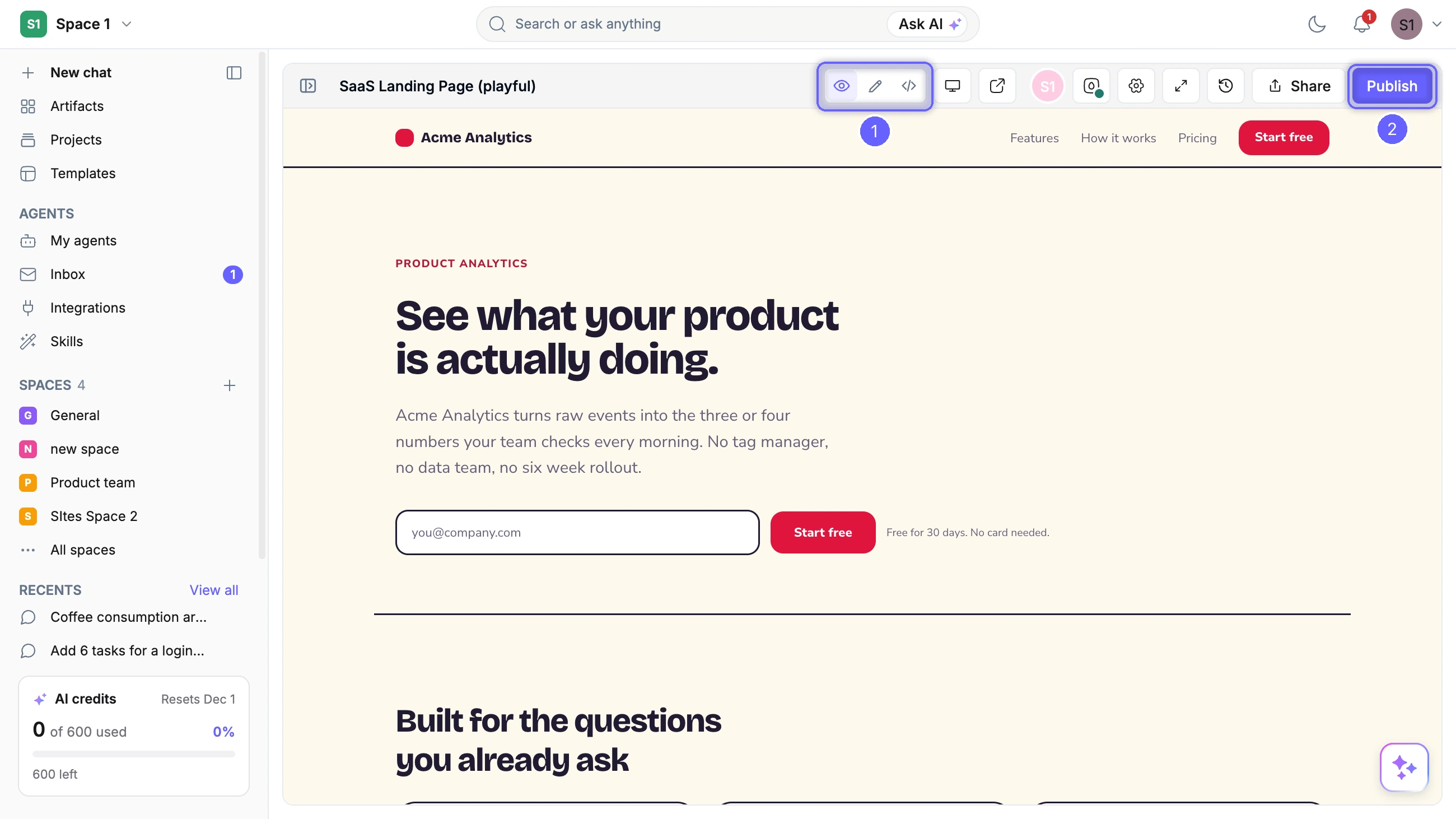
What you can do
Agree a plan before it builds
Cloudairy AI writes a Site plan: three looks to pick from, a page outline you can change section by section, and the full plan as an editable document.
Ask for changes in chat
Type what you want changed, attach a file or picture (up to 20 MB), or speak it. Pick a section first to aim the change at it.
Edit text and pictures directly
Click any text, picture or block in Edit text to change fonts, colours, spacing and backgrounds, replace pictures, add alt text, and set form field labels.
Change the theme
Pick a style (Site default, Minimal, Corporate, Dark, Elegant, Playful) and set the brand, background, card and text colours.
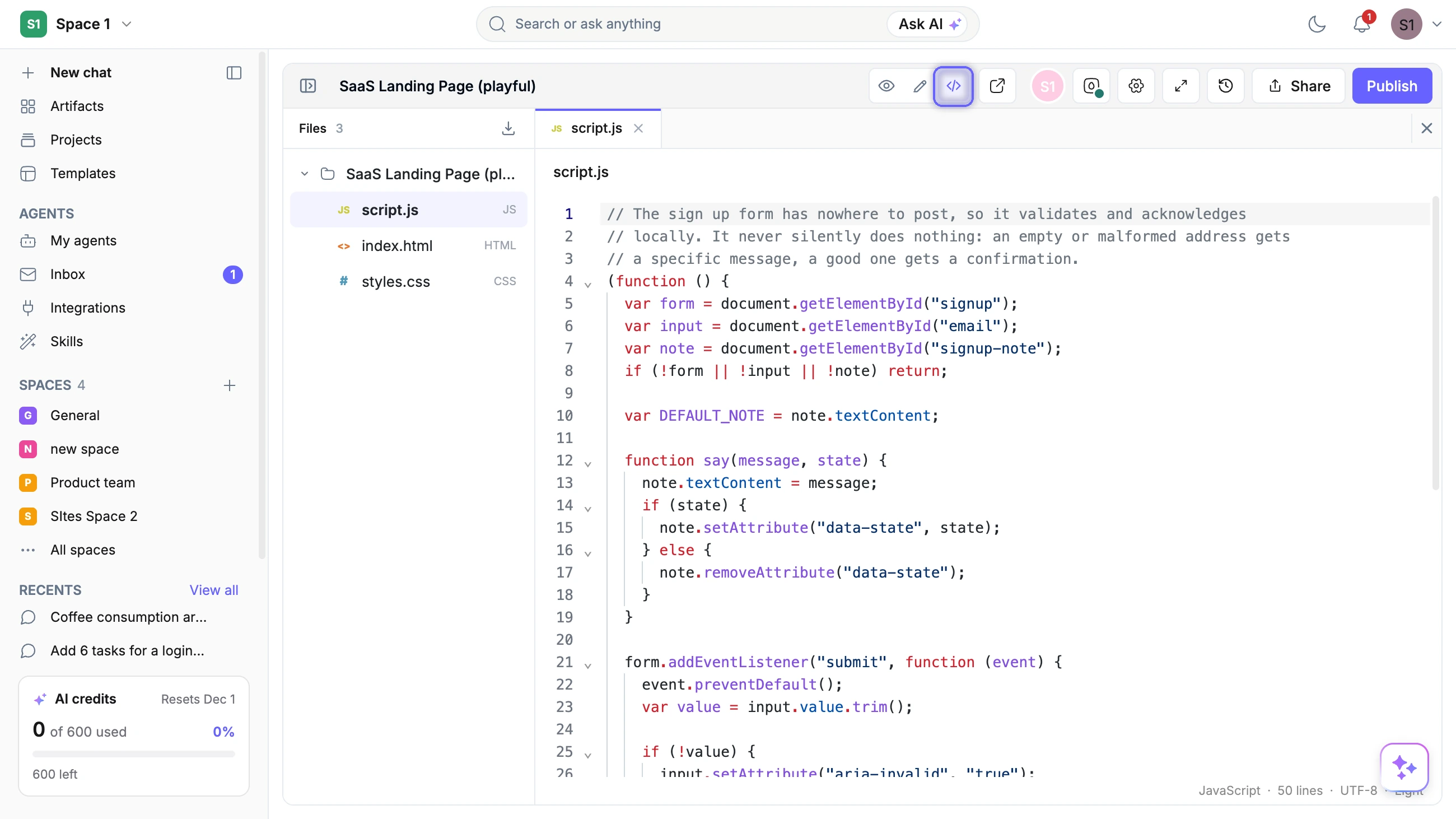
Work in the code
Switch to Code for the file tree and editor, replace assets, and download the project.
Publish and grow
Publish at a free Cloudairy address or your own domain, see visits, run a headline A/B test, read form submissions, translate the site and add a password.
Made for
- Landing pages for a product, event or campaign.
- Small business and portfolio sites.
- One-page sites with a sign-up or contact form.
- Quick prototypes to share with a link.
Start one
| Where | What to click |
|---|---|
| Artifacts | Make something new > Sites. New chat opens with Sites picked. Describe the site. |
| New chat | Click Create and pick Sites. |
| Templates | Left sidebar > Templates > type Sites > Preview (the site runs live) > Use template. |
| A project | Project page + > Site. |
| Your Files | Artifacts > Your Files > a site. |
See Build a site.
With Cloudairy AI
- AI plans the site, builds it, and takes every follow-up change in the site chat.
- Style in the chat composer sets spacing, headline size, corners, shadow, mode, accent colour, labels, cards, headings, buttons, dividers and images.
- Shuffle layout gives a section a new layout.
Building and changing a site uses AI credits. See AI credits.
Share and export
- Publish: the button reads Published when live and Republish after changes. Open in browser visits the site.
- Share the site with people by email or link.
- Download: the project as a .zip, to your computer, Google Drive or OneDrive.
- Publish to GitHub from site settings.
On your plan
| Free | Pro | Business | Enterprise | |
|---|---|---|---|---|
| Sites | Count toward 3 items in total | Unlimited | Unlimited | Unlimited |
| AI credits | 100 | 1,000 | 2,500 | Unlimited |
Learn more
- Build a site
- Edit your site
- Site settings and publishing
- Code, for projects that are not websites