

ERD
Design a database visually: draw tables, fields and relationships, then copy or download the SQL for PostgreSQL, MySQL, MariaDB, SQLite or SQL Server.
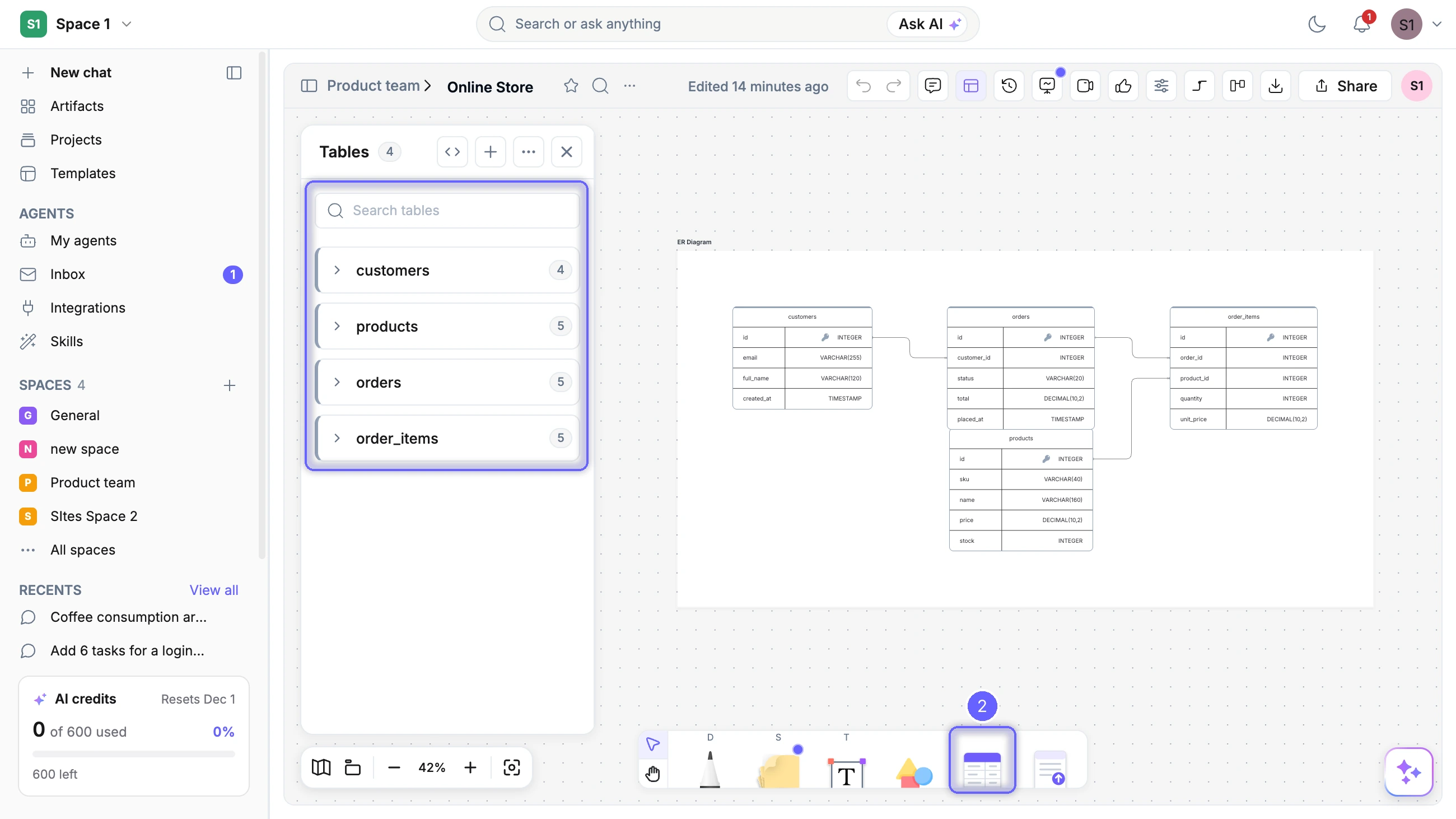
An ERD (entity relationship diagram) opens in the canvas editor with a Tables panel, so you can sketch around it with sticky notes, text and shapes too.
What you can do
Edit tables in the Tables panel
Search tables, and for each one set its fields (name, type, nullable, primary key, attributes), indexes and colour.
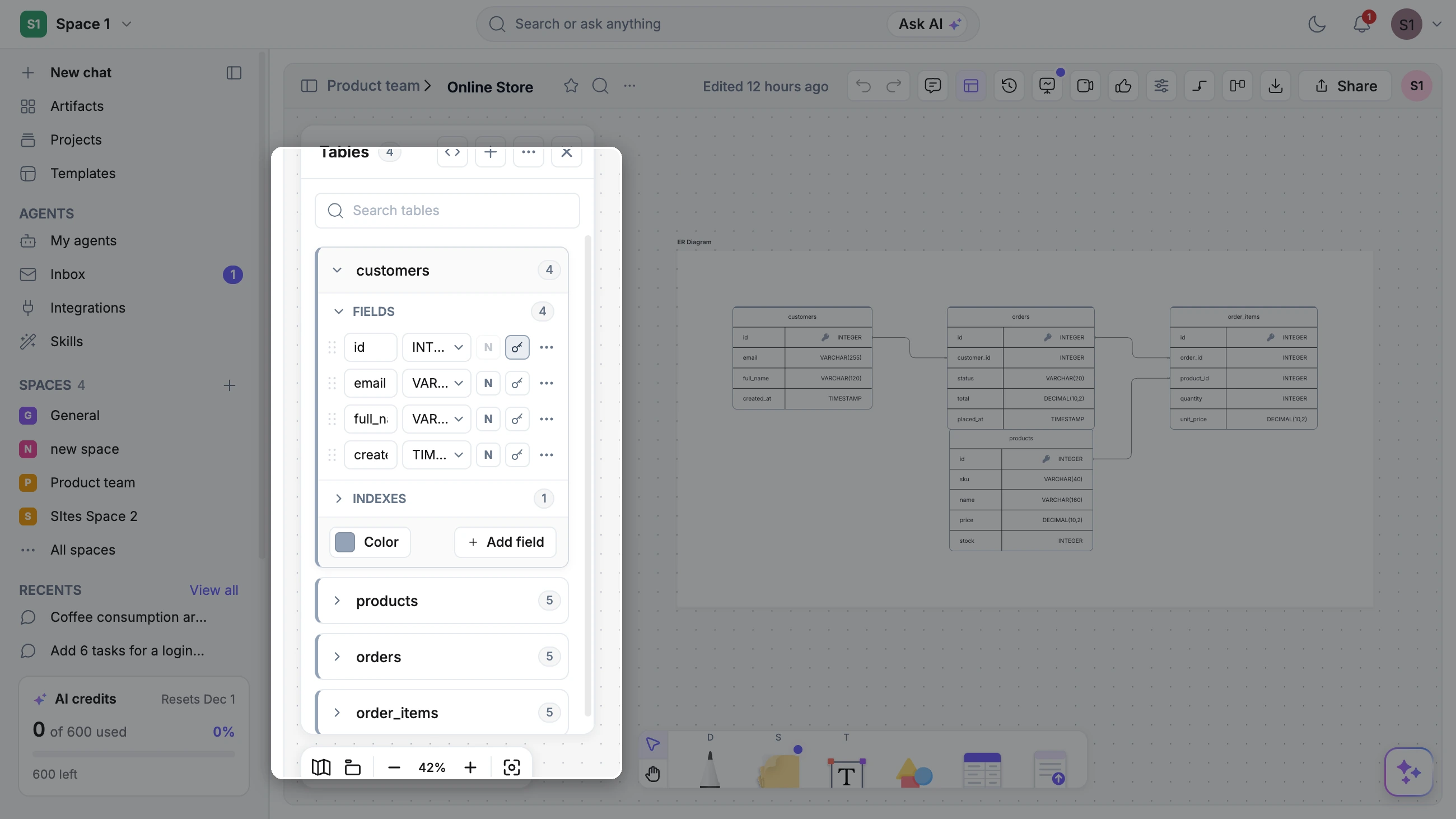
Set field attributes
A field's ⋯ opens Field attributes: Unique, Array, Default value, Max length and Comments.
Write the schema as DBML
View DBML script opens a code editor with error lines. Edit the script and Apply to board.
Import a schema
Bring in a schema as JSON, SQL, DBML, text, CSV or Excel, with a live preview before you import.
Export SQL
Copy or download a .sql file for PostgreSQL, MySQL, MariaDB, SQLite or SQL Server, or save it to Google Drive or OneDrive.
Made for
- Planning a new app's database before you write code.
- Documenting an existing schema for your team.
- Reviewing data models in design reviews.
- Handing a ready SQL script to engineers.
Start one
| Where | What to click |
|---|---|
| Artifacts | Make something new > ERD. The New ERD dialog opens with Generate with AI, Import and Start blank. |
| A space | Create new > ERD > Start blank. A blank ERD uses no credits. |
| A project | Project page + > ERD. |
| New chat | Click Create and pick ERD, then describe the database. |
| Your Files | Artifacts > Your Files > an ERD. |
With Cloudairy AI
- Generate with AI in the New ERD dialog: describe the database, for example "An online store with customers, products, orders and payments", or click a chip such as E-commerce or SaaS billing.
- The board's AI chat has an ER diagram chip for adding to the diagram.
AI uses AI credits. See AI credits.
Share and export
- Share like any canvas: Can Edit or Can View, link access, Copy link.
- Export SQL from the Tables panel ⋯ menu.
- Export in the top bar downloads the diagram as an image or PDF.
On your plan
| Free | Pro | Business | Enterprise | |
|---|---|---|---|---|
| ERDs | Count toward 3 items in total | Unlimited | Unlimited | Unlimited |
| Import from the New ERD dialog | Upgrade prompt | Yes | Yes | Yes |
| Export SQL | Yes | Yes | Yes | Yes |
| AI credits | 100 | 1,000 | 2,500 | Unlimited |