

Artifacts›Whiteboard
Whiteboard
A whiteboard is a canvas set up for live sessions: sticky notes, frames, timers, votes and retro boards that your whole team fills in at the same time.
A whiteboard uses the canvas editor. You start it blank, from a whiteboard template, or by asking AI for one.
What you can do
Collect ideas on sticky notes
Everyone adds notes at once. Give notes colours, tags, an author and reactions, and peel new ones off a Sticky Stack.
Run the session
Start a shared Timer, use Dot Voting and Polling, or drop in a Retro Board with a live poll, a Brainstorm or a SWOT Analysis.
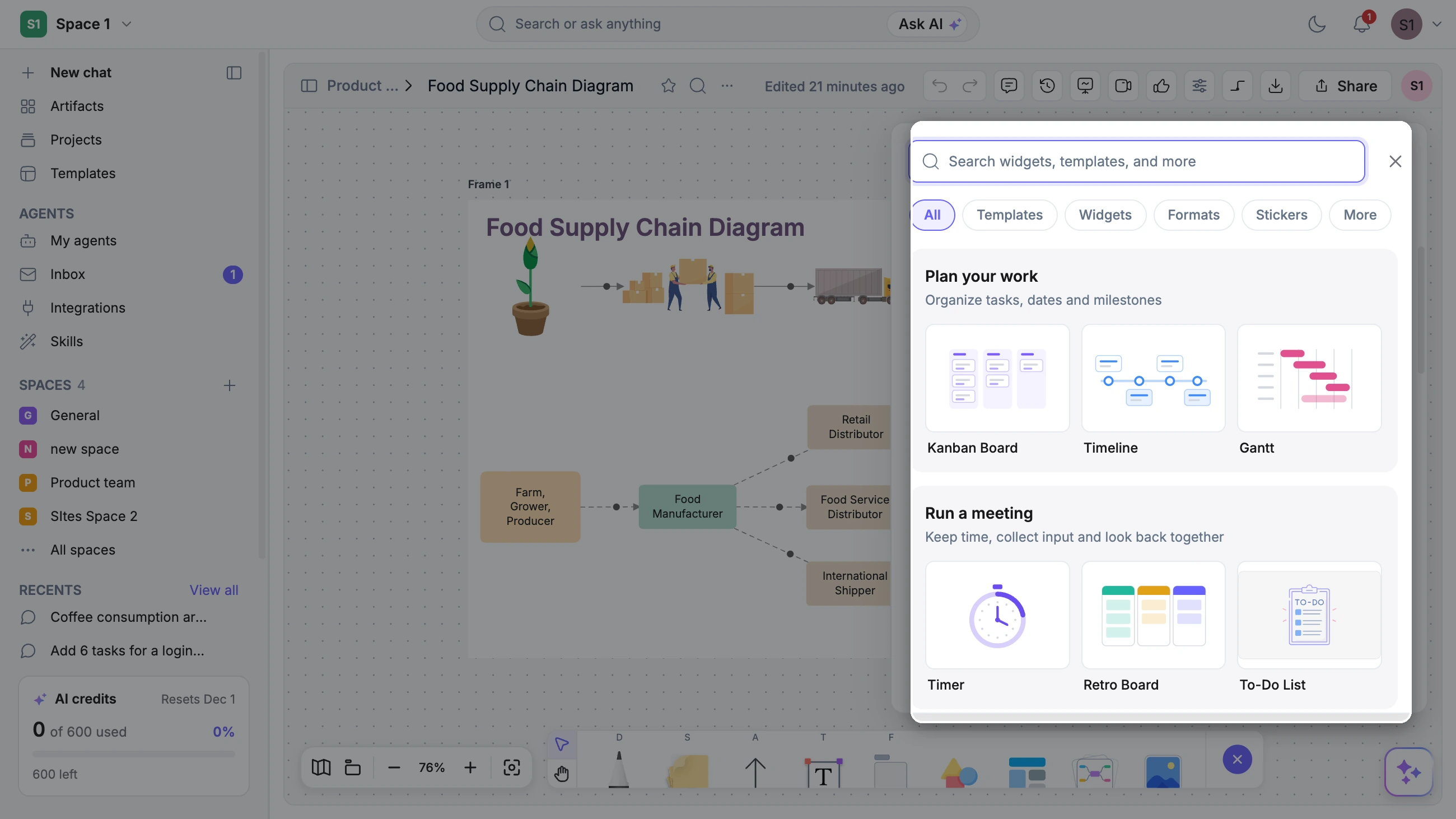
Lay out the board with frames
Draw a frame per topic or per step, then Present the frames one at a time.
Draw and sketch
Use the pen, highlighter, eraser and magic pen, and add stickers, emoji and GIFs (Shift+K).
Capture actions
Add a To-Do list or a Task Table for the actions you agree on.
Made for
- Sprint retros and team check-ins.
- Brainstorms and design workshops.
- Planning sessions and SWOT reviews.
- Classes and training with a shared board.
Start one
| Where | What to click |
|---|---|
| Artifacts | Make something new > Canvas > Generate with AI > the Whiteboard chip > Generate. |
| Artifacts, blank | Make something new > Canvas > Start blank > Create canvas. |
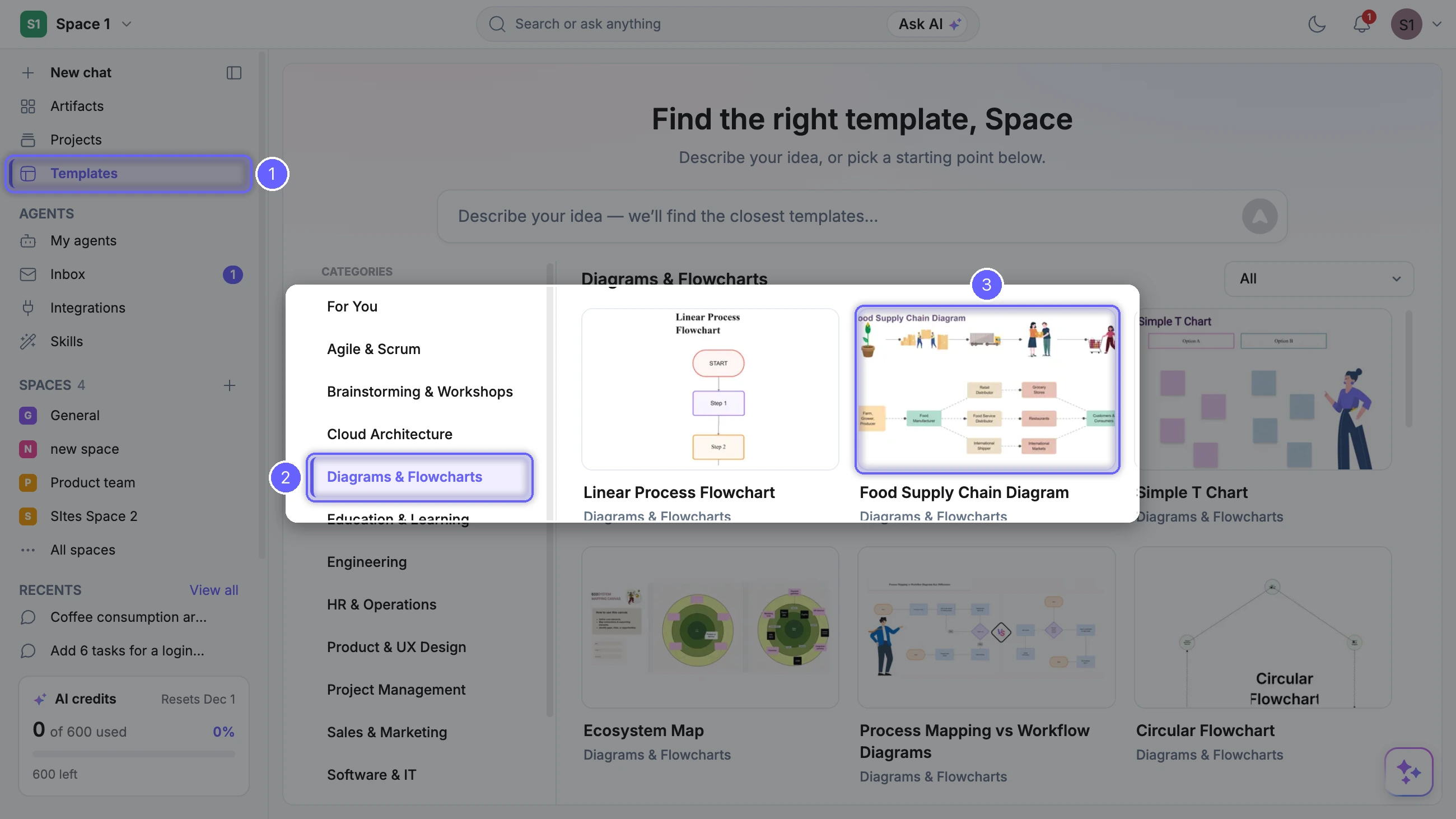
| Templates | Left sidebar > Templates, set the type to Whiteboard, or pick the Brainstorming or Agile & Scrum category, then Use. |
| Inside a canvas | Click Templates in the bottom dock to drop a template onto the board. |
| A space or project | Create new (space) or + (project) > Canvas. |
With Cloudairy AI
- Generate with AI with the Whiteboard chip builds a starting board from your description.
- The board's AI chat can add to the board. The selection toolbar's AI button can Fix grammar, Rewrite, Change tone or Translate a note.
Share and export
- Share: invite people as Can Edit or Can View, set link access, and Copy link.
- Export the board as PNG, JPG, SVG or PDF.
- Record a walkthrough of the board.
On your plan
| Free | Pro | Business | Enterprise | |
|---|---|---|---|---|
| Whiteboards | Count toward 3 items in total | Unlimited | Unlimited | Unlimited |
| Export SVG and PDF | Upgrade prompt | Yes | Yes | Yes |
| Premium templates (crown) | Upgrade prompt | Yes | Yes | Yes |
| AI credits | 100 | 1,000 | 2,500 | Unlimited |
Learn more
Was this helpful?