CloudairyCloudairy
Cloudairy
Templates
Get startedBuildArtifactsAgentsConnectAdministerHelp
Artifacts
CanvasCreate a canvasA tour of the canvas editorShapes, lines and iconsSticky notes, text, drawing and framesWidgets in More toolsFlowcharts, mind maps, UML and cloud diagramsPresent, comment and restore versionsImport and export a canvas
WhiteboardRun a workshop on a whiteboard
ERDBuild tables and relationshipsImport a schema and export SQL
DocsA tour of the doc editorWrite with blocks and the slash menuTables and databasesEmbeds, views, charts and layoutsComments and suggested editsImport, export and version history
WikiStart a wikiSpaces, groups and pagesSite structure and navigationCustomize your wikiPublish your wikiPreview the reader viewChange requests, Extend, Analyze and Improve
ProjectsThe project pageCreate a task boardBoard viewsThe Main Table and columnsTask cardsOverview, automations and board settings
FormsBuild a formDesign and settingsShare a form and review results
DashboardsBuild a data dashboardBuild a project dashboard
SitesBuild a siteEdit your siteSite settings and publishing
CodeWork with a code project
SlidesBuild a deckEdit and restyle a deckPresent and download a deck
InfographicsMake and edit an infographicResize and export an infographic
WireframesMake and edit wireframes
ClipsRecord a clipEdit a clip and its transcriptShare a clip and its settings
Artifacts›Projects
View as Markdown View this page as plain text

Task cards

Open a task to see and edit every detail: properties, checklists, subtasks, time and dependencies.

Click any task. The task card opens.

Use the header for the type, ID, previous and next, favourite, ⋯, assign, side panel and close.
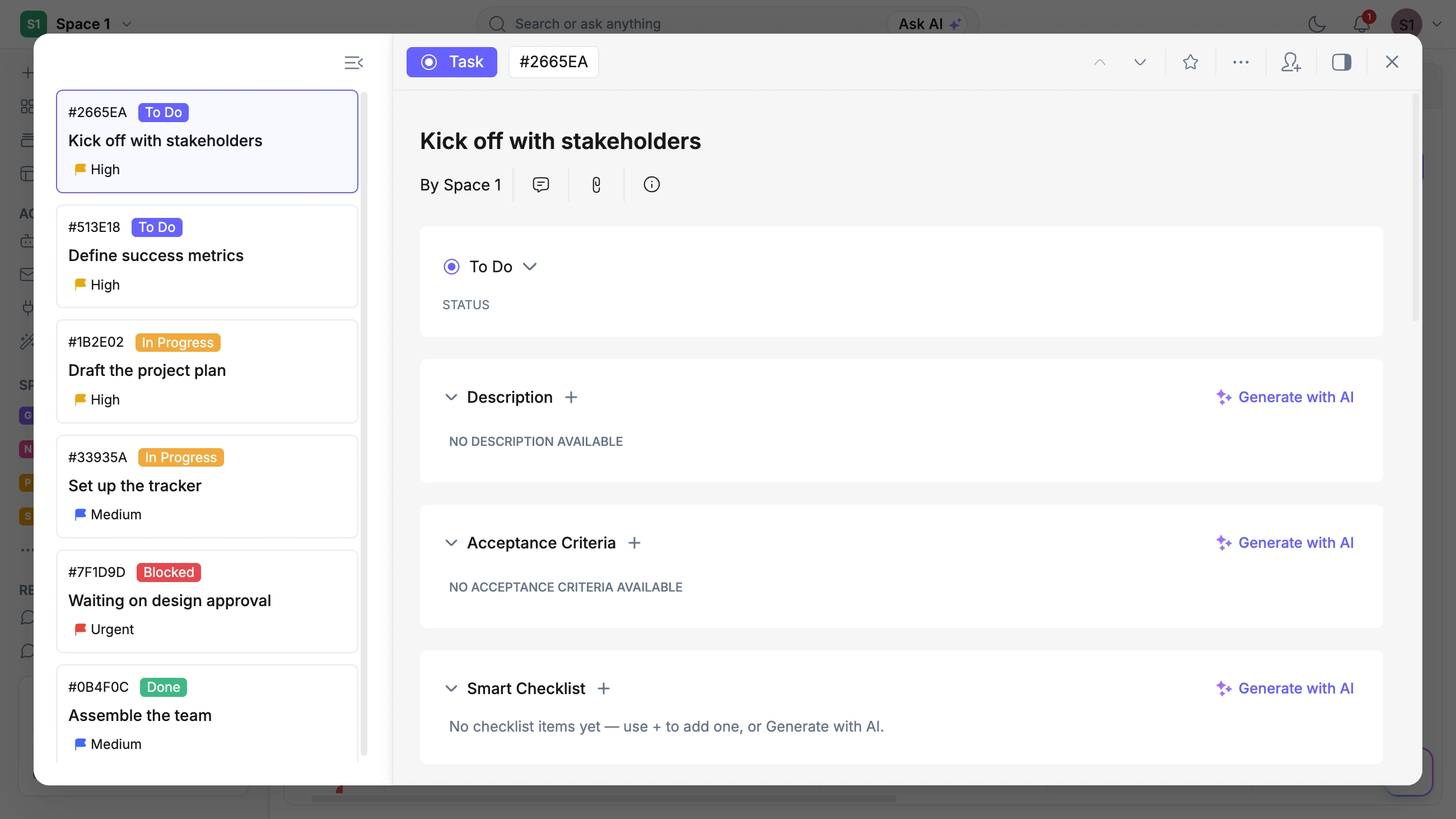
A task card
A task card: status, assignee, dates, description, checklist and comments.

Write the task

Description, Acceptance Criteria and Smart Checklist each have Generate with AI. The editor supports / and @.

Task information

Set Status, Priority, Dates, Assignees, Reporter, Completion, Reminder, Timer, Work Hours, Duration, Labels, Billing, Type, Epic, Milestone, Goal, Component, Sprint and Story Points.

Click + Add a property for a property type or a preset. For example, the Bug report preset adds Severity, Reproducibility, Steps to reproduce and Resolution.

Tabs

Tab What it holds
Comments Discussion, reactions and Translate
Subtasks Child tasks, with Generate with AI
Progress Progress on the task
Log Hours Time logs (New Time Log)
Documents Linked files
Dependency Predecessors and successors
Linked Tasks Related tasks
Status Timeline How the status changed
Issues Linked issues
Activity Stream Everything that happened

Add a dependency

Open Dependency and click + Add Successor (or a predecessor).

Search for the task.

In Add dependency, pick FS, SS, FF or SF, and Hard link or Soft link. Both tasks need dates.

Click Add dependency. Gantt draws the link.

Card actions

The card ⋯ has Rename, Copy link, Follow, Move ▸ (to a group or a board), Color and Duplicate ▸ Duplicate with updates.

Track time

Start the Timer on the card. Pausing asks for a note.

Next steps

  • Board views
  • Overview, automations and board settings

Last updated November 26, 2026

Was this helpful?
PreviousThe Main Table and columnsNextOverview, automations and board settings
On this page
Write the taskTask informationTabsAdd a dependencyCard actionsTrack timeNext steps
Was this helpful?
© 2026 Cloudairy

Product

CloudairyTemplatesPricing