CloudairyCloudairy
Cloudairy
Templates
Get startedBuildArtifactsAgentsConnectAdministerHelp
Help
Where to get helpAsk SupportOpen and track a support ticketWhat to include in a support requestContact salesWhat's new
TroubleshootingSign in problemsThe offline noticeLimit reached and upgrade popupsThe Free plan item limitYou ran out of AI creditsA shared link does not openA file or image will not go onto a canvasA screen says it could not loadButtons are missing on a phone or a narrow window
Share a template
FAQ
Help
View as Markdown View this page as plain text

Help

Get an answer fast, fix a common problem, or reach the Cloudairy team.

Ask the team

Chat with the support assistant, open a ticket a person tracks, or talk to sales.

  • Where to get help
  • Ask Support
  • Open and track a support ticket
  • Contact sales

Write a request the team can act on

The details that get your problem solved on the first reply.

  • What to include in a support request
  • Add a file or a screenshot

Fix a problem

Step by step fixes for the messages and problems people hit most.

  • Sign in problems
  • Limit reached and upgrade popups
  • You ran out of AI credits
  • A shared link does not open
  • All troubleshooting topics

Share a template

Turn a canvas, doc or project board into a template your team can reuse.

  • Share a template
  • Templates

Quick answers

Short answers to the questions people ask most.
  • FAQ
  • Key concepts
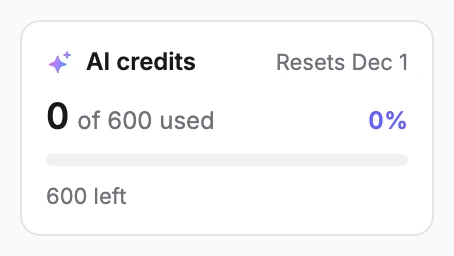
The AI credits card at the bottom of the left sidebar
The AI credits card shows what your workspace has used this month.

Stay up to date

See what changed in Cloudairy without leaving the app.

  • What's new

Last updated November 26, 2026

Was this helpful?
PreviousNotification settingsNextWhere to get help
On this page
Ask the teamWrite a request the team can act onFix a problemShare a templateQuick answersStay up to date
Was this helpful?
Β© 2026 Cloudairy

Product

CloudairyTemplatesPricing