CloudairyCloudairy
Cloudairy
Templates
Get startedBuildArtifactsAgentsConnectAdministerHelp
Agents
AgentsAgents: key concepts
Create an agent: every way to startStart from the Agents tab on HomePrebuilt agentsAnswer the agent builderImport an agentEdit an agent in CanvasTest your agent
Chat with an agentConfigure an agentShare and manage agentsSchedules and triggersInbox and approvals
SkillsCreate a skillInstall from the skill library
IntegrationsConnect an appApps you can connectCustom MCP and Access control
AI creditsChoose an AI modelAgents on your plan
Agents
View as Markdown View this page as plain text

Agents

Agents do a job for you with Cloudairy AI, on demand or on a schedule, and make real boards, docs, diagrams, forms and sites.

Meet agents

What an agent is, what it can make, and how many your plan includes.

  • Agents
  • Agents: key concepts
  • Agents on your plan

Create an agent

Describe the job in a sentence, answer a few questions, and the agent builder designs the agent for you.

  • Create an agent: every way to start
  • Start from the Agents tab on Home
  • Answer the agent builder
  • Import an agent
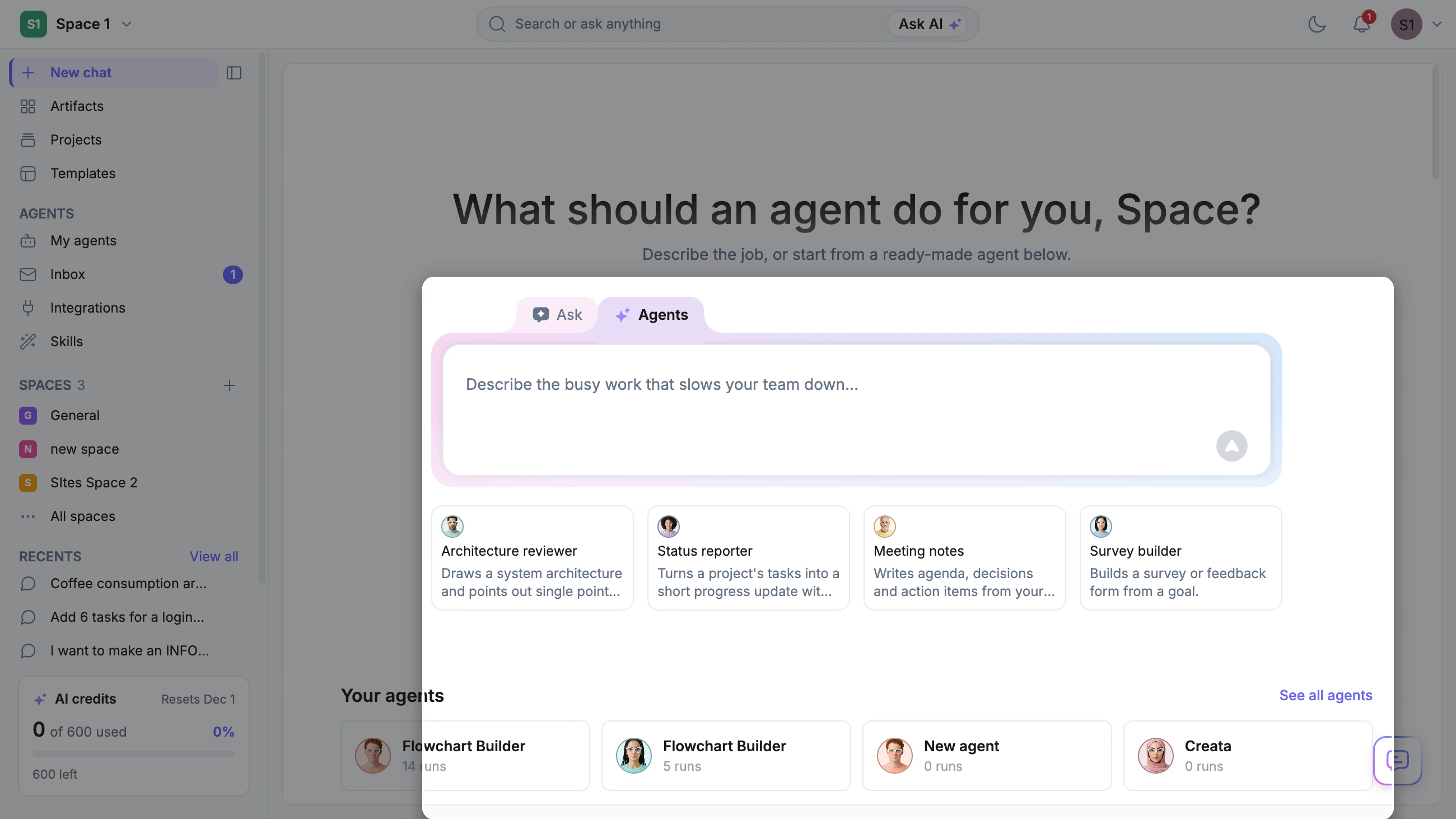
The Agents tab on Home
Describe a job in the Agents tab and Cloudairy designs the agent.

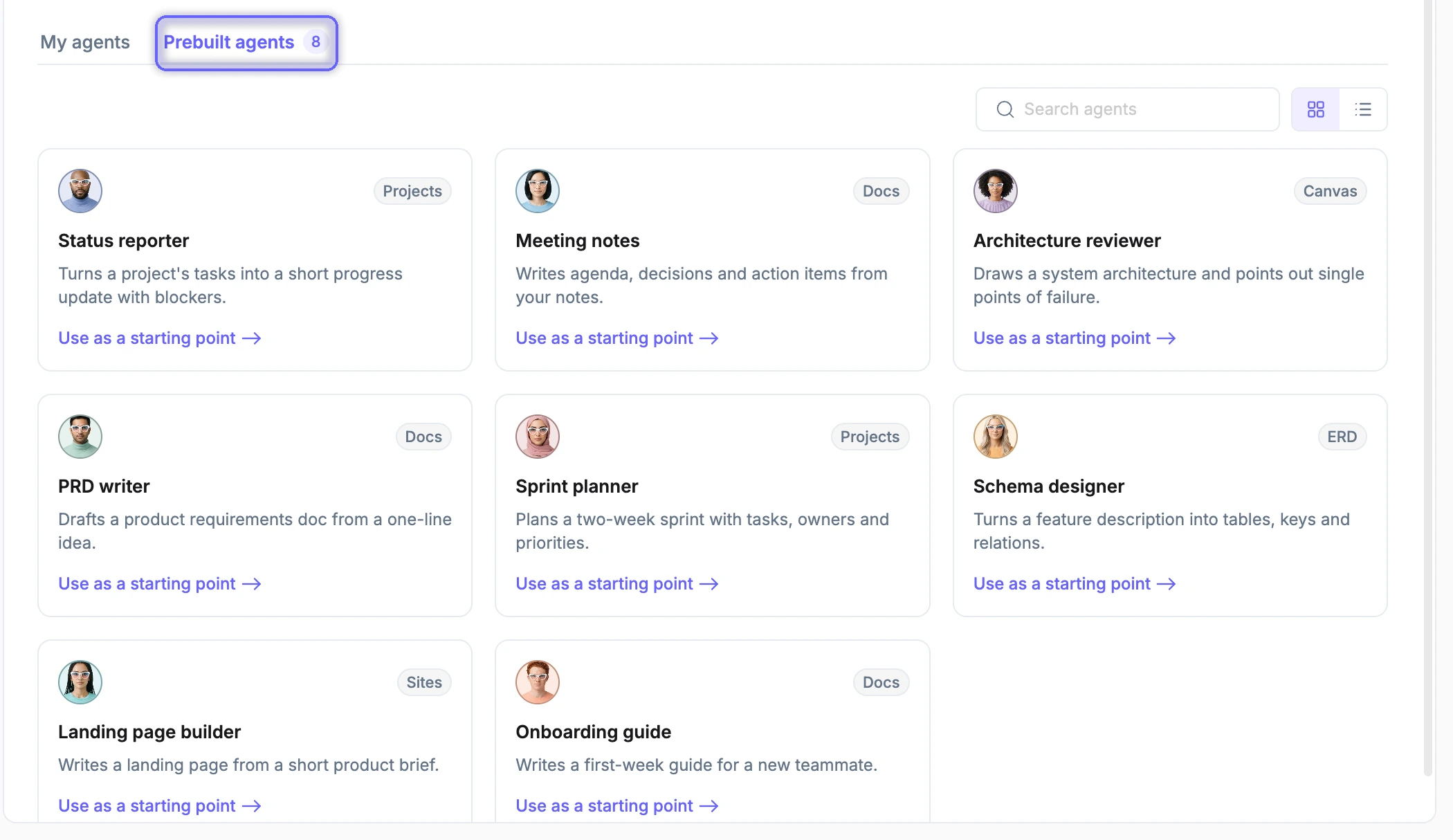
Start from a prebuilt agent

Eight ready made agents for status reports, meeting notes, PRDs, sprints, schemas, landing pages and more.
  • Prebuilt agents
  • Start from the Agents tab on Home
The Prebuilt agents tab
Prebuilt agents are ready to use, or to copy as a starting point.

Design and test

See the agent as a flow of steps, change it in plain words, and try it before you rely on it.

  • Edit an agent in Canvas
  • Test your agent

Use your agents

Chat with an agent, set it up, share it, and let it work on its own.

  • Chat with an agent
  • Configure an agent
  • Share and manage agents
  • Schedules and triggers
  • Inbox and approvals
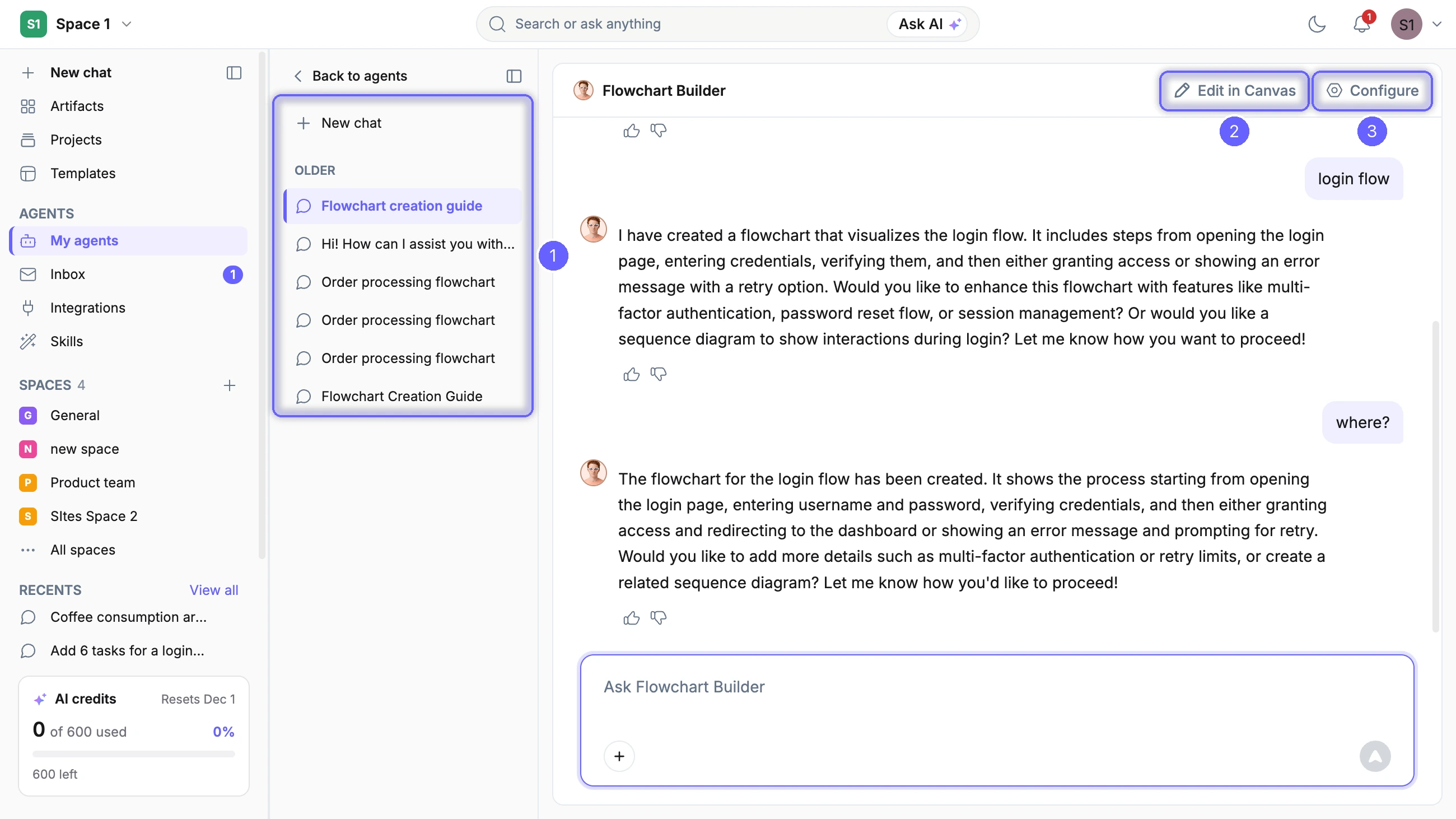
An agent chat with a created document
1 Start a chat or reopen a past one, 2 edit the agent's steps, 3 configure it.

Skills

Reusable know how, kept as a SKILL.md, that every agent in your workspace can use.
  • Skills
  • Create a skill
  • Install from the skill library
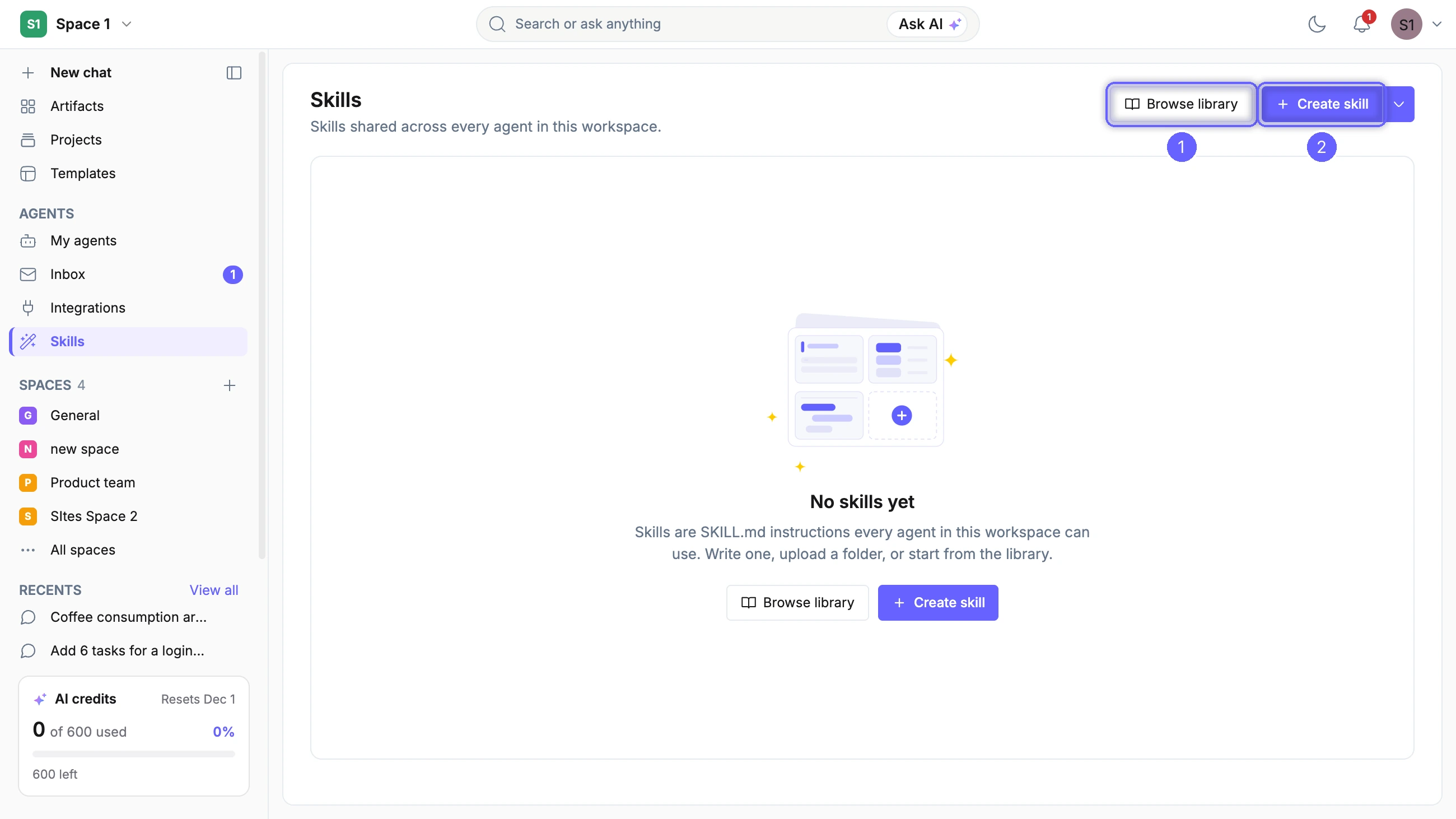
The Skills page
1 Browse the library for a ready-made skill, or 2 create your own.

Integrations

Connect Gmail, Slack, Jira and other apps so agents can read from them and act in them.

  • Integrations
  • Connect an app
  • Apps you can connect
  • Custom MCP and Access control

AI credits and models

What agent runs cost, how to see what is left, and which models your plan includes.
  • AI credits
  • Choose an AI model
  • Agents on your plan
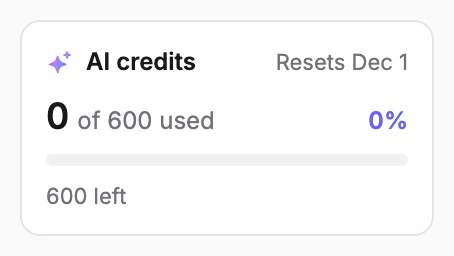
The AI credits card in the left sidebar
The AI credits card shows what your workspace has used this month.

Last updated November 26, 2026

Was this helpful?
PreviousShare a clip and its settingsNextAgents
On this page
Meet agentsCreate an agentStart from a prebuilt agentDesign and testUse your agentsSkillsIntegrationsAI credits and models
Was this helpful?
Β© 2026 Cloudairy

Product

CloudairyTemplatesPricing