CloudairyCloudairy
Cloudairy
Templates
Get startedBuildArtifactsAgentsConnectAdministerHelp
Artifacts
CanvasCreate a canvasA tour of the canvas editorShapes, lines and iconsSticky notes, text, drawing and framesWidgets in More toolsFlowcharts, mind maps, UML and cloud diagramsPresent, comment and restore versionsImport and export a canvas
WhiteboardRun a workshop on a whiteboard
ERDBuild tables and relationshipsImport a schema and export SQL
DocsA tour of the doc editorWrite with blocks and the slash menuTables and databasesEmbeds, views, charts and layoutsComments and suggested editsImport, export and version history
WikiStart a wikiSpaces, groups and pagesSite structure and navigationCustomize your wikiPublish your wikiPreview the reader viewChange requests, Extend, Analyze and Improve
ProjectsThe project pageCreate a task boardBoard viewsThe Main Table and columnsTask cardsOverview, automations and board settings
FormsBuild a formDesign and settingsShare a form and review results
DashboardsBuild a data dashboardBuild a project dashboard
SitesBuild a siteEdit your siteSite settings and publishing
CodeWork with a code project
SlidesBuild a deckEdit and restyle a deckPresent and download a deck
InfographicsMake and edit an infographicResize and export an infographic
WireframesMake and edit wireframes
ClipsRecord a clipEdit a clip and its transcriptShare a clip and its settings
Artifacts
View as Markdown View this page as plain text

Artifacts

The catalog of everything you can make in Cloudairy, one detail page per artifact, with what it does, every way to start one, its AI, sharing and plan limits.

Every artifact starts from Artifacts > Make something new in the left sidebar, from New chat with Create, from a space's Create new, or from a project's +. On the Free plan you can make 3 items in total; Pro, Business and Enterprise are unlimited.

Artifact What it is
Canvas An infinite board for diagrams, flowcharts and mind maps
Whiteboard A canvas for live workshops, retros and brainstorms
ERD Database tables and relationships, with SQL export
Docs Documents with blocks, tables, embeds and live task views
Wiki A published docs site or help centre built from pages
Projects Task boards with views, columns, sprints and automations
Forms Forms whose answers land on a board
Dashboards Charts from a spreadsheet or from your boards
Sites Websites built by AI and published in a click
Code Scripts, APIs and infrastructure code written by AI
Slides AI-designed decks you present or download as PowerPoint
Infographics Visual posters in any size, from A4 to a social post
Wireframes Low-fidelity app and website screens
Clips Screen and camera recordings with transcripts
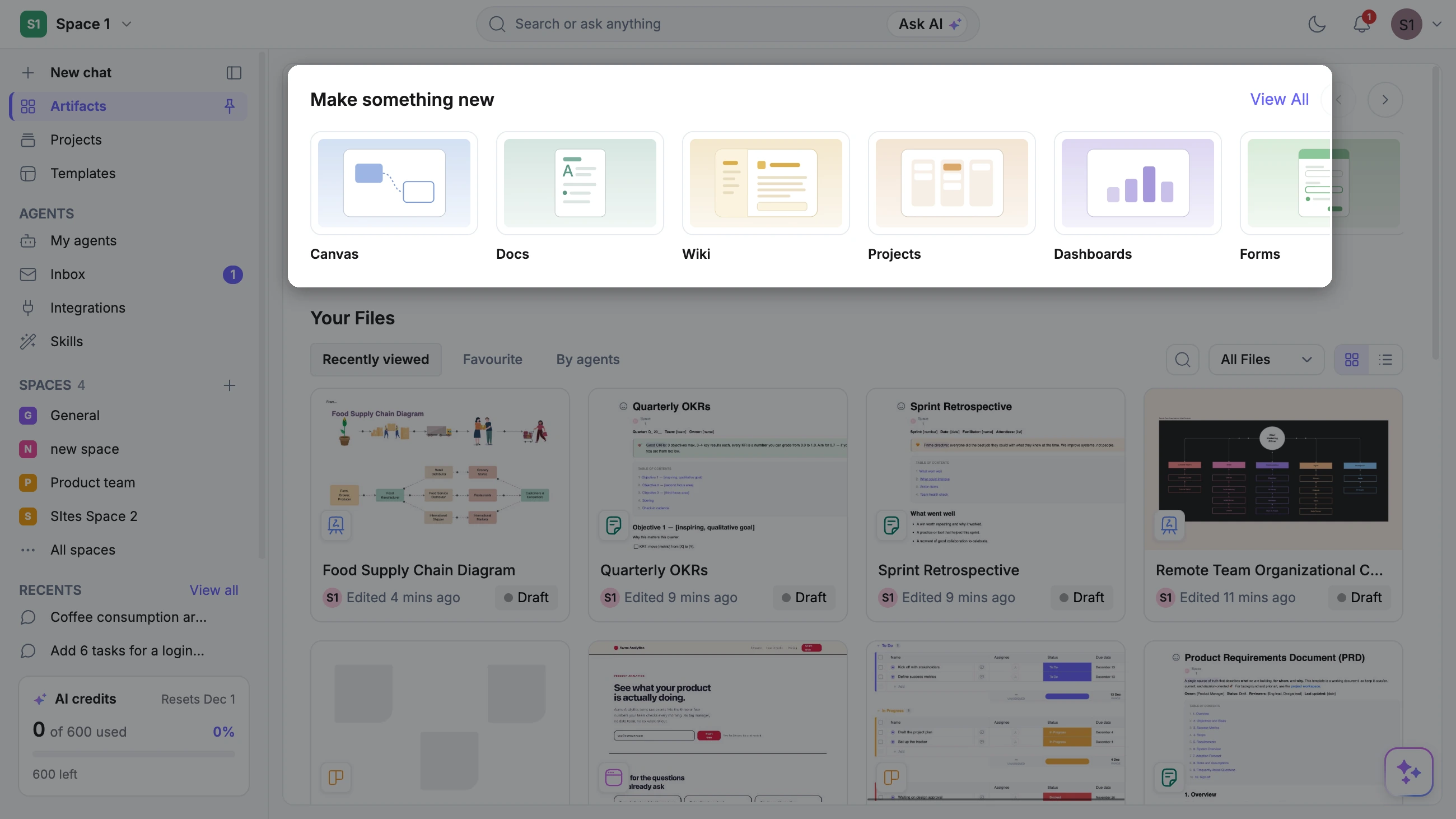
The Make something new row on the Artifacts page
Make something new starts any artifact; Your Files lists your work.

Draw and diagram

Draw systems, processes and ideas on an infinite board, and design databases.
  • Canvas
  • Whiteboard
  • ERD
  • A tour of the canvas editor
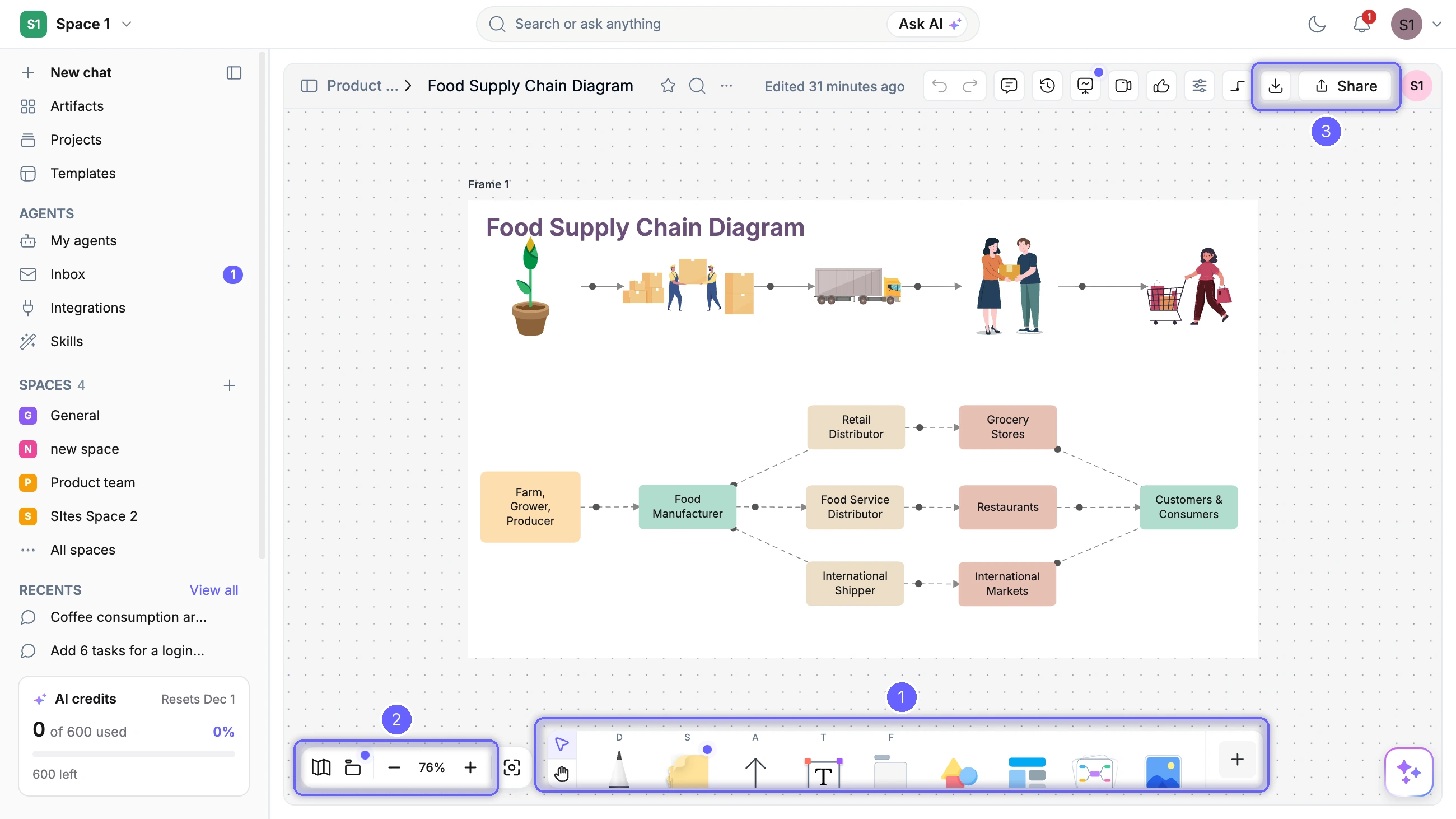
A canvas with a flowchart
1 The bottom dock of tools, 2 zoom and minimap, 3 Export and Share.

Write and publish

Write docs with rich blocks, and publish them as a branded wiki.
  • Docs
  • Write with blocks and the slash menu
  • Wiki
  • Publish your wiki
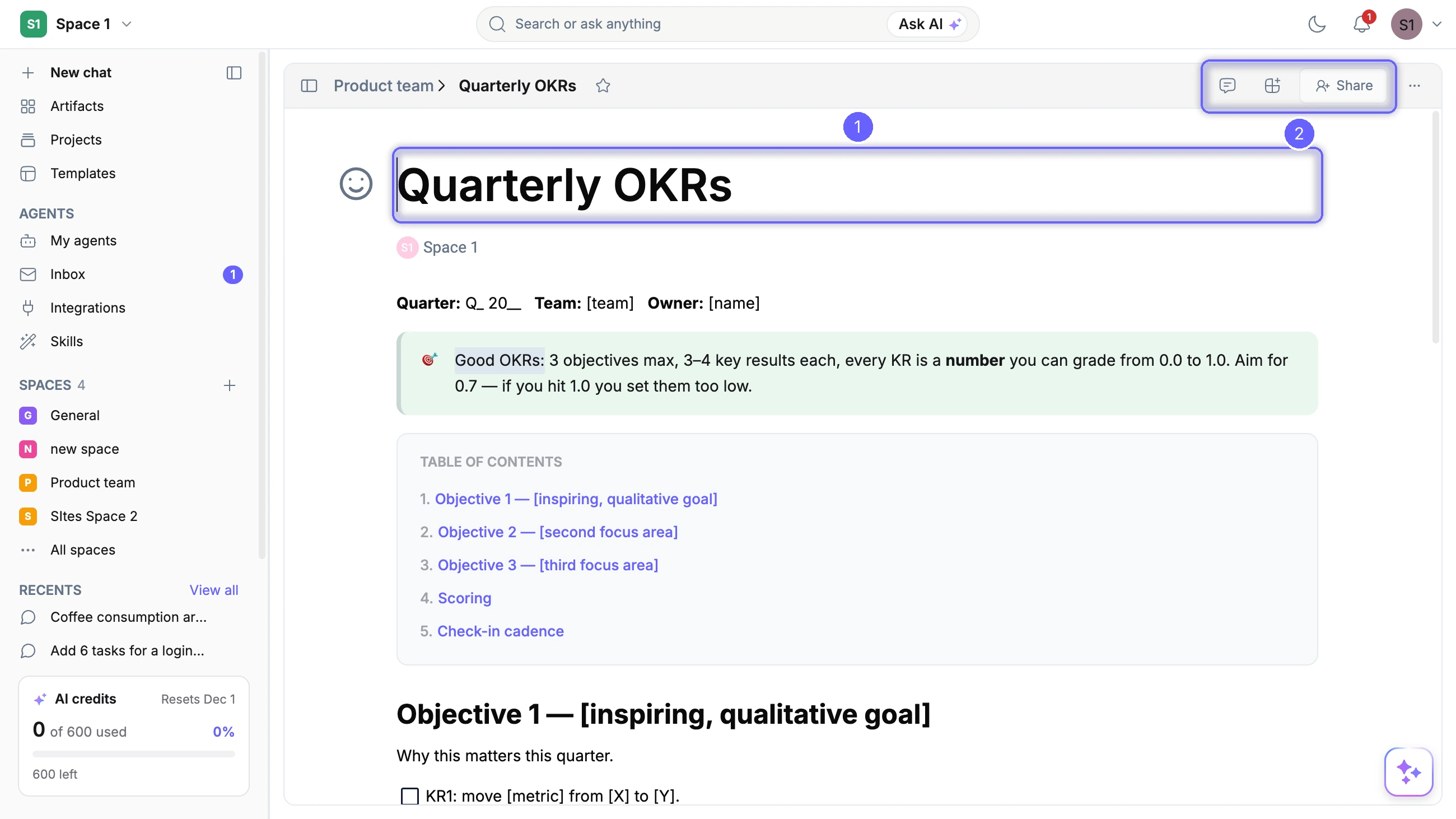
A doc open in the editor
1 The title and body, 2 comments, the insert panel and Share.

Plan and track work

Run projects on task boards, collect answers with forms, and chart the results.
  • Projects
  • Board views
  • Forms
  • Dashboards
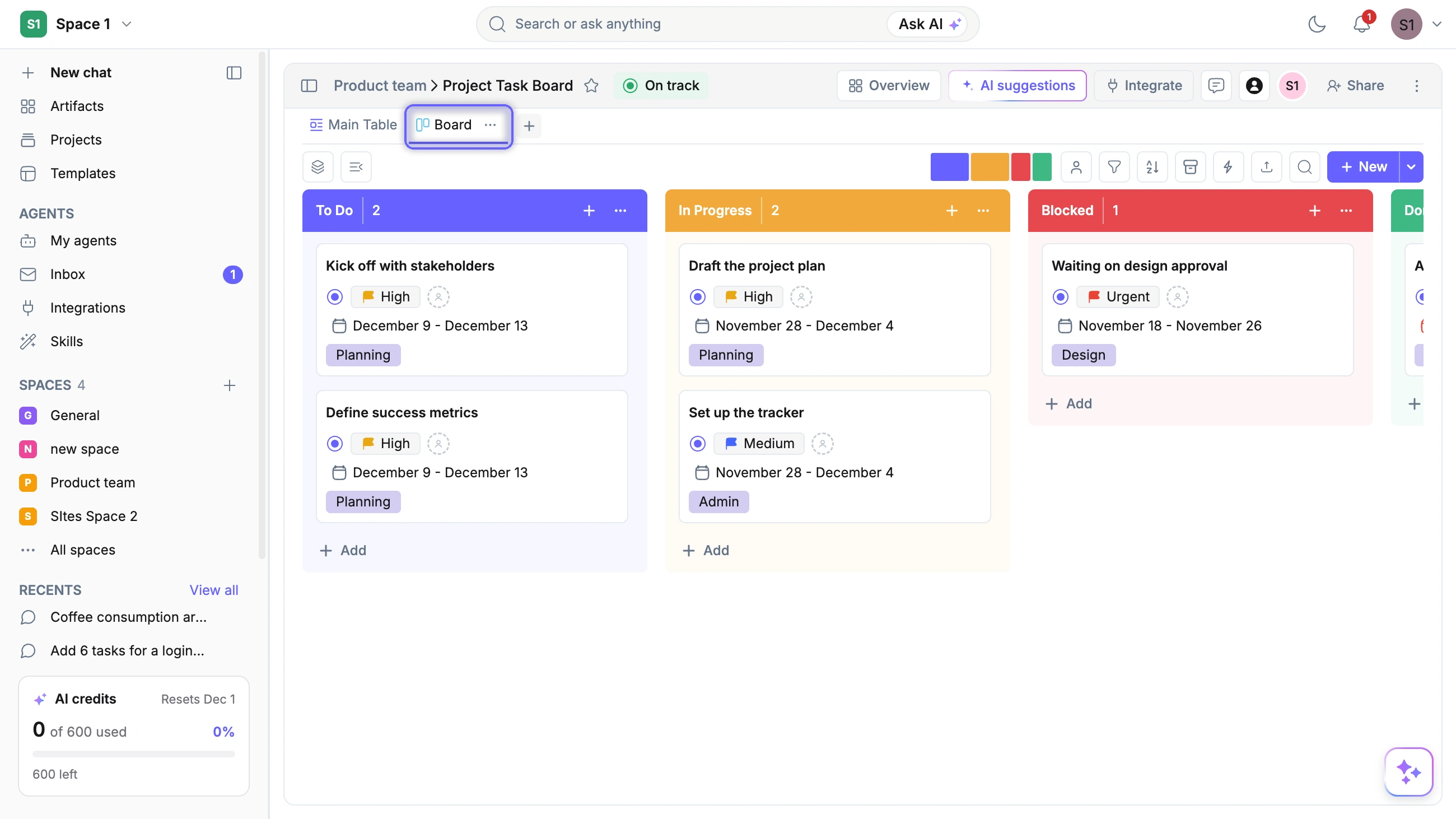
A task board in the Board view
The Board view shows tasks as cards in status columns.

Build with AI

Describe a website or a code project and Cloudairy AI builds it.
  • Sites
  • Build a site
  • Code
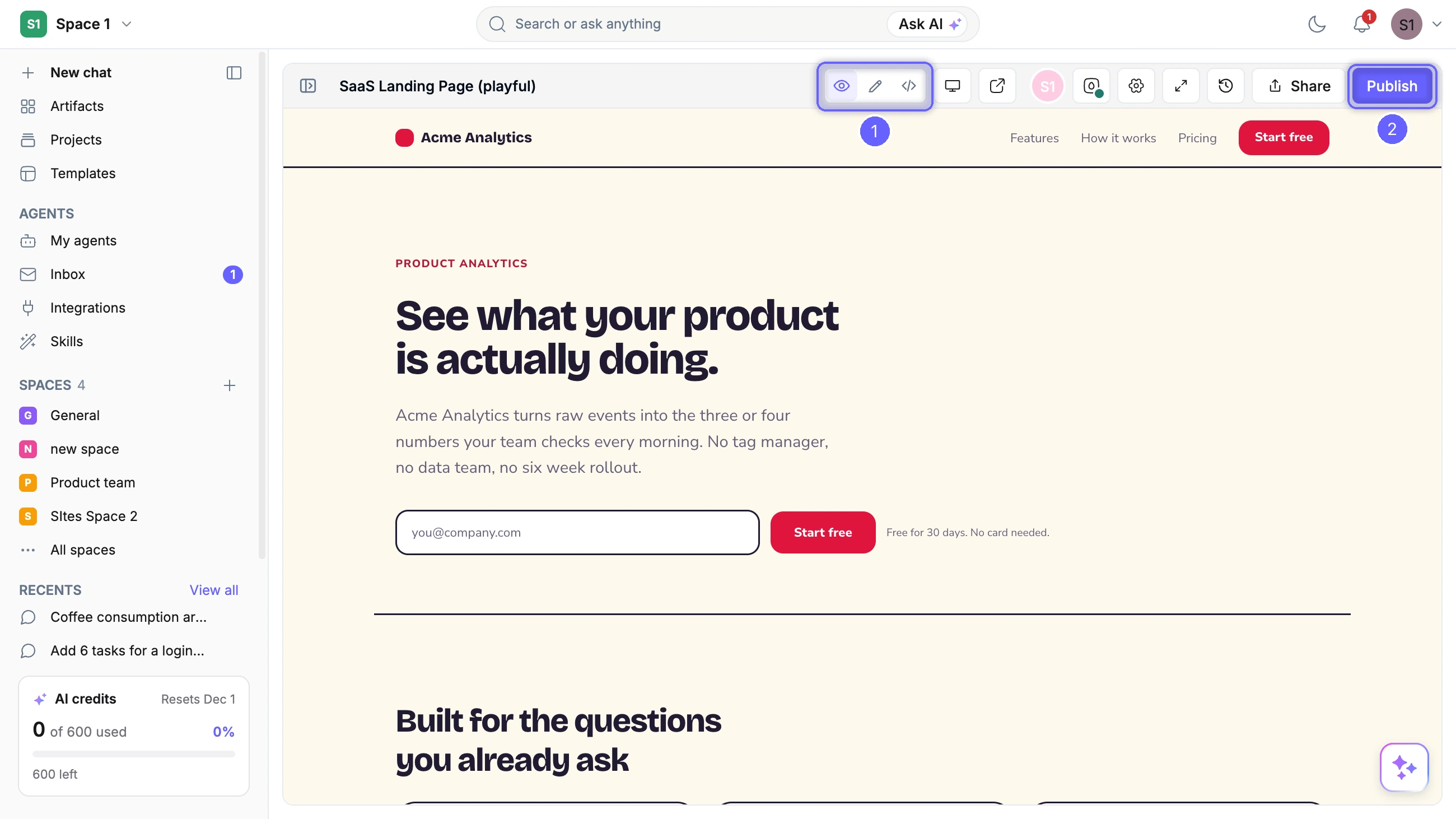
A site in the Sites workspace
1 Switch between preview, text editing and code, 2 Publish.

Design with AI

Get a deck, a poster or app screens drafted from a short description, ready to edit.

  • Slides
  • Infographics
  • Wireframes

Record and explain

Record your screen and share it with a transcript, captions and an AI voiceover.

  • Clips
  • Record a clip
  • Edit a clip and its transcript

Start with AI, a template or a file

Every artifact can start from Ask AI, and many from a template or an import.
  • Ways of creating
  • Get started
  • AI credits
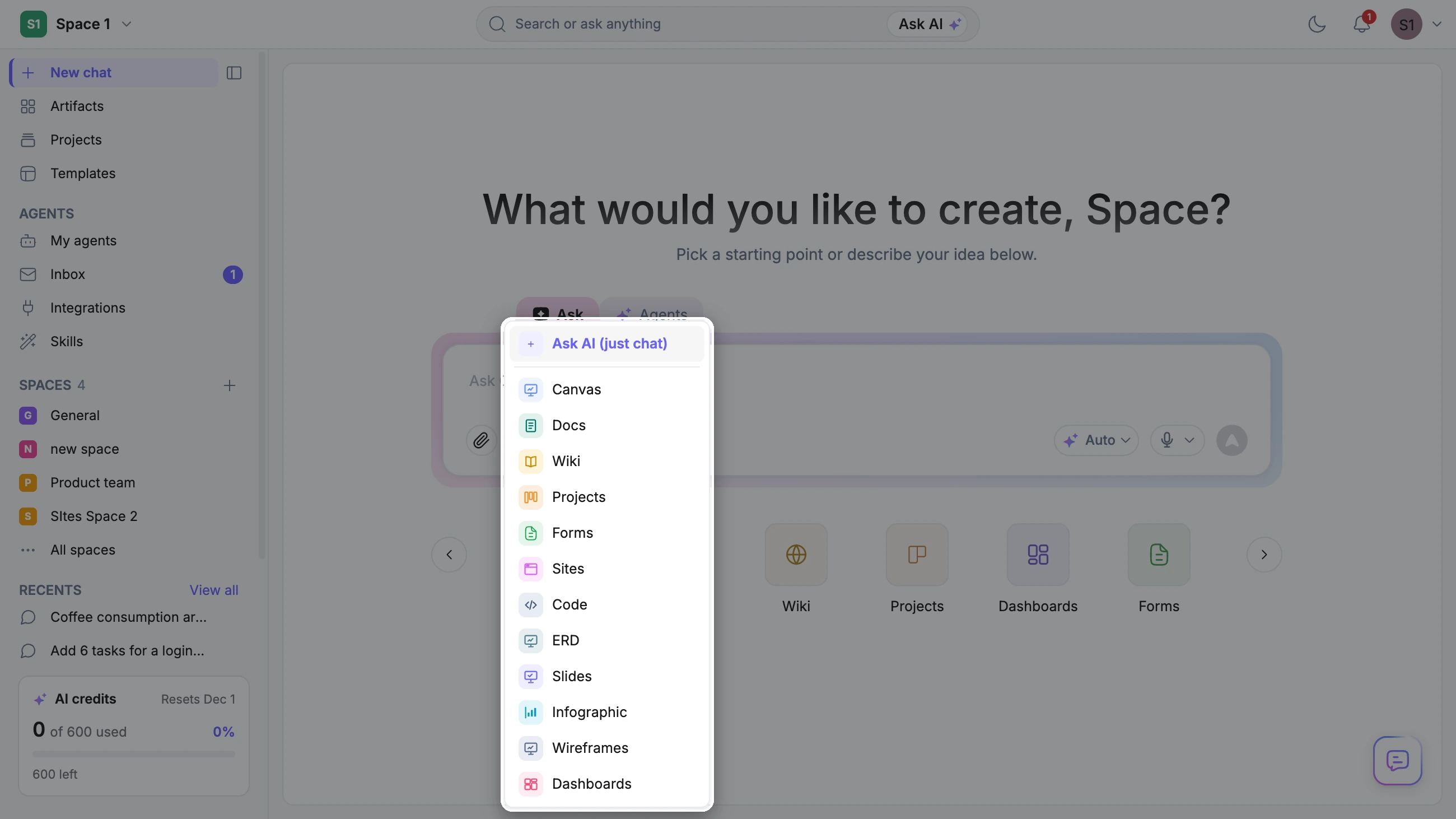
The Create menu in the Ask AI box
Pick what to make: just chat, or any artifact type.

Last updated November 26, 2026

Was this helpful?
PreviousKeyboard shortcutsNextCanvas
On this page
Draw and diagramWrite and publishPlan and track workBuild with AIDesign with AIRecord and explainStart with AI, a template or a file
Was this helpful?
Β© 2026 Cloudairy

Product

CloudairyTemplatesPricing