

Build›Understand artifacts
The 13 artifact types
A quick guide to every kind of artifact, what it is for, and the fastest way to start one.
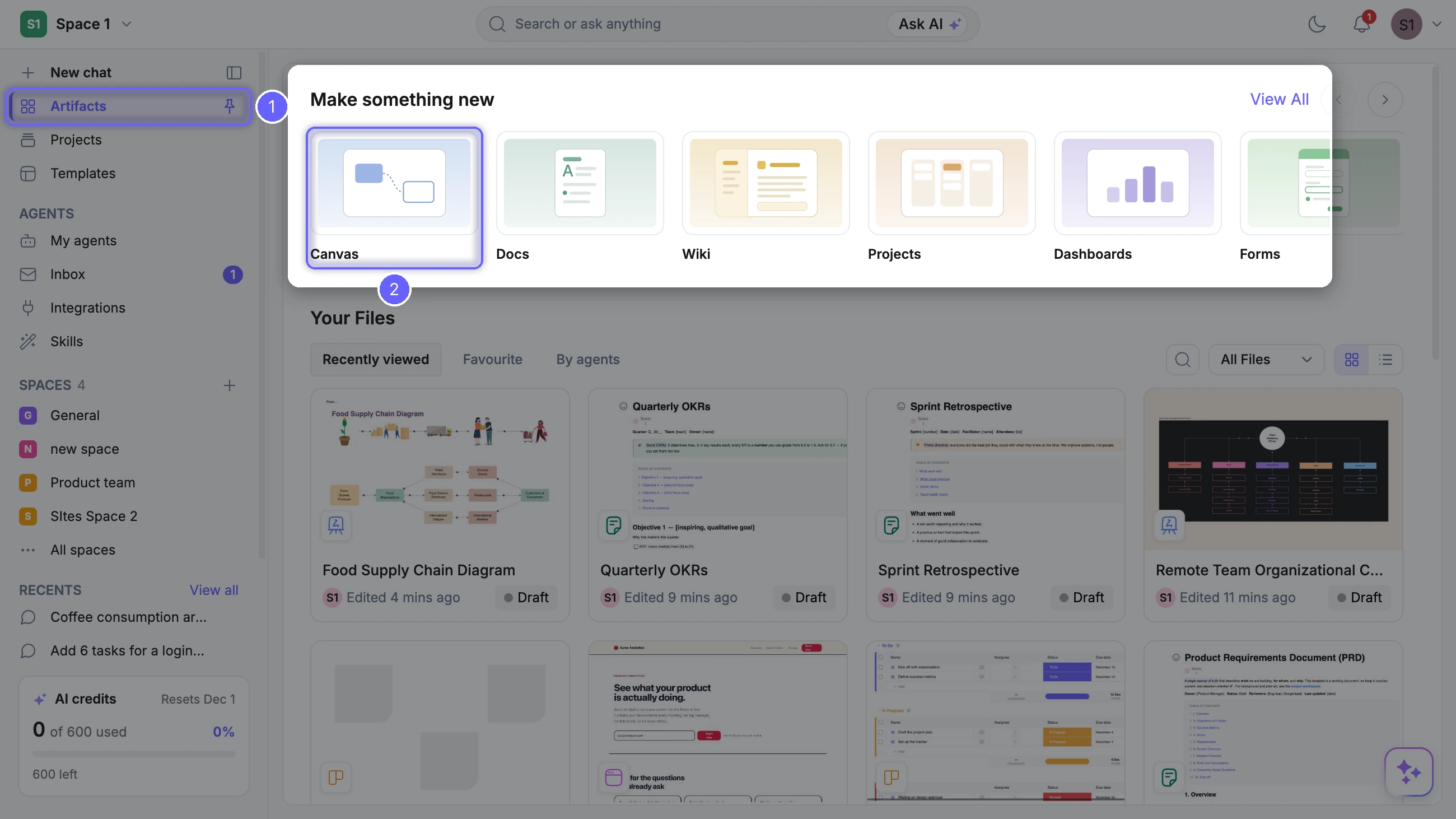
At a glance
| Artifact | What it is for | Fastest way to start |
|---|---|---|
| Canvas | An infinite board to draw, plan and brainstorm together: diagrams, flowcharts, mind maps, cloud architecture and whiteboards | Artifacts › Canvas card › New Canvas dialog |
| Docs | Write anything, from notes to specs, with rich blocks and AI next to you | Artifacts › Docs › Start blank in the New Doc dialog |
| Wiki | Publish a branded help centre or docs site, with AI search and analytics | Artifacts › Wiki card (an "Untitled wiki" opens at once) |
| Projects | A home for one piece of work: task boards, docs, forms and dashboards | Artifacts › Projects (an "Untitled project" opens at once) |
| Dashboards | Charts and numbers from your data | Artifacts › Dashboards card › New Dashboard dialog |
| Forms | Forms and surveys people fill in | Artifacts › Forms card › New Form dialog |
| Sites | Websites built from your description | Artifacts › Sites card (opens Ask AI with Sites picked) |
| Code | A code project, opened in a code workspace | Artifacts › Code card (opens Ask AI with Code picked) |
| ERD | Design a database visually and get the SQL | Artifacts › ERD card › New ERD dialog |
| Clips | Screen recordings you can watch, edit and share, with AI help | Artifacts › Clips (opens the recorder) |
| Infographic | Facts and figures laid out as a visual poster | Artifacts › Infographic card (opens Ask AI with Infographic picked) |
| Slides | A slide deck you can edit and present | Artifacts › Slides card (opens Ask AI with Slides picked) |
| Wireframes | Low-fidelity app and website screens | Artifacts › Wireframes card (opens Ask AI with Wireframes picked) |
A whiteboard is a canvas: the same editor, started blank or from a whiteboard template.
You can also start any of these from the Ask AI box. Pick the type in the Create menu and describe it. See Create with Ask AI.
Which one should I pick?
| You want to… | Pick |
|---|---|
| Draw a process, a system or a mind map | Canvas |
| Run a workshop or a retro | Canvas (a whiteboard template) |
| Write a brief, spec or meeting notes | Docs |
| Publish docs or a help centre for others | Wiki |
| Track tasks with boards, tables and timelines | Projects |
| Turn a spreadsheet into charts | Dashboards |
| Collect answers from people | Forms |
| Launch a web page | Sites (not Code) |
| Get a script or program | Code |
| Plan database tables | ERD |
| Show someone how to do something on screen | Clips |
| Explain a topic in one visual | Infographic |
| Present to a room | Slides |
| Sketch app screens | Wireframes |
Learn each one
Each type has its own section in the Artifacts tab, with an editor tour, AI, sharing and plan limits.
- Canvas · Whiteboard · ERD
- Docs · Wiki
- Projects · Forms · Dashboards
- Sites · Code
- Slides · Infographics · Wireframes
- Clips
Next steps
Was this helpful?