

Build›Ways of creating
Artifacts › Make something new
The Artifacts page opens on a row of 13 product cards. Click a card to start one: some open a create dialog, some make the item at once, and some open Ask AI with that type picked.
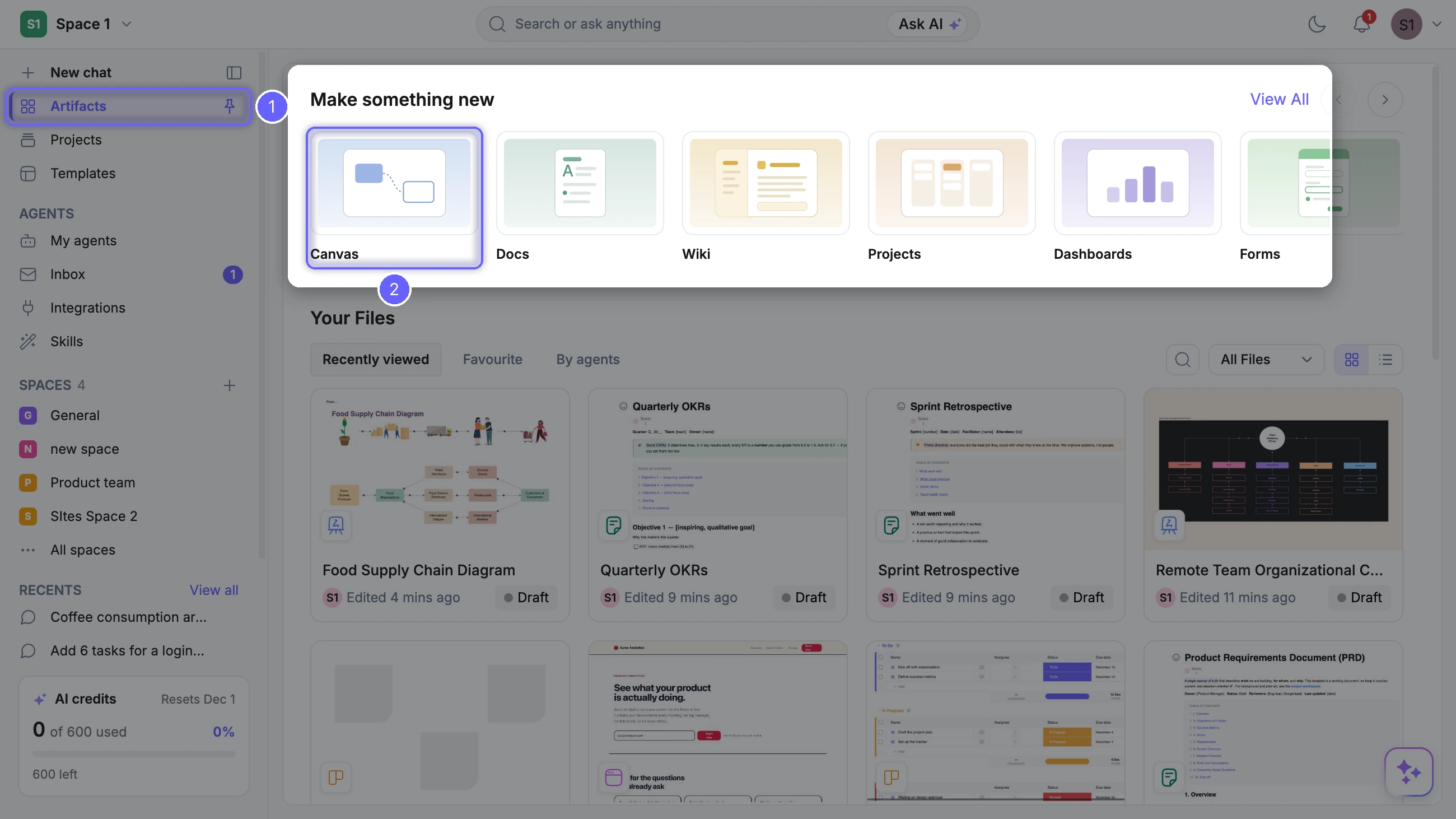
Open the row
In the left sidebar, click Artifacts.
At the top you see Make something new: one card per artifact type.
Use the arrows to scroll the row, or click View All to see every card in a drawer on the right. You can drag the drawer wider.
Click a card: what happens
The cards have no hover buttons. Clicking a card does one of these:
| Card | Clicking the card |
|---|---|
| Canvas, Docs, ERD, Dashboards, Forms | Opens the New dialog. Pick Generate with AI, Import (not for Forms) or Start blank. See Use the New dialog. |
| Wiki | Creates "Untitled wiki" at once and opens it on Choose how you want to start: Start from a template, Import, Blank, Page templates, Sync with Git. |
| Projects | Creates "Untitled project" at once. It opens with its cover, its tabs (Recents, Content, Favourites) and "This project is empty", with Create new and Move files here. |
| Code, Sites, Infographic, Slides, Wireframes | Opens the Ask AI box with that type picked. Describe it and send. |
| Clips | Opens the screen recorder. |
To start any type from a description instead, use New chat › Create ▾. See Create with Ask AI.
Find it again
Everything you make is listed below the row in Your Files. See Your Files on the Artifacts page.
Limits
- Free plan: 3 items in total. A clip counts as an item. When you reach the limit, you see an upgrade prompt instead of a new item.
- Generate with AI and Ask AI use AI credits.
Next steps
Was this helpful?