

Build›Ai in artifacts
Projects: group your AI chats
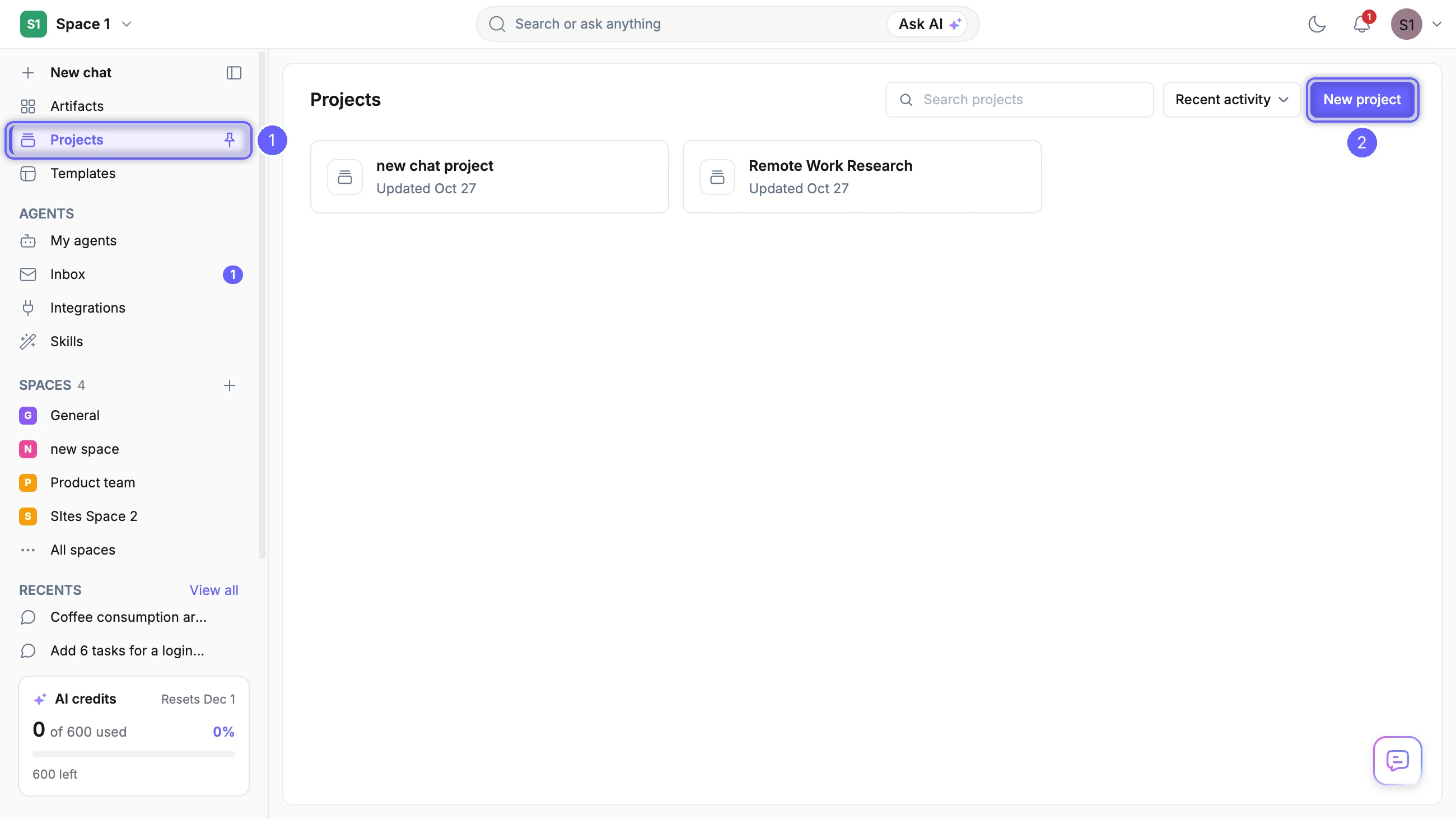
Projects in the left sidebar keep your AI chats and their outputs together around one goal, so every chat in a project uses its files and instructions.
These are not the project artifacts with task boards. Those are made from Artifacts › Projects. See What an artifact is.
Create a project
In the left sidebar, click Projects.
Click New project.
Under What are you working on?, name it. Add a goal if you like.
Create it. The project page opens.
Chat inside a project
The project page has:
- A back arrow, the project's name and ⋯ (Rename, Delete project).
- An Ask / Agents box that reads "Ask about : uses its files and instructions". Chats you start here are kept in the project.
- A product strip, so you can make an artifact from inside the project.
- Recent chats. A new project says "No chats yet. Start one above — it will be kept in this project."
Open the project.
Type in the box and send, just as on the app home. Pick a type in Create ▾ to make an artifact. See Create with Ask AI.
The chat is listed under Recent chats in the project.
Find and manage projects
On the Projects page:
- Search your projects by name.
- Sort by Recent activity, Name or Date created.
- Each card's ⋯ has Share, Rename and Delete.
With no projects yet, the page says "No projects yet".
Next steps
Was this helpful?