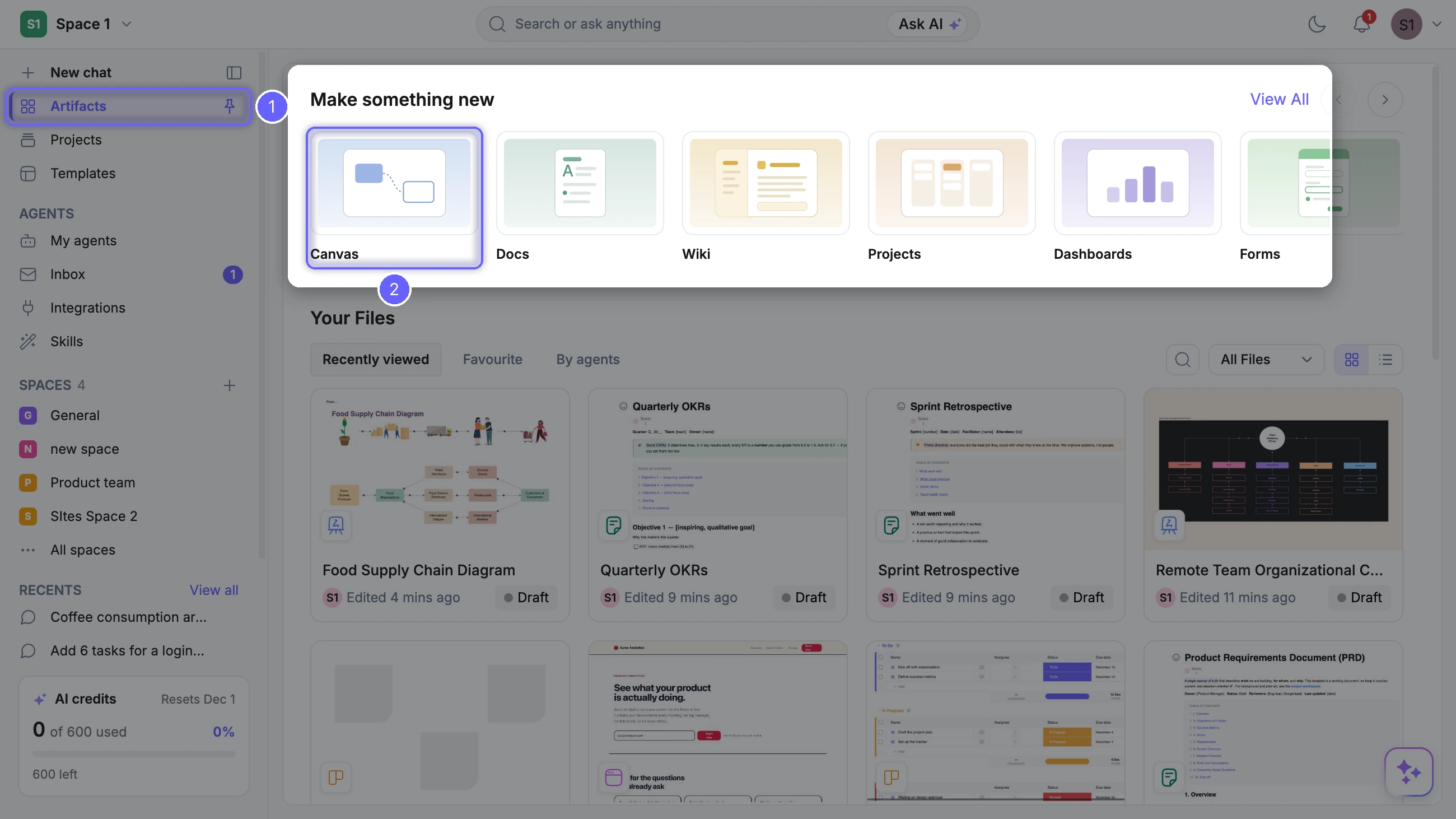
A quick guide to every kind of artifact, what it is for, and the fastest way to start one.
| Artifact | What it is for | Fastest way to start |
|---|---|---|
| Canvas | An infinite board to draw, plan and brainstorm together: diagrams, flowcharts, mind maps, cloud architecture and whiteboards | Artifacts › Canvas card › New Canvas dialog |
| Docs | Write anything, from notes to specs, with rich blocks and AI next to you | Artifacts › Docs › Start blank in the New Doc dialog |
| Wiki | Publish a branded help centre or docs site, with AI search and analytics | Artifacts › Wiki card (an "Untitled wiki" opens at once) |
| Projects | A home for one piece of work: task boards, docs, forms and dashboards | Artifacts › Projects (an "Untitled project" opens at once) |
| Dashboards | Charts and numbers from your data | Artifacts › Dashboards card › New Dashboard dialog |
| Forms | Forms and surveys people fill in | Artifacts › Forms card › New Form dialog |
| Sites | Websites built from your description | Artifacts › Sites card (opens Ask AI with Sites picked) |
| Code | A code project, opened in a code workspace | Artifacts › Code card (opens Ask AI with Code picked) |
| ERD | Design a database visually and get the SQL | Artifacts › ERD card › New ERD dialog |
| Clips | Screen recordings you can watch, edit and share, with AI help | Artifacts › Clips (opens the recorder) |
| Infographic | Facts and figures laid out as a visual poster | Artifacts › Infographic card (opens Ask AI with Infographic picked) |
| Slides | A slide deck you can edit and present | Artifacts › Slides card (opens Ask AI with Slides picked) |
| Wireframes | Low-fidelity app and website screens | Artifacts › Wireframes card (opens Ask AI with Wireframes picked) |
A whiteboard is a canvas: the same editor, started blank or from a whiteboard template.
You can also start any of these from the Ask AI box. Pick the type in the Create menu and describe it. See Create with Ask AI.
| You want to… | Pick |
|---|---|
| Draw a process, a system or a mind map | Canvas |
| Run a workshop or a retro | Canvas (a whiteboard template) |
| Write a brief, spec or meeting notes | Docs |
| Publish docs or a help centre for others | Wiki |
| Track tasks with boards, tables and timelines | Projects |
| Turn a spreadsheet into charts | Dashboards |
| Collect answers from people | Forms |
| Launch a web page | Sites (not Code) |
| Get a script or program | Code |
| Plan database tables | ERD |
| Show someone how to do something on screen | Clips |
| Explain a topic in one visual | Infographic |
| Present to a room | Slides |
| Sketch app screens | Wireframes |
Each type has its own section in the Artifacts tab, with an editor tour, AI, sharing and plan limits.