

Build›Templates
Find a template
Templates are ready-made canvases, whiteboards, projects, docs and sites you can preview and copy into a new item of your own.
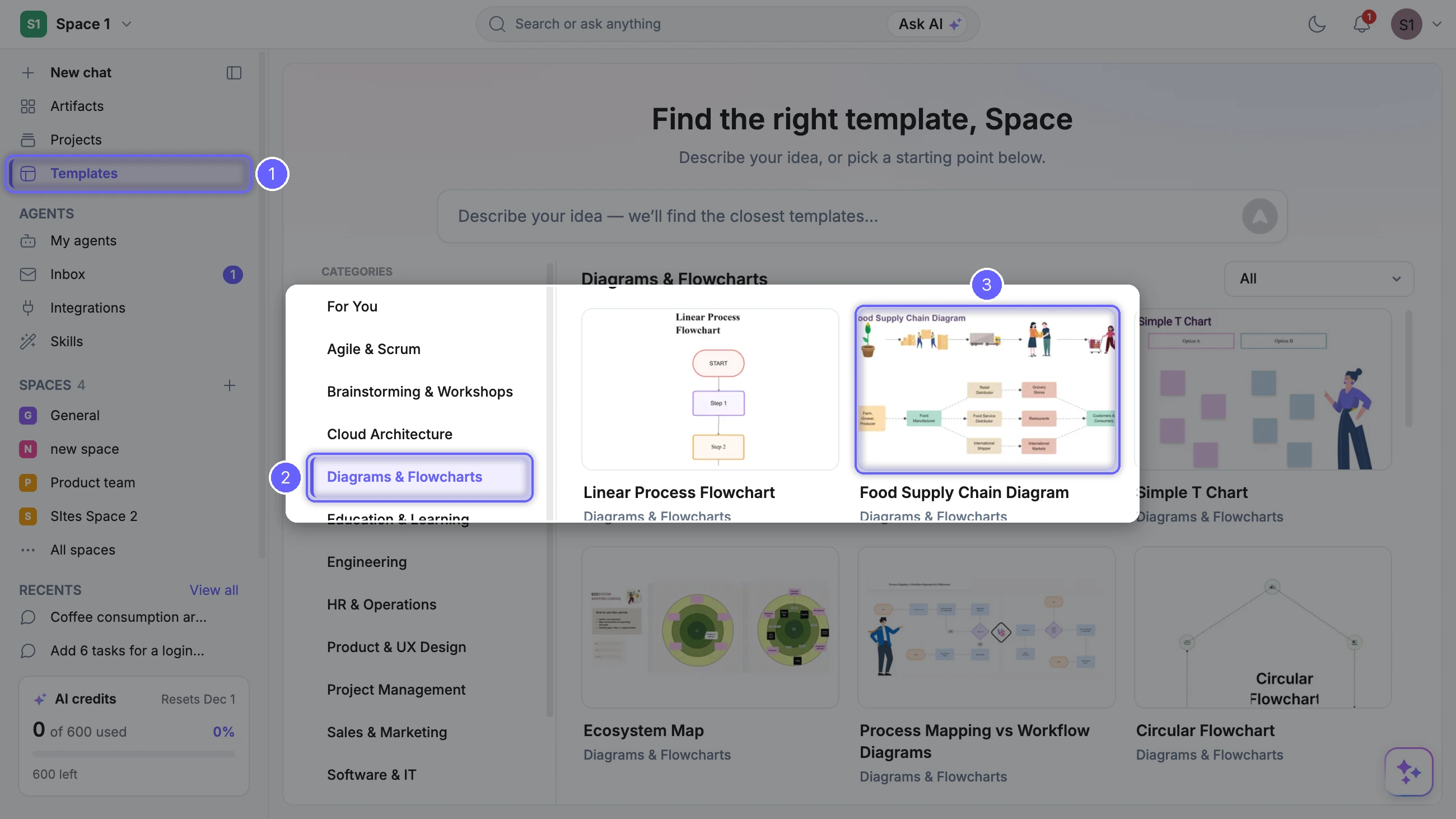
Open Templates
In the left sidebar, click Templates. The page opens on Find the right template.
Find a template
Use any of these, or mix them:
- Describe it. Type what you want in the box at the top, for example "Retro board for my remote sprint team", and press Enter. Cloudairy finds the closest templates by meaning, so you don't need the exact name. Example chips fill the box for you. When you scroll, the header folds away and the box stays pinned at the top.
- Browse a category on the left: For You, Agile & Scrum, Brainstorming, Diagrams, Education, Engineering, HR & Operations, Product & UX, Project Management, Sales & Marketing, Software & IT, Solutions Architecture or Strategy. For You is a mix of every type.
- Filter by type with the menu at the top right: All, Canvas, Whiteboard, Projects, Docs, Sites, Created by you or Shared with you.
Picking a new category resets the type filter to All. If a filter has no match, you see "No templates found".
Premium templates show a crown. On the Free plan they show an upgrade prompt when you use them. See Plans.
Other places to start from a template
| Where | How |
|---|---|
| A New dialog | Start blank › pick a starter under Or start from a template, or Browse templates |
| A space or project | Create new (or +) › Template center |
| Inside a canvas | Templates in the bottom dock drops a template into the board you are on |
| A new wiki | Choose how you want to start › Start from a template |
| A new task board | Create a new project shows template previews (Blank, Product launch, and more) |
| A new dashboard in a project | Create a new dashboard lists templates (Project status, Workload, Budget, and more) |
| Ask AI | Ask for what you want in plain words. See Create with Ask AI |
Next steps
Was this helpful?