A whiteboard is a canvas set up for live sessions: sticky notes, frames, timers, votes and retro boards that your whole team fills in at the same time.
A whiteboard uses the canvas editor. You start it blank, from a whiteboard template, or by asking AI for one.
Everyone adds notes at once. Give notes colours, tags, an author and reactions, and peel new ones off a Sticky Stack.
Start a shared Timer, use Dot Voting and Polling, or drop in a Retro Board with a live poll, a Brainstorm or a SWOT Analysis.
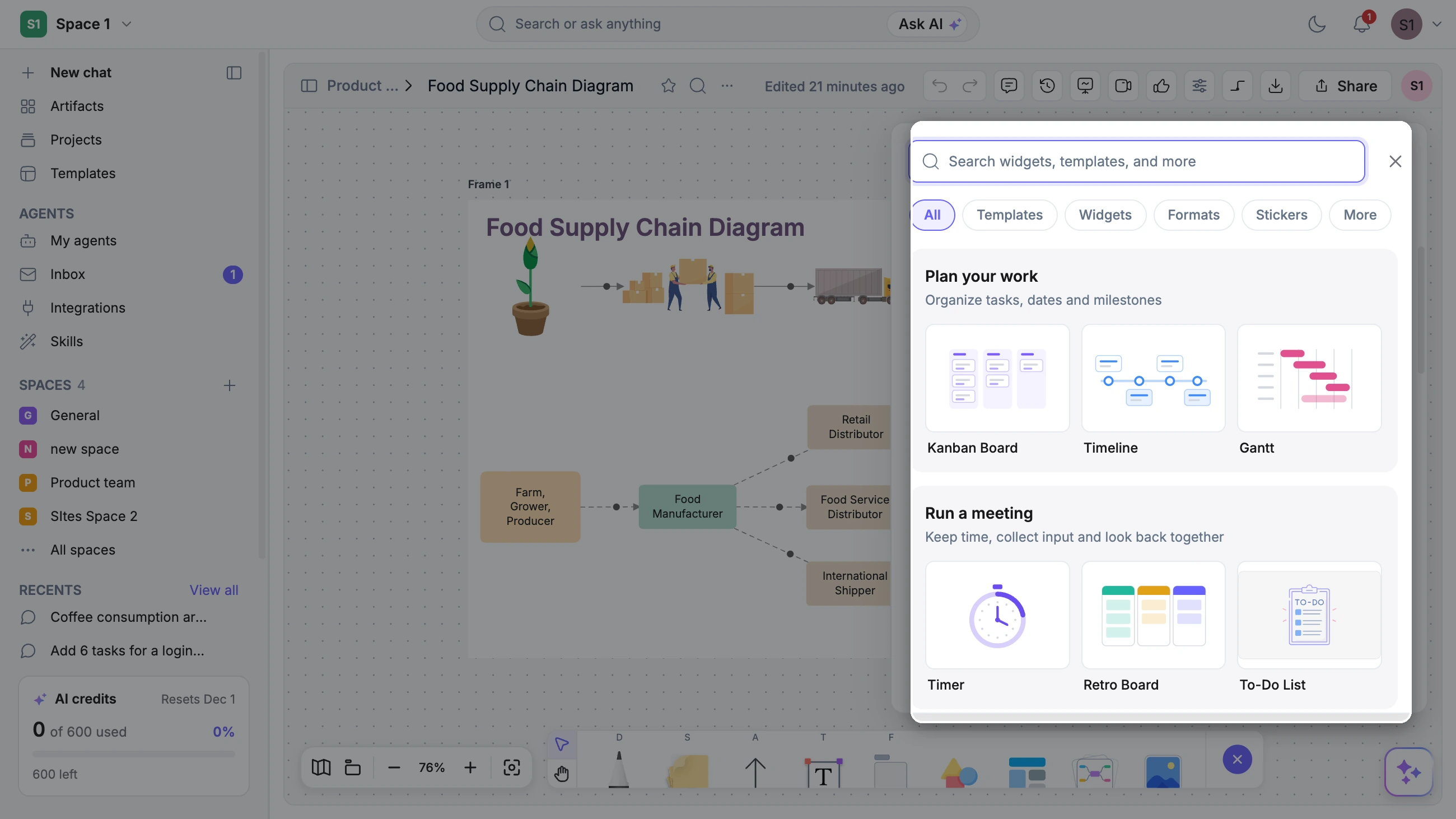
Draw a frame per topic or per step, then Present the frames one at a time.
Use the pen, highlighter, eraser and magic pen, and add stickers, emoji and GIFs (Shift+K).
Add a To-Do list or a Task Table for the actions you agree on.
| Where | What to click |
|---|---|
| Artifacts | Make something new > Canvas > Generate with AI > the Whiteboard chip > Generate. |
| Artifacts, blank | Make something new > Canvas > Start blank > Create canvas. |
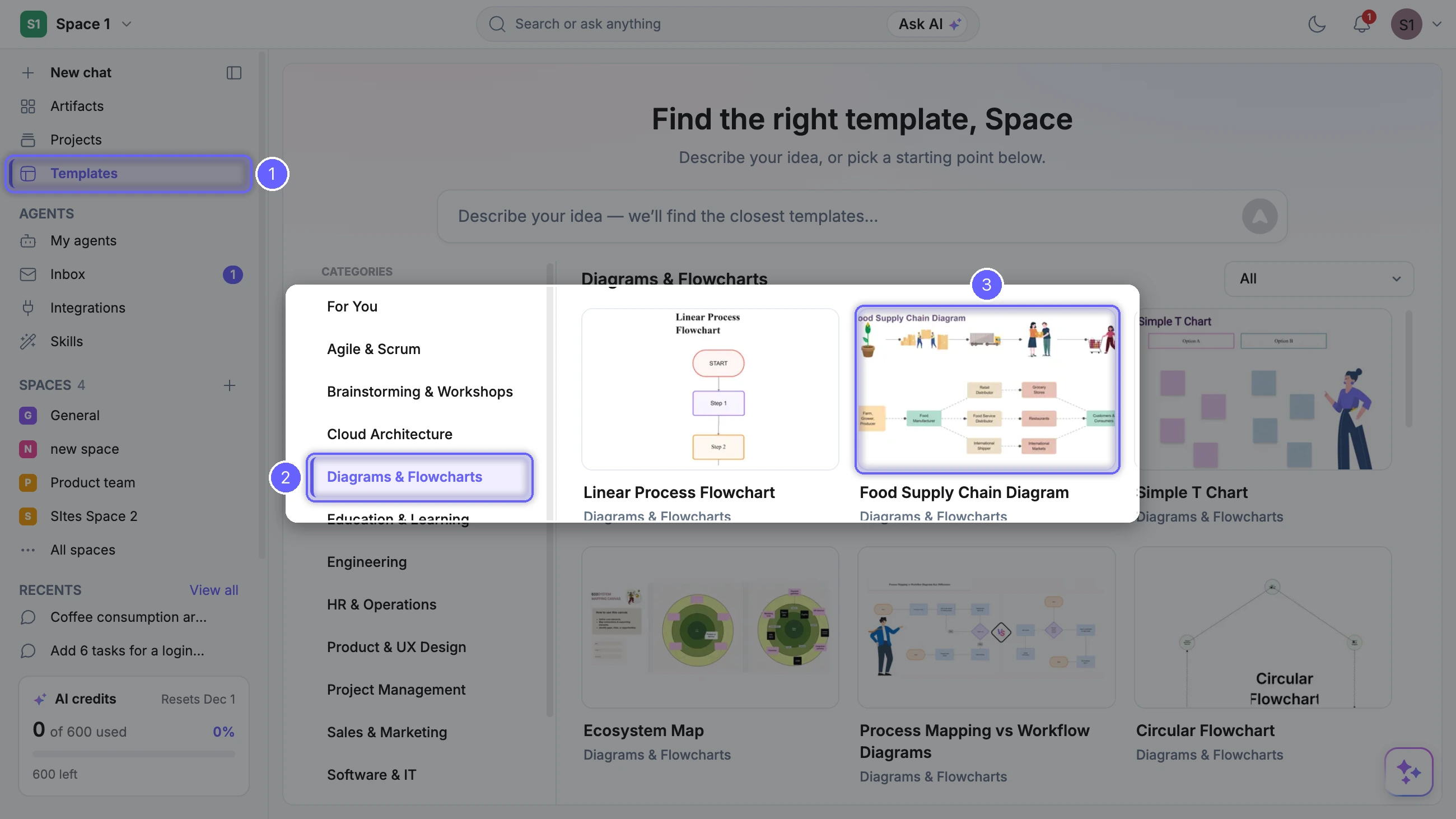
| Templates | Left sidebar > Templates, set the type to Whiteboard, or pick the Brainstorming or Agile & Scrum category, then Use. |
| Inside a canvas | Click Templates in the bottom dock to drop a template onto the board. |
| A space or project | Create new (space) or + (project) > Canvas. |
| Free | Pro | Business | Enterprise | |
|---|---|---|---|---|
| Whiteboards | Count toward 3 items in total | Unlimited | Unlimited | Unlimited |
| Export SVG and PDF | Upgrade prompt | Yes | Yes | Yes |
| Premium templates (crown) | Upgrade prompt | Yes | Yes | Yes |
| AI credits | 100 | 1,000 | 2,500 | Unlimited |