Open a task to see and edit every detail: properties, checklists, subtasks, time and dependencies.
Click any task. The task card opens.
Use the header for the type, ID, previous and next, favourite, ⋯, assign, side panel and close.
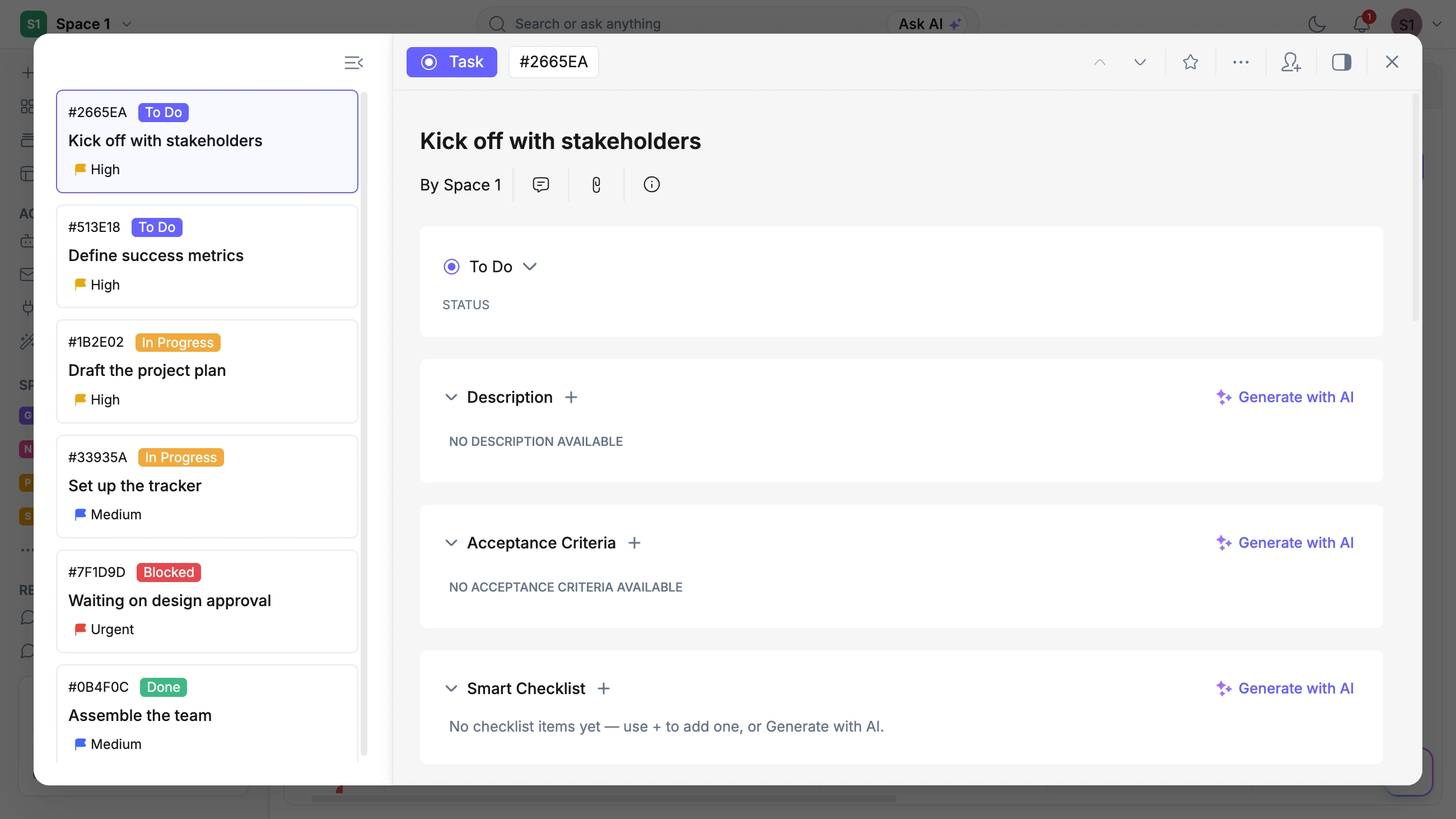
Description, Acceptance Criteria and Smart Checklist each have Generate with AI. The editor supports / and @.
Set Status, Priority, Dates, Assignees, Reporter, Completion, Reminder, Timer, Work Hours, Duration, Labels, Billing, Type, Epic, Milestone, Goal, Component, Sprint and Story Points.
Click + Add a property for a property type or a preset. For example, the Bug report preset adds Severity, Reproducibility, Steps to reproduce and Resolution.
| Tab | What it holds |
|---|---|
| Comments | Discussion, reactions and Translate |
| Subtasks | Child tasks, with Generate with AI |
| Progress | Progress on the task |
| Log Hours | Time logs (New Time Log) |
| Documents | Linked files |
| Dependency | Predecessors and successors |
| Linked Tasks | Related tasks |
| Status Timeline | How the status changed |
| Issues | Linked issues |
| Activity Stream | Everything that happened |
Open Dependency and click + Add Successor (or a predecessor).
Search for the task.
In Add dependency, pick FS, SS, FF or SF, and Hard link or Soft link. Both tasks need dates.
Click Add dependency. Gantt draws the link.
The card ⋯ has Rename, Copy link, Follow, Move ▸ (to a group or a board), Color and Duplicate ▸ Duplicate with updates.
Start the Timer on the card. Pausing asks for a note.