CloudairyCloudairy
Cloudairy
Templates
Get startedBuildArtifactsAgentsConnectAdministerHelp
Connect
Connect AI apps to CloudairyConnect Claude or another AI appManage connected AI apps
IntegrationsWhich connection do I need?
Connect Google Drive or OneDriveSave an export to your driveImport a file from your drive
Git SyncCreate a GitHub token for Git SyncConnect a repositorySync a wiki to GitHub
Ways to importImport a file into a new artifactImport data into a project boardImport docs into a wikiImport inside an open artifact
Export formatsExport a canvas or ERDExport a docExport everything else
Public linksEmbed Cloudairy in other sitesEmbed other tools in Cloudairy
Ask Support
Connect›Drives
View as Markdown View this page as plain text

Import a file from your drive

Pick a file from your Google Drive or OneDrive and turn it into a new doc, canvas, ERD or dashboard.

Import from a drive

In the left sidebar, click Artifacts.

Under Make something new, click the Docs, Canvas, ERD or Dashboards card.

In the popup, choose Import.

Under Or import from, pick Google Drive or OneDrive.
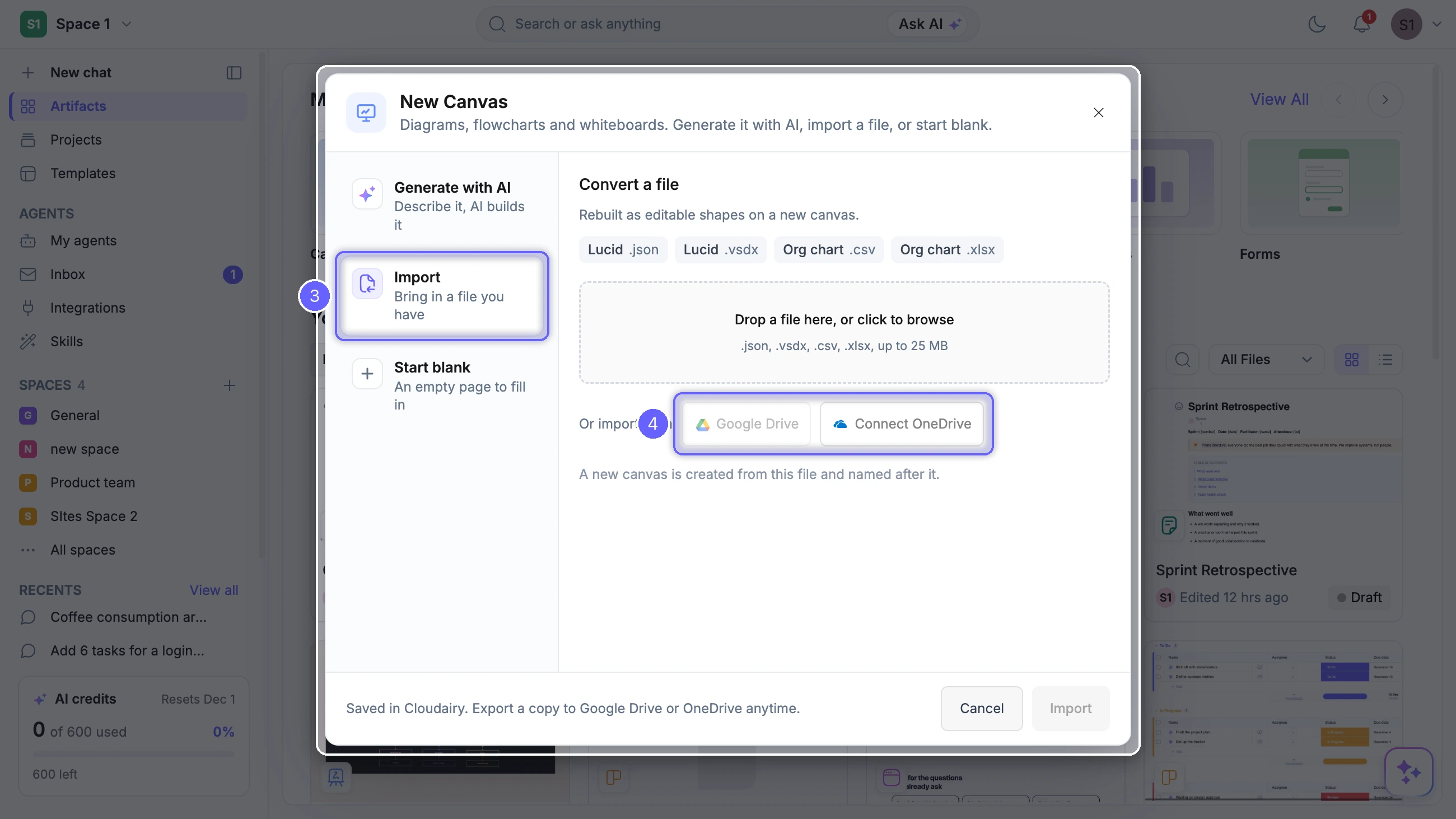
The Import option with Google Drive and OneDrive below the drop zone
3 Import, 4 pick Google Drive or OneDrive.

The first time, the button reads Connect Google Drive or Connect OneDrive. Click it, sign in to your drive and allow access. You come back to the same popup.

Pick the file in your drive, and follow the prompts to finish.

Each person picks from their own drive. The file types you can import are the same as from your computer. See Import a file into a new artifact.

Next steps

  • Connect Google Drive or OneDrive
  • Ways to import

Last updated November 26, 2026

Was this helpful?
PreviousSave an export to your driveNextGit Sync
On this page
Import from a driveNext steps
Was this helpful?
© 2026 Cloudairy

Product

CloudairyTemplatesPricing