

Connect›Git sync
Git Sync
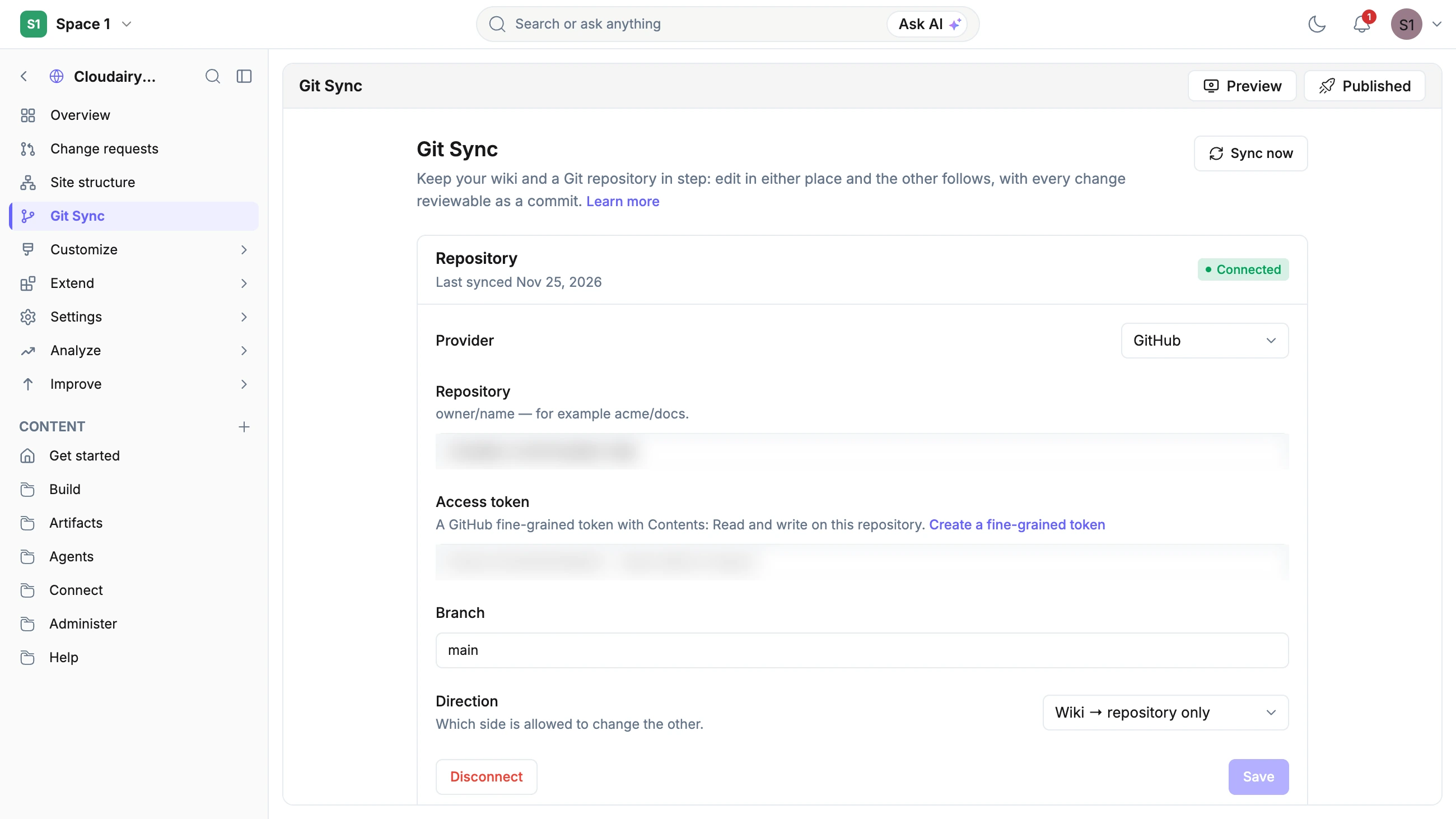
Git Sync keeps a wiki and a GitHub or GitLab repository in step: edit in either place and the other follows, with every change reviewable as a commit.
How it works
- One space, one folder. Each space maps to a folder of Markdown files. Groups become sub-folders.
- Two-way by default. Commits become page edits, and edits made in Cloudairy are committed back.
- One branch. You pick the branch the wiki follows, for example
main.
Choose a direction
| Direction | What happens |
|---|---|
| Two-way | Changes flow both ways. |
| Repository → wiki only | The repository changes the wiki. Edits in the wiki are not committed. |
| Wiki → repository only | The wiki changes the repository. Commits do not change the wiki. |
Where to find it
- In an open wiki, click Git Sync in the wiki sidebar.
- On a new, empty wiki, click Sync with Git on the Choose how you want to start screen.
What you need
- A GitHub repository or a GitLab project.
- An access token from that provider:
- GitHub: a fine-grained token with Contents: Read and write on the repository. See Create a GitHub token for Git Sync.
- GitLab: a personal access token with the api, read_repository and write_repository scopes, and the Maintainer role if the branch is protected.
If the page says Git Sync is not available yet, the setup form isn't open for your wiki yet. The page then only describes the steps.
Next steps
Was this helpful?