

Export a canvas or ERD
Download a canvas or ERD as an image or PDF, an ERD as SQL, or a canvas as an editable backup.
Export an image or PDF
Open the canvas or ERD.
Click Export at the top right.
In the Export panel, pick a File type:
- PNG: best for sharing and social posts.
- JPG: smaller file, good for sharing.
- SVG: sharp at any size, for the web.
- PDF: best for printing and documents.
For PNG and JPG, pick a Size: 1x or 2x.
To export only part of the board, select those items first and turn on Selected items only.
Under Save to, keep Computer, or pick a drive. See Save an export to your drive.
Click Download.
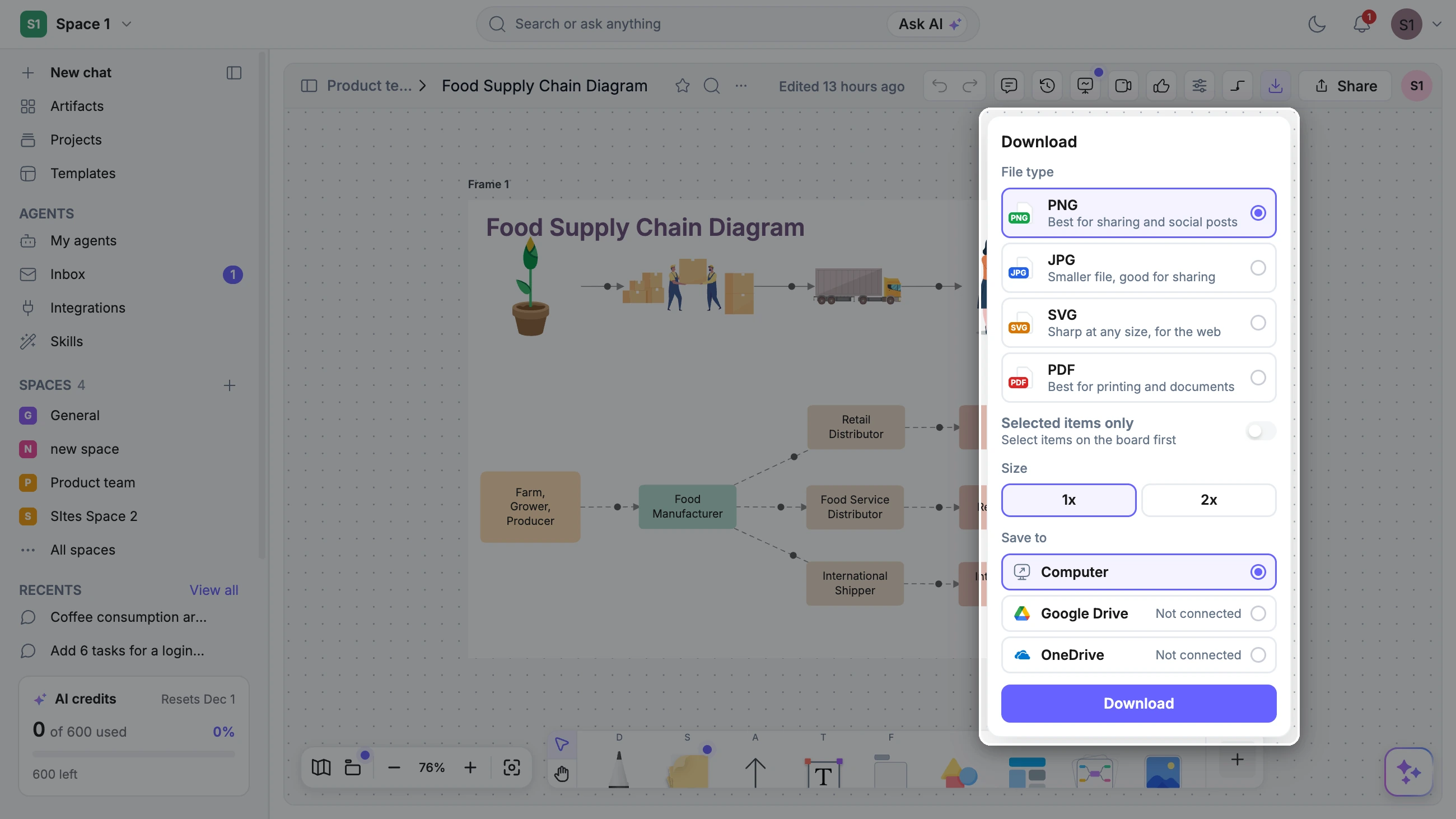
On Free, SVG and PDF show a crown. Choosing one tells you why, with an option to upgrade.
To export one shape or group, right-click it (or open More in its toolbar) and choose Export.
Export an ERD as SQL
Open the ERD.
In the tables panel, click ⋯, then Export SQL.
Pick a database: PostgreSQL, MySQL, MariaDB, SQLite or SQL Server.
Copy the SQL, click Download .sql, or save it to your Google Drive or OneDrive.
The SQL uses the types and keys that database accepts.
Save a canvas backup
Keep an editable copy of a canvas, to bring back later.
- In the canvas, click ⋯ next to the title and choose Save backup file.
- Or find the canvas in Artifacts, click ⋯ on its card and choose Download board backup.
Board backups are on paid plans.