Download a canvas or ERD as an image or PDF, an ERD as SQL, or a canvas as an editable backup.
Open the canvas or ERD.
Click Export at the top right.
In the Export panel, pick a File type:
For PNG and JPG, pick a Size: 1x or 2x.
To export only part of the board, select those items first and turn on Selected items only.
Under Save to, keep Computer, or pick a drive. See Save an export to your drive.
Click Download.
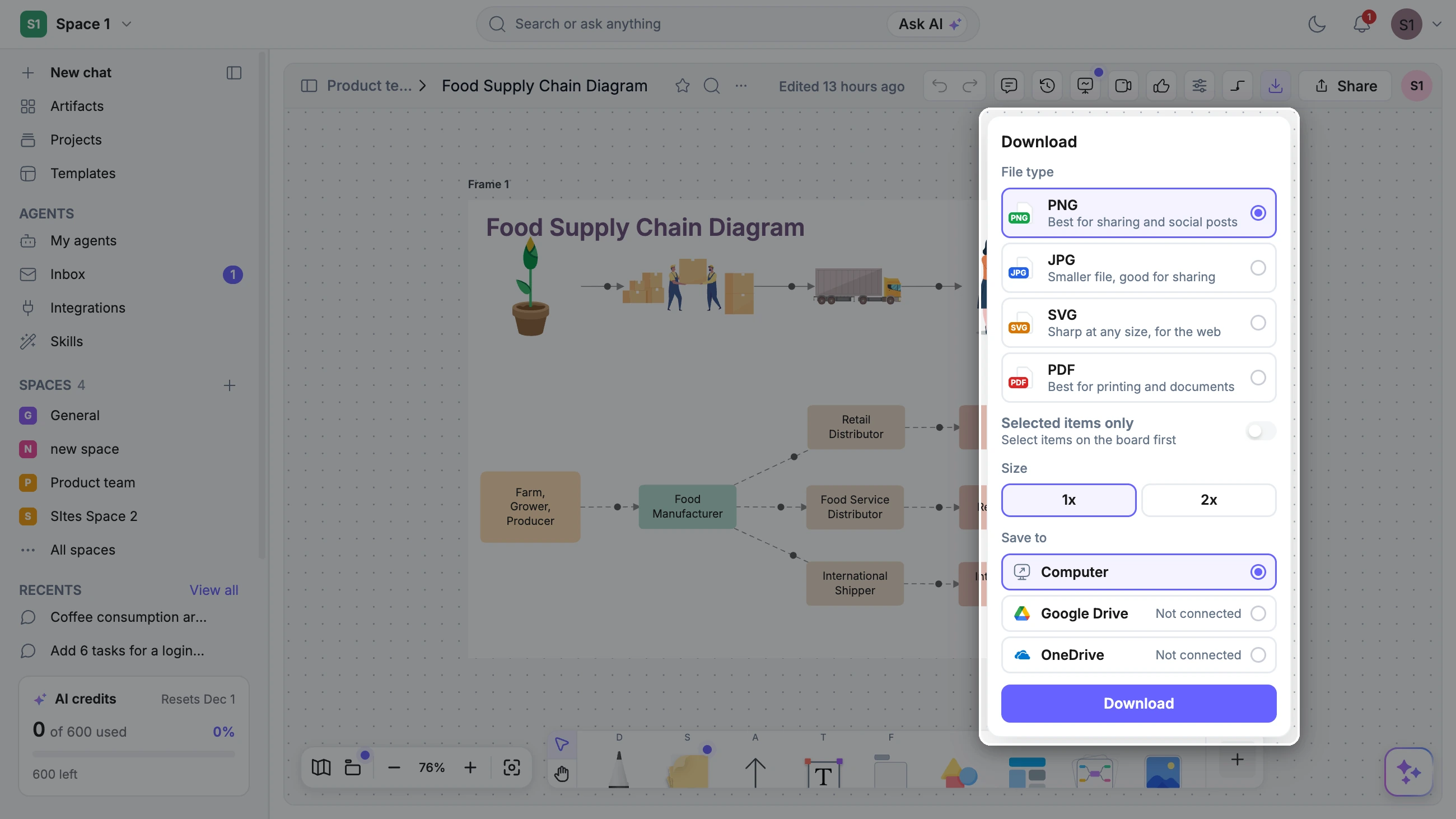
On Free, SVG and PDF show a crown. Choosing one tells you why, with an option to upgrade.
To export one shape or group, right-click it (or open More in its toolbar) and choose Export.
Open the ERD.
In the tables panel, click ⋯, then Export SQL.
Pick a database: PostgreSQL, MySQL, MariaDB, SQLite or SQL Server.
Copy the SQL, click Download .sql, or save it to your Google Drive or OneDrive.
The SQL uses the types and keys that database accepts.
Keep an editable copy of a canvas, to bring back later.
Board backups are on paid plans.