

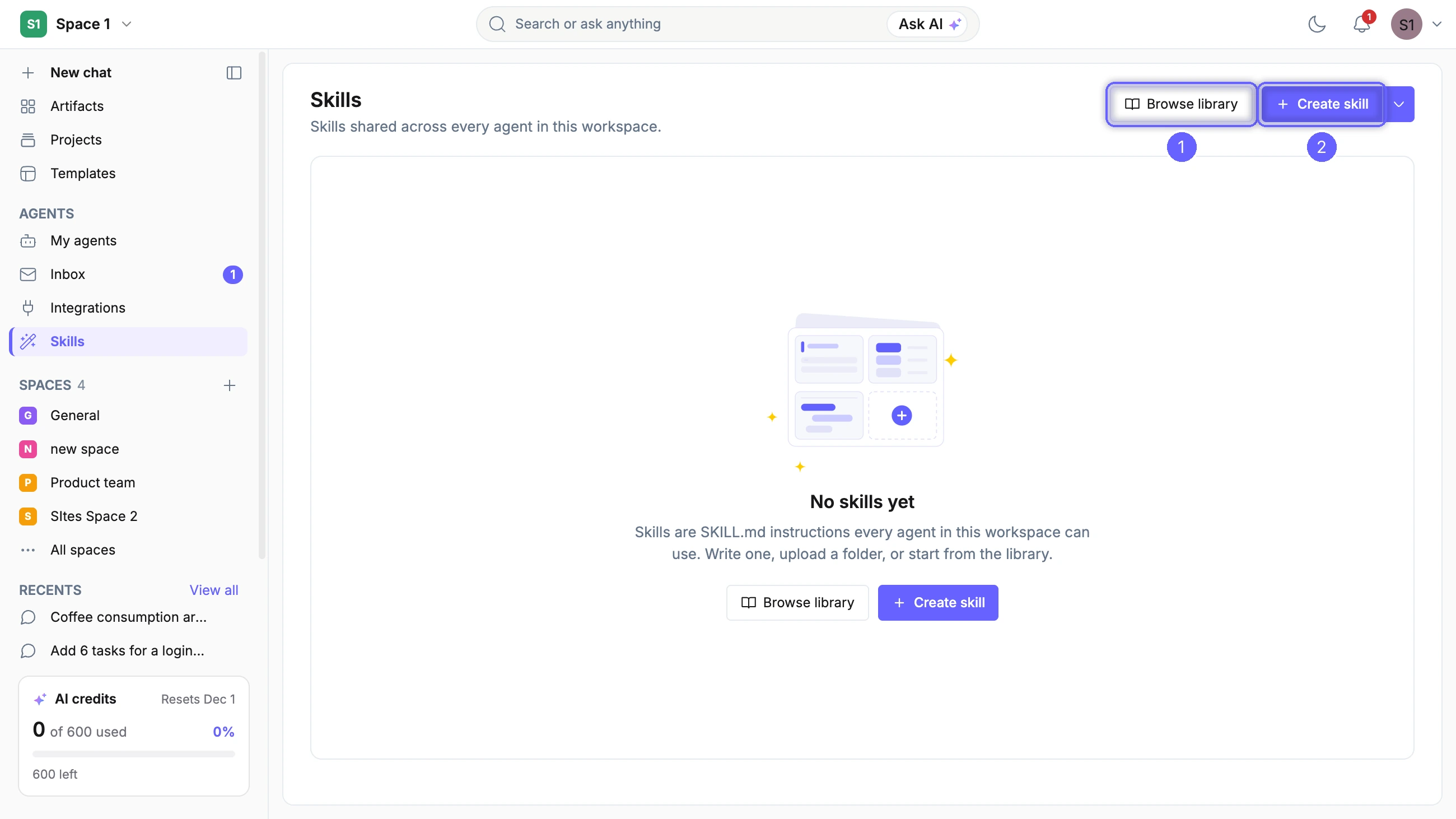
Skills
A skill is a set of written instructions, kept as a SKILL.md file, that every agent in your workspace can use when the job calls for it.
Use skills for know how you want agents to apply the same way every time: your release note format, your brand voice, how your team writes a bug report.
Open the Skills page
In the left sidebar, under Agents, click Skills. The page says "Skills shared across every agent in this workspace."
- Search with Search skills, and see how many match.
- Filter with All skills, Created by me or Shared with me.
- Switch between grid and list. The list shows each skill's Name, Description, Creator and Last modified date.
With no skills yet, the page says "No skills yet". A search with no match says "No skills match"; click Clear filters.
Ways to add a skill
| Way | Where | Page |
|---|---|---|
| Install a ready skill | Browse library | Install from the skill library |
| Write it yourself | Create skill > Write manually | Create a skill |
| Let Cloudairy AI write it | Create skill ▾ > Create with AI | Create a skill |
| From a folder on your computer | Create skill ▾ > Upload a folder | Create a skill |
| From a GitHub folder | Create skill ▾ > Import from URL | Create a skill |
Edit or delete a skill
Click a skill in the list. Its editor opens at the side.
Switch between Preview and Edit. Change the name, description or instructions.
Click Save Changes, then Done. If you close with changes not saved, Cloudairy asks "Discard changes?".
Other actions:
- Copy
SKILL.mdcopies the whole file. - Delete skill removes it from the workspace, after asking you first.
A skill someone else created shows Shared with you: "agents can use this skill but only its creator can change it."
How agents use skills
- Skills on the Skills page are shared with every agent in the workspace. An agent reads each skill's description to decide when to use it.
- You can also write a skill inside one agent's configuration (Configure > Skills > Add skill > Create new skill). That one stays private to that agent. See Configure an agent.
- Built in skills such as Create documents are switched on per agent, also under Add skill.