

Agents
Hand off busy work in a few words: an agent does the job for you with Cloudairy AI and makes real boards, docs, diagrams, forms and sites in your workspace.
An agent is a helper you set up once. Unlike a single Ask AI prompt, it keeps its own instructions, skills, connected apps and memory. Chat with it whenever you need it, share it with your workspace, or let it run on a schedule.
What you can do
Build an agent by describing the job
Type the job in plain words, such as "Every Friday, turn our sprint board into a short status update with blockers." The agent builder asks a few questions and designs the agent for you.
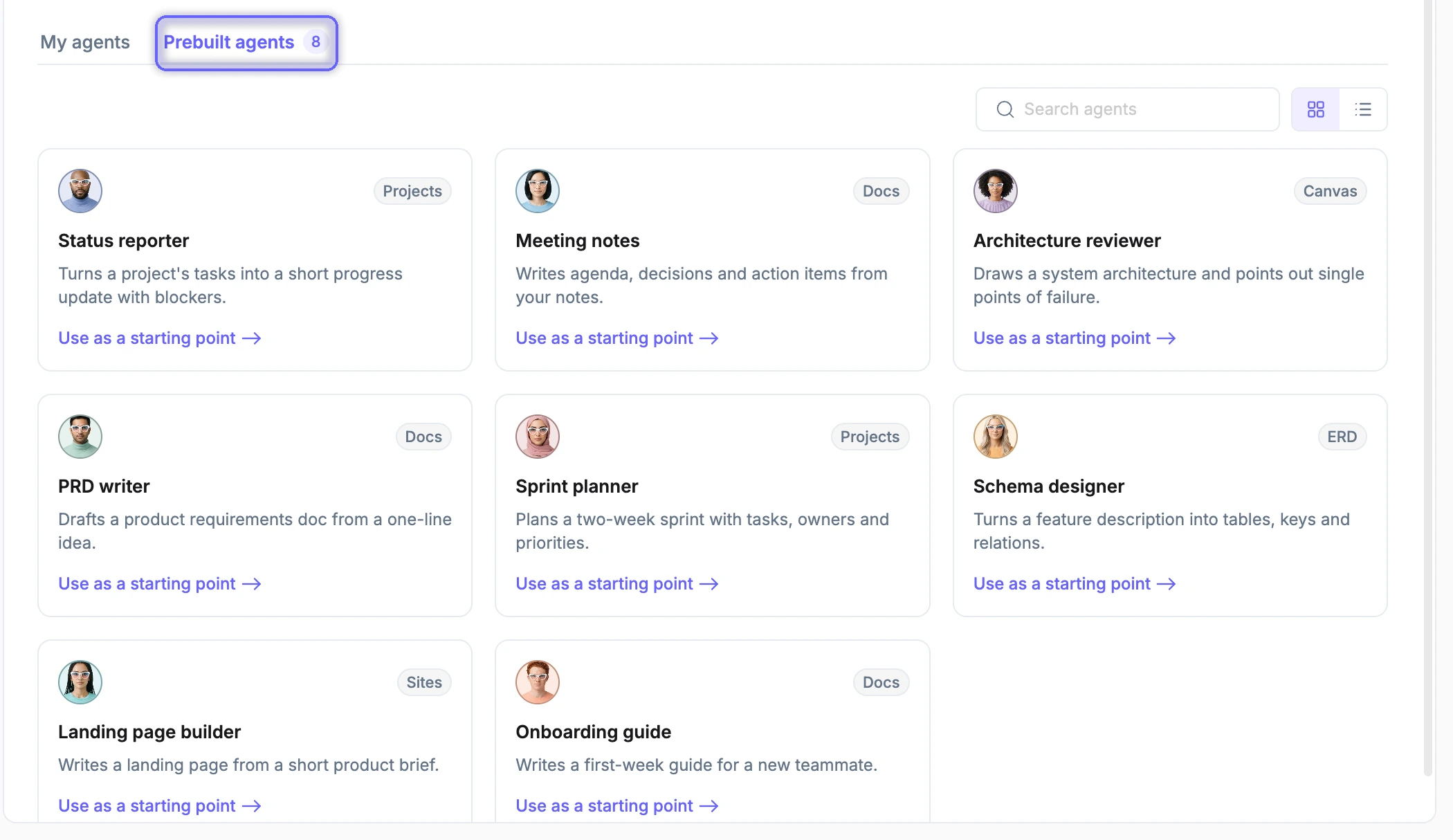
Start from a ready made agent
Pick one of eight prebuilt agents, or a sample on the Agents tab of Home, and change the words to fit your team.
See and change it as a flow of steps
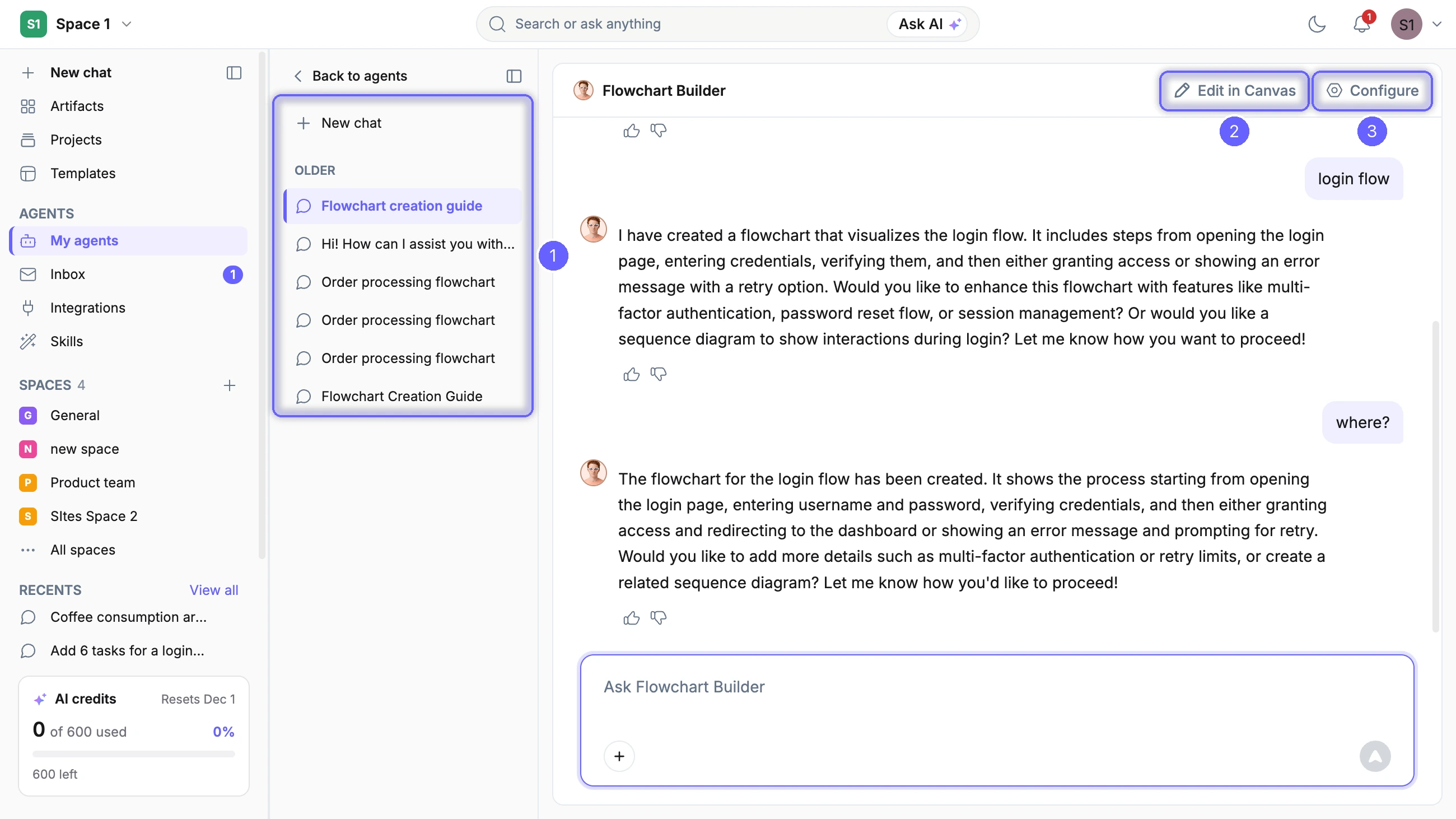
Edit in Canvas draws the agent as steps on a canvas. Ask for a change in the build chat, add steps from the Steps palette, and restore any earlier version.
Give it work in a chat
Open the agent, ask for what you need and attach files. When it makes something, a card such as Created document appears with an Open button.
Let it run on its own
Add a schedule (every few minutes, daily, weekly, monthly or a custom cron) or a trigger that starts the agent when something new arrives in Gmail, Outlook, Slack, Jira, Linear or Notion.
Stay in control with approvals
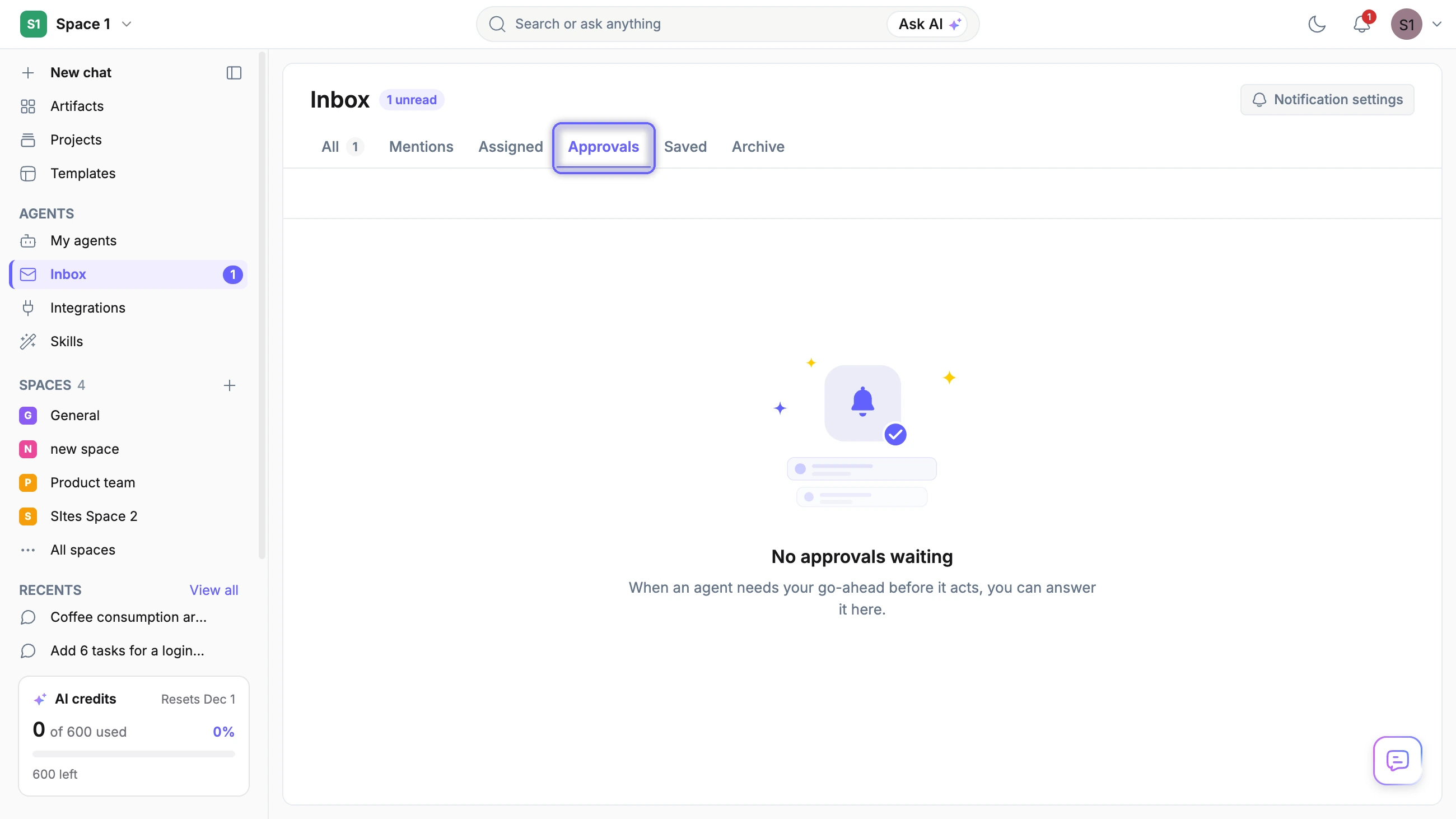
Set each skill to Auto or Ask. A skill on Ask waits for your Approve in the chat or in the Approvals tab of your Inbox.
Teach it with skills and connect your apps
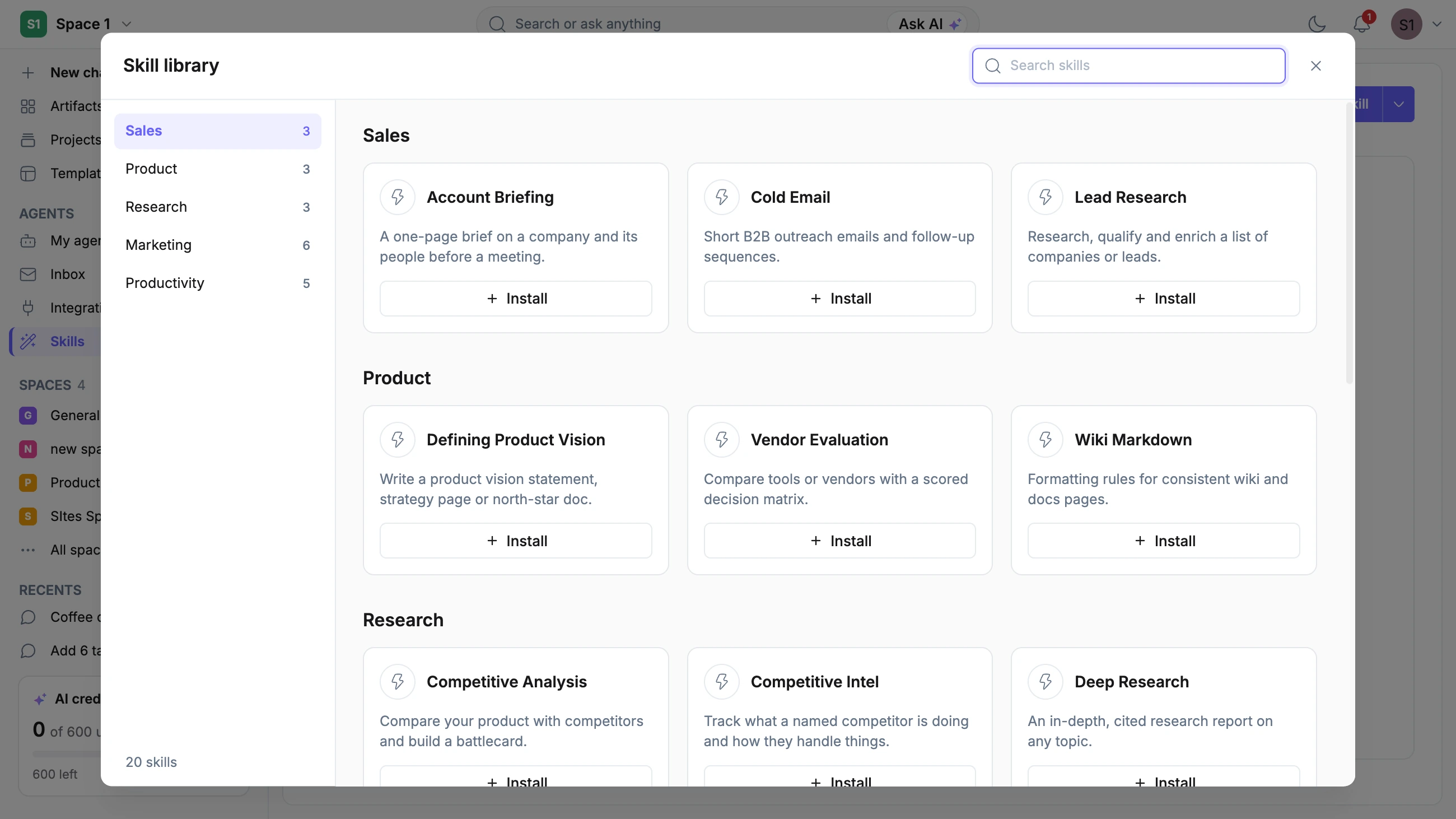
Add skills from the skill library or write your own, and connect apps such as Gmail, Slack, Jira or GitHub so the agent can act in them.
Made for
- Weekly status updates from a project board.
- Meeting notes with decisions and action items.
- Product requirement docs from a one line idea.
- Database schemas from a feature description.
- Architecture diagrams with single points of failure called out.
- Landing pages from a short product brief.
- Email triage: summarise new client emails and add action items.
Start one
| Where | What to click |
|---|---|
| My agents | Left sidebar, under Agents: My agents > New agent. Home opens on the Agents tab. |
| Ask AI | Left sidebar: New chat > the Agents tab above the box. Type the job, or click a sample card. |
| The agent gallery | On the Agents tab, scroll to the sections and click Try now, an agent card, or Build your own. |
| Prebuilt agents | My agents > Prebuilt agents > a card (Use as a starting point). |
| A project (sidebar AI chat projects) | Left sidebar: Projects > a project > its Agents tab. Agents made there belong to that project. |
| A file | The Build a new agent page > Import agent, with an agent files .zip or an agent package (.agent.json). |
See Create an agent: every way to start.
With Cloudairy AI
The agent builder and the agent designer are Cloudairy AI themselves: you describe what you want, and they write the instructions, pick the skills and draw the steps. Every agent chat runs on Cloudairy AI and uses AI credits from your workspace. Each agent's model shows under Configure > Advanced settings.
Share and export
- Share: set Sharing to Workspace so everyone in the workspace can use the agent. Each person's run uses their own access and their own credits. Only the owner can change it.
- Copy link: on the design canvas, the link button copies a link to the agent.
- Export package: on the design canvas, Agent actions (⋯) > Export package saves the agent as a file someone else can import.
- Export the canvas: PNG, JPG, SVG, PDF, Cloudairy Backup, Google Drive or OneDrive.
On your plan
| Plan | Agents | AI credits a month | Models |
|---|---|---|---|
| Free | 1 | 100 | Fast |
| Pro | 5 | 1,000 per seat | Fast + mid-size |
| Business | 50 | 2,500 per seat | All |
| Enterprise | Unlimited | Unlimited | All + your own model keys |
Integrations are on Pro and above. See Agents on your plan.