

Prebuilt agents
Eight ready made agents you can copy and adjust, each one aimed at a single Cloudairy product.
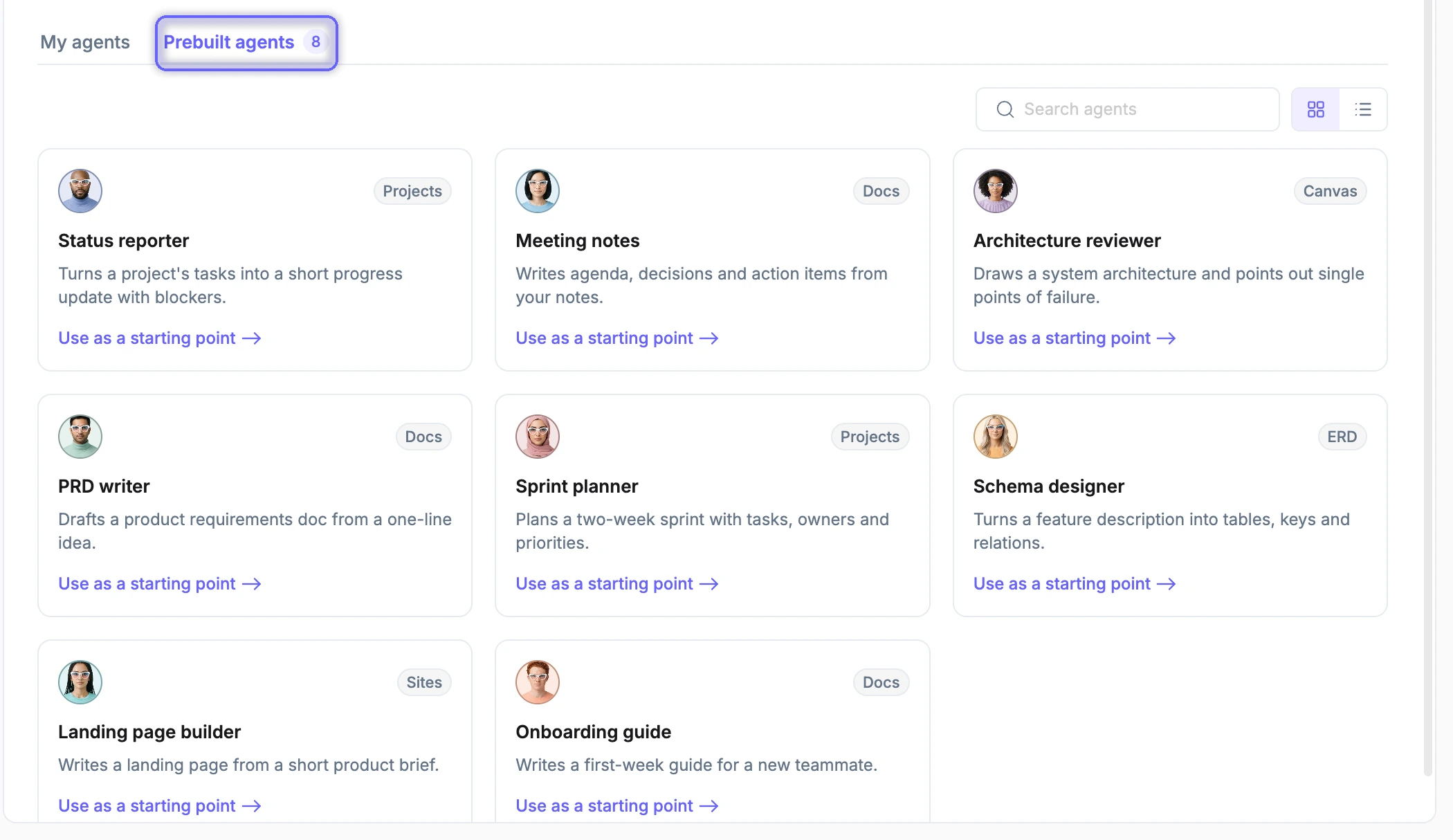
Open the prebuilt agents
In the left sidebar, under Agents, click My agents.
Click the Prebuilt agents tab.
Browse the cards, or type in Search agents to filter them.
Use the view switch next to the search box to see them as cards or as a list. The list shows each agent's Name, what it Makes, and What it does.
The catalog
| Agent | Makes | What it does |
|---|---|---|
| Status reporter | Projects | Turns a project's tasks into a short progress update with blockers. |
| Meeting notes | Docs | Writes agenda, decisions and action items from your notes. |
| Architecture reviewer | Canvas | Draws a system architecture and points out single points of failure. |
| PRD writer | Docs | Drafts a product requirements doc from a one line idea. |
| Sprint planner | Projects | Plans a two week sprint with tasks, owners and priorities. |
| Schema designer | ERD | Turns a feature description into tables, keys and relations. |
| Landing page builder | Sites | Writes a landing page from a short product brief. |
| Onboarding guide | Docs | Writes a first week guide for a new teammate. |
Use one as a starting point
Click a card (Use as a starting point).
The Build a new agent page opens with the agent's job written in the box.
Change the words to fit your team. For example, add your meeting format or your project name.
Press Enter.
Answer the builder's questions, then click Create agent on the Designed agent card. See Answer the agent builder.
The new agent is yours. Changing it does not change the prebuilt one.
More ready made agents on Home
The Agents tab on Home has four sample cards under the box and a gallery of ready made agents grouped by kind of work. A sample sent unchanged makes that agent straight away. See Start from the Agents tab on Home.