Start a new doc
- In the left sidebar, click Artifacts.
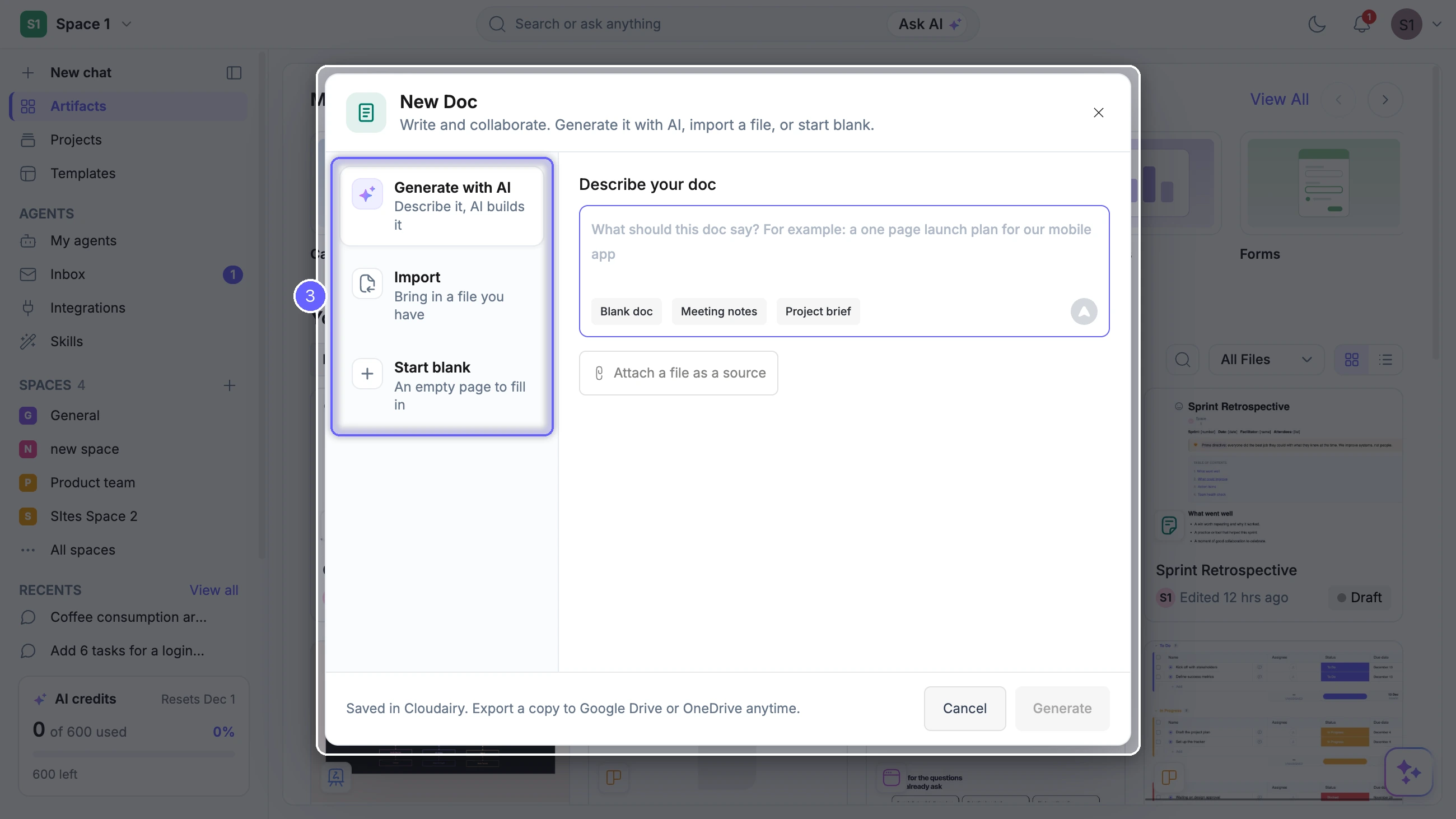
- Under Make something new, click Docs.
- The New Doc dialog opens. Under How to start you see three options:
| Option | Use it when |
|---|---|
| Generate with AI | You want AI to write a first draft from your description. |
| Import | You already have the content in a file. |
| Start blank | You want an empty page to fill in. |
For this tutorial, click Start blank, type a name such as "Team onboarding", and click Create doc.
Add a title
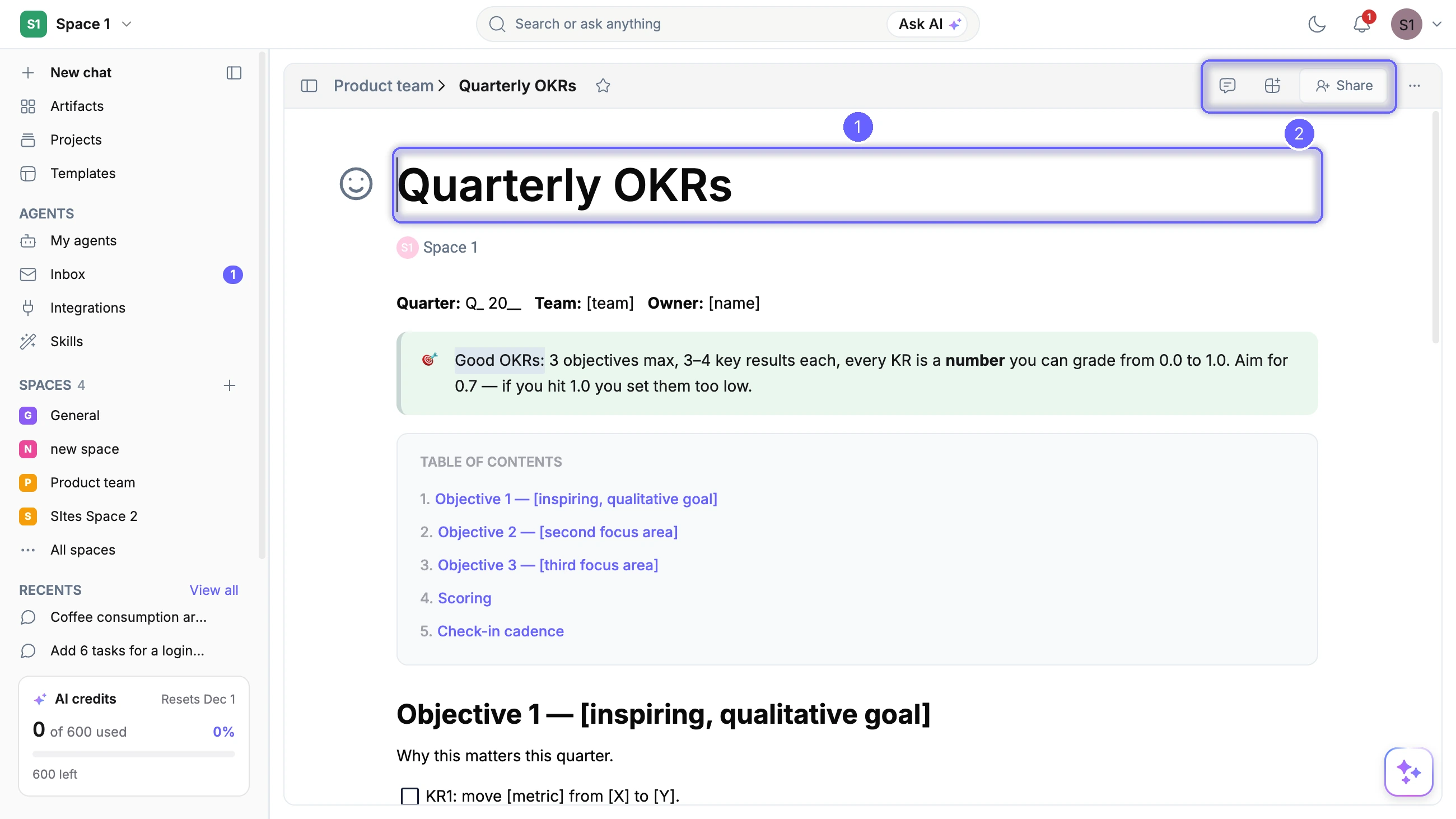
The doc opens with the cursor at the top, where it says Add page title.
- Type "Team onboarding".
- Press Enter to move to the body.
The AI side panel may be open next to the doc. You can close it for now and reopen it with Show AI chat at the top left.
Add blocks with the / menu
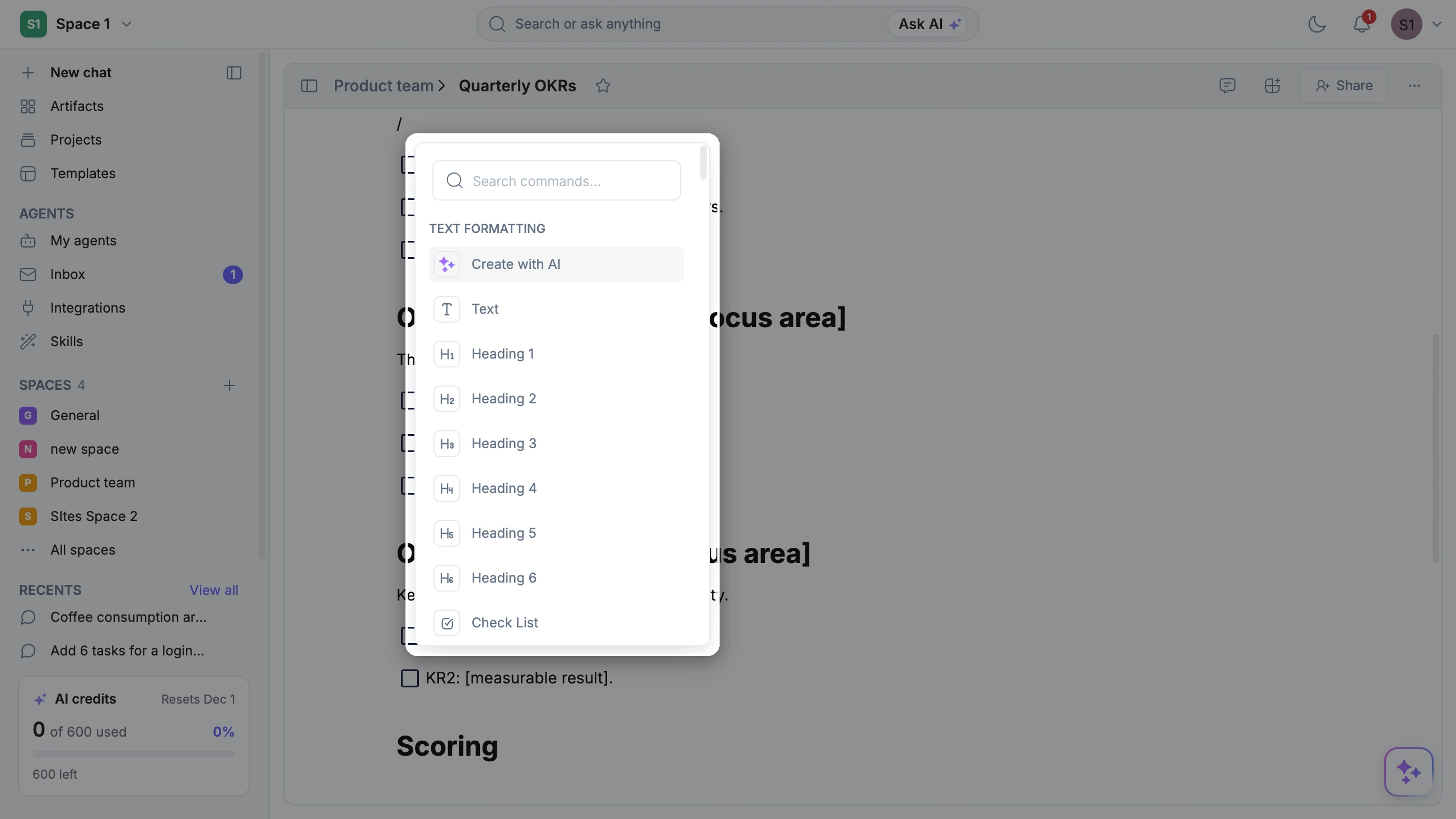
Every line in a doc is a block, such as a paragraph, a heading or a list. Type / to choose one.
- Type / and choose Heading 2. Type "First week".
- Press Enter, type / and choose Check List.
- Add three items: "Get your laptop", "Join the team chat", "Meet your buddy". Press Enter after each one.
- Press Enter twice to leave the list.
Keep typing after / to filter the menu. For example, /tab finds Table.
Add a table
- Type / and choose Table.
- Click into the cells and fill in a small table, for example:
| Day | Who to meet |
|---|---|
| Monday | Your manager |
| Tuesday | Your buddy |
Let AI write a section
- On a new line, type / and choose Create with AI.
- Describe what you want, for example "A short welcome paragraph for new team members".
- Send it, then read the result. Keep it, or ask for changes.
AI uses your workspace's AI credits. The AI credits card at the bottom of the sidebar shows how many are left.
Share the doc
- Click Share at the top of the doc.
- Invite a teammate by email, or copy the link.
Cloudairy saves your doc as you type.