# Import a file into a new artifact
Turn a file you have into a new doc, canvas, ERD or dashboard from the Make something new popup.
Import a file
In the left sidebar, click Artifacts.
Under Make something new, click the Docs, Canvas, ERD or Dashboards card.
In the popup, choose Import.
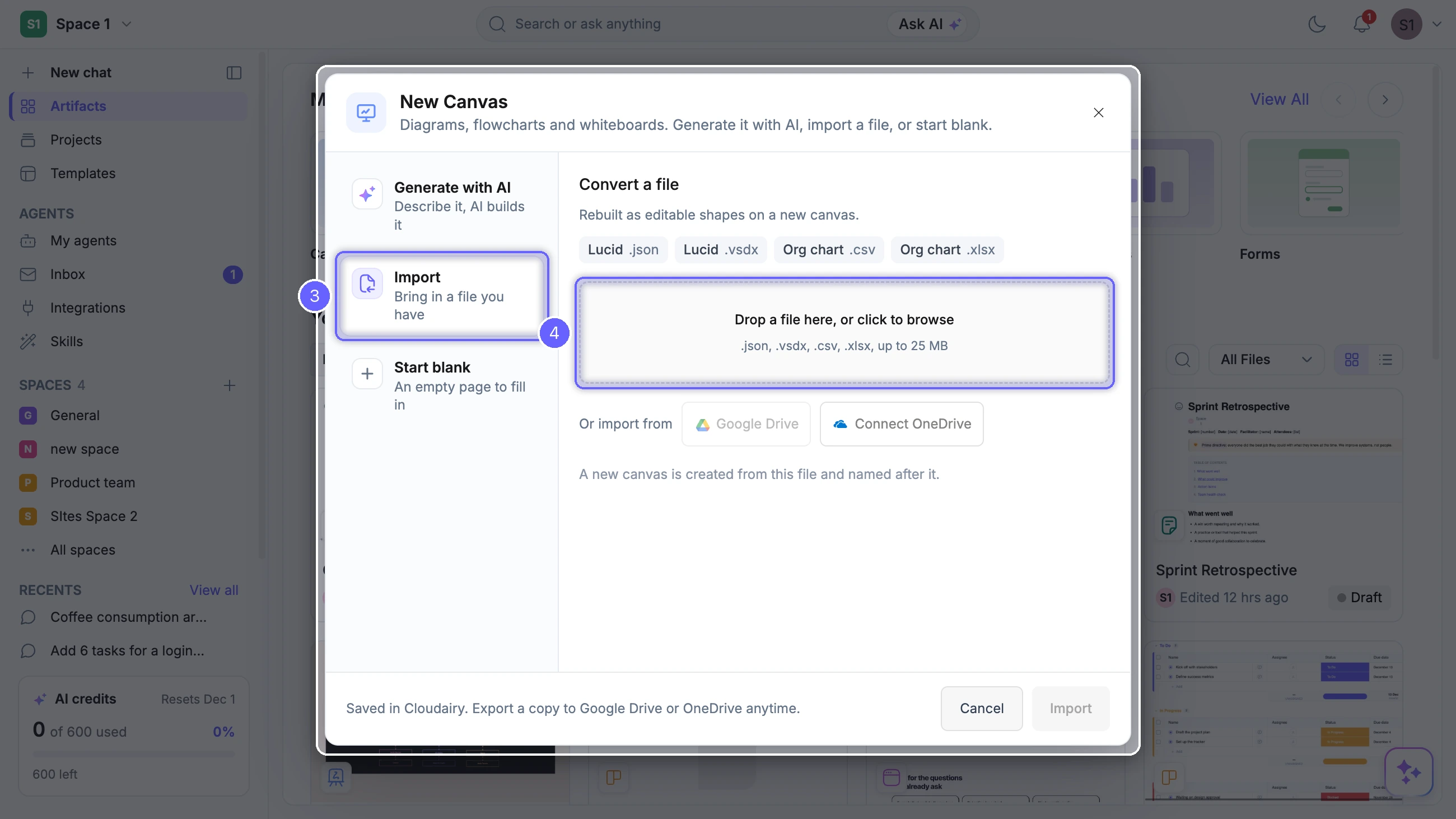
Drop a file in the box, or click to choose one from your computer. To use a file from your drive, pick Google Drive or OneDrive under Or import from.
Follow the prompts to finish.
You can also start from a space: open the space, click Create new, and pick the type. The same popup opens, and the item is created in that space.
What each artifact can import
| Artifact |
Files you can import |
| Doc |
Markdown (.md), Word (.docx), CSV, Excel (.xlsx), PDF |
| Canvas |
Lucid (.json or .vsdx), Org chart from CSV or Excel. The file is rebuilt as editable shapes on a new canvas. |
| ERD |
Excel, CSV, SQL. Tables and relationships are read from the file. |
| Dashboard |
CSV or Excel (.xlsx, .xls). The dashboard opens with the file's data, ready for charts. |
Files can be up to 25 MB. A larger file shows This file is larger than 25 MB.
Importing into a canvas or ERD is on paid plans.
A doc made from a file is named after the file, for example "Imported notes".
Convert, or use as a source for AI
On a doc, Import asks How should we bring it in?:
- Convert: the file becomes the doc, as faithfully as possible.
- Use as a source for AI: Cloudairy AI writes a new doc from the file. Today this takes images (.png, .jpg, .webp) up to 10 MB. PDF and Word show a New badge and are not accepted yet.
Next steps