An artifact is anything you make in Cloudairy, from a whiteboard to a website, and every artifact is a real item you can open, edit, share and find again.
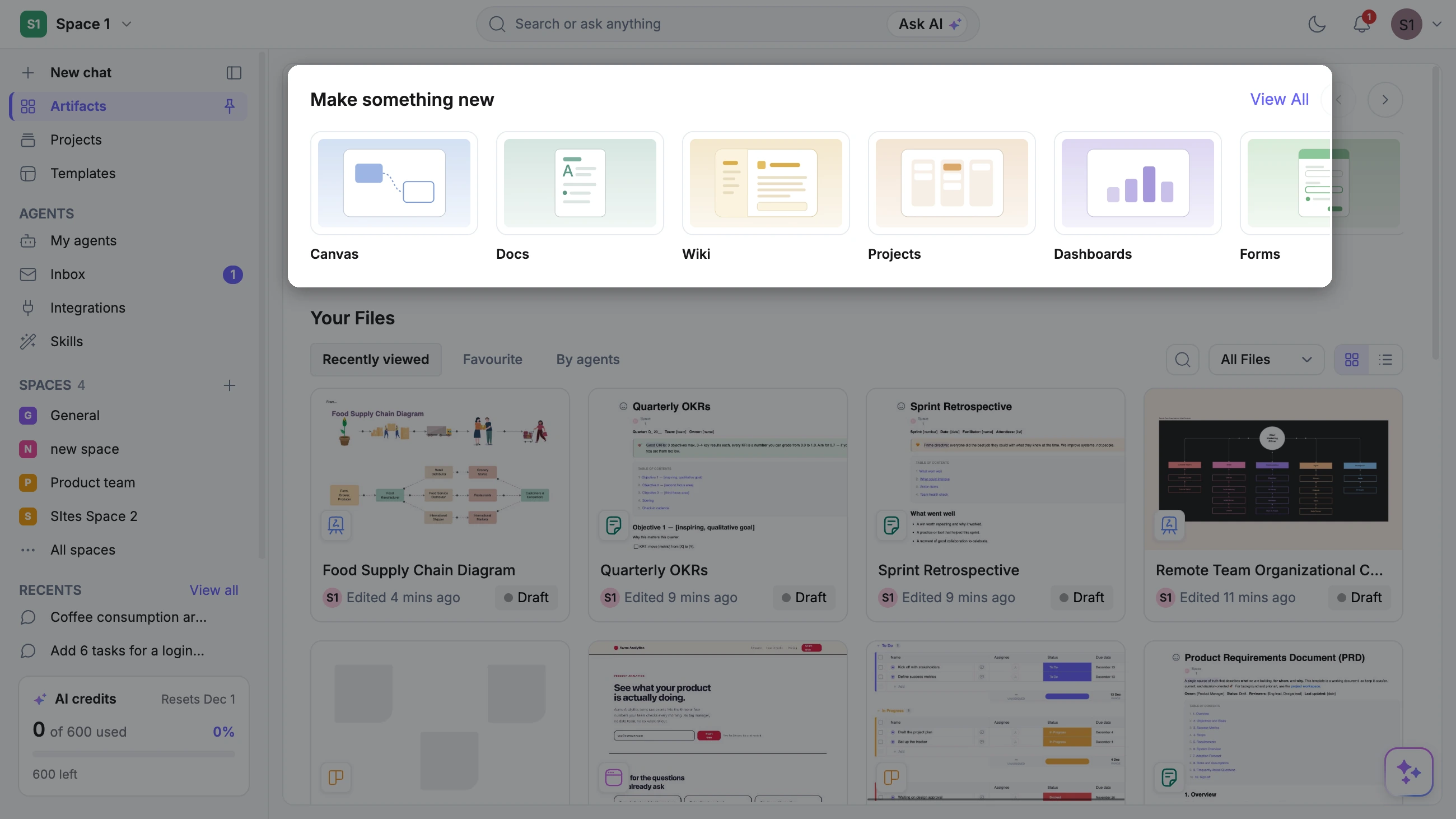
Cloudairy has 13 kinds of artifact: Canvas, Docs, Wiki, Projects, Dashboards, Forms, Sites, Code, ERD, Clips, Infographic, Slides and Wireframes. See The 13 artifact types for what each one is for.
All of them work the same way in the places that matter:
| Everything you make… | Where |
|---|---|
| is listed on the Artifacts page | Left sidebar › Artifacts › Your Files |
| lives in a space (and can sit in a folder) | Left sidebar › SPACES |
| has the same ⋯ menu: Share, Copy link, Open in new tab, Add to Favourite, Status, Rename, Duplicate, Details, Move to, Delete | On its card or row |
| can be made by hand or by Cloudairy AI | See Ways of creating |
| can be found from the top bar | Search or ask anything (Cmd/Ctrl+K) |
You can start an artifact blank, from a template, from a file, or by describing it to Cloudairy AI. However you start, you get the same editable item. An AI diagram is a normal canvas, an AI doc is a normal doc. You keep editing it by hand, or with more prompts.
Artifacts your AI agents make are kept apart under Artifacts › Your Files › By agents, grouped per agent.
| Plan | Items you can have |
|---|---|
| Free | 3 in total |
| Pro | Unlimited |
| Business | Unlimited |
| Enterprise | Unlimited |
On the Free plan a clip counts as an item. When you reach the limit, Cloudairy shows an upgrade prompt instead of creating the item. See Plans.
Two different things in Cloudairy are called Projects. It helps to know which one you are in.
| Projects (the artifact) | Projects (in the sidebar) | |
|---|---|---|
| Where | Artifacts › Make something new › Projects | Left sidebar › Projects |
| What it is | A home for one piece of work: task boards, docs, canvases, forms and dashboards together | A group of AI chats around one goal, with its own files and instructions |
| Learn more | Projects | Projects: group your AI chats |