Organise a wiki into spaces, groups and pages, and manage each page.
| Level | What it is | On the published site |
|---|---|---|
| Space | A set of pages on one topic | A tab in the navigation |
| Group | A heading that holds pages | A heading in the page list |
| Page | One doc | A page readers open |
In the content list, click + next to CONTENT, or use the pages panel space switcher > New space.
Name the space. You see "Space created successfully."
An empty space says "This space is empty".
In the pages panel, click +.
Pick New Group, Create Doc or Import ▸ (Miro, Google Drive, Mural, Lucid, Visio, Import backup).
Drag rows to reorder them.
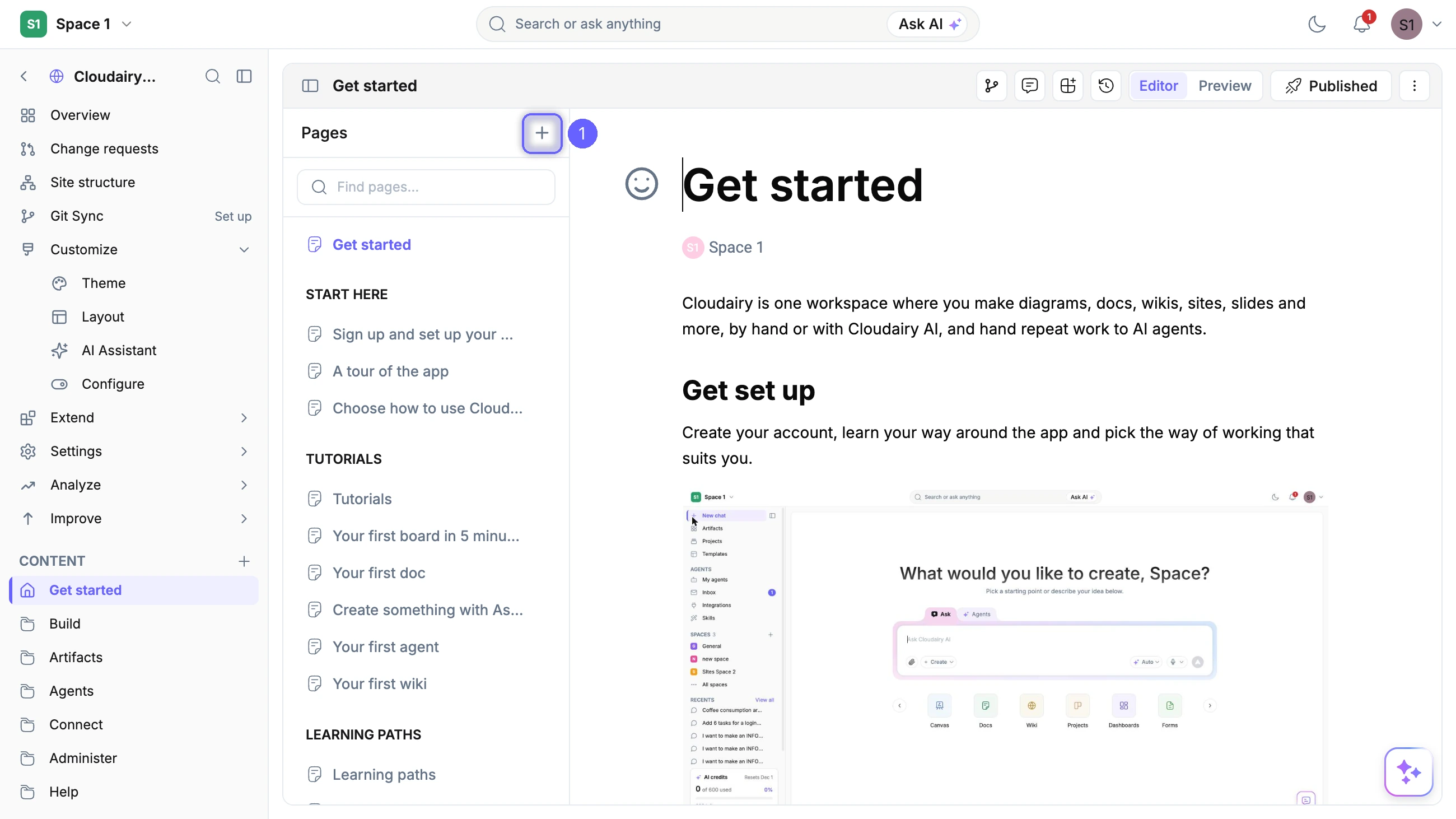
Use the search box at the top of the pages panel to find a page. Press Cmd/Ctrl+K for "Search docs".
Open a page's ⋯:
| Action | What it does |
|---|---|
| Rename | Change the page name |
| Page options | Layout (Docs, Editorial or Landing preset, width, sidebars, footer, tags), Visibility (hide from navigation, include in search, allow indexing) and Metadata (canonical URL) |
| Hide | Hide the page from navigation |
| Duplicate | Make " copy" |
| Export as PDF | Download the page |
| Copy link, title or content | Copy to the clipboard |
| Move to trash | Delete the page |
A group's ⋮ has Rename, Duplicate and Move to trash. A space row's ⋮ has Open space, Rename and Edit navigation item….
Use the Editor / Preview switch in the header to see the page as readers will.