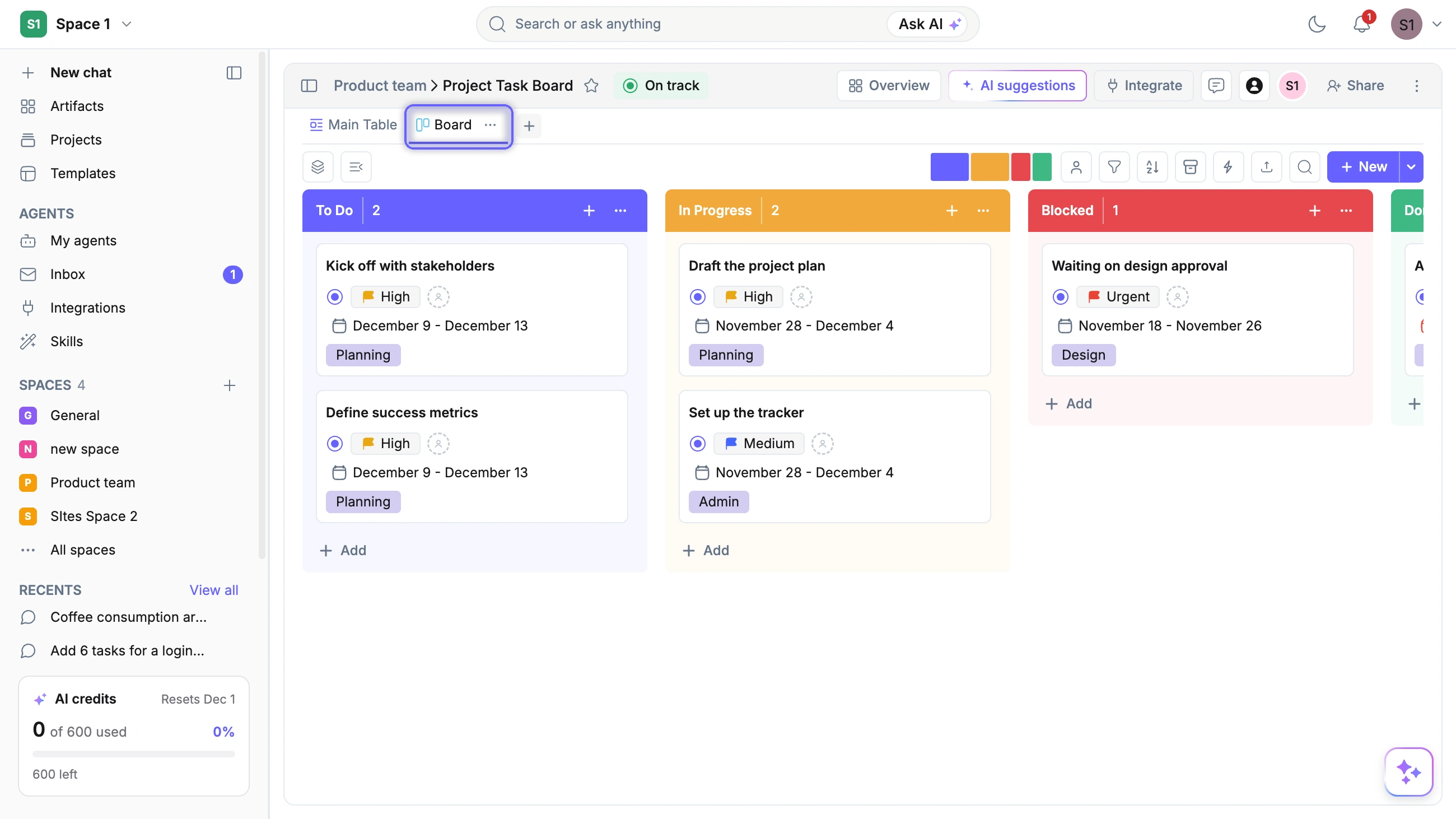
A project is a home for one piece of work: task boards with tables, kanban, timelines and automation, plus the docs, forms, dashboards and canvases that go with them.
These are the projects you make from the Projects card on the Artifacts page. The Projects row in the left sidebar is something else: it groups AI chats (see Projects: group your AI chats).
The project page lists its boards, docs, wikis, forms, dashboards, canvases, sites and folders, with a cover, a description, and Recents, Content and Favourites tabs.
Start a board from AI, by hand or from templates such as Product launch, Program rollout, Client delivery, Quarterly roadmap and Construction phases.
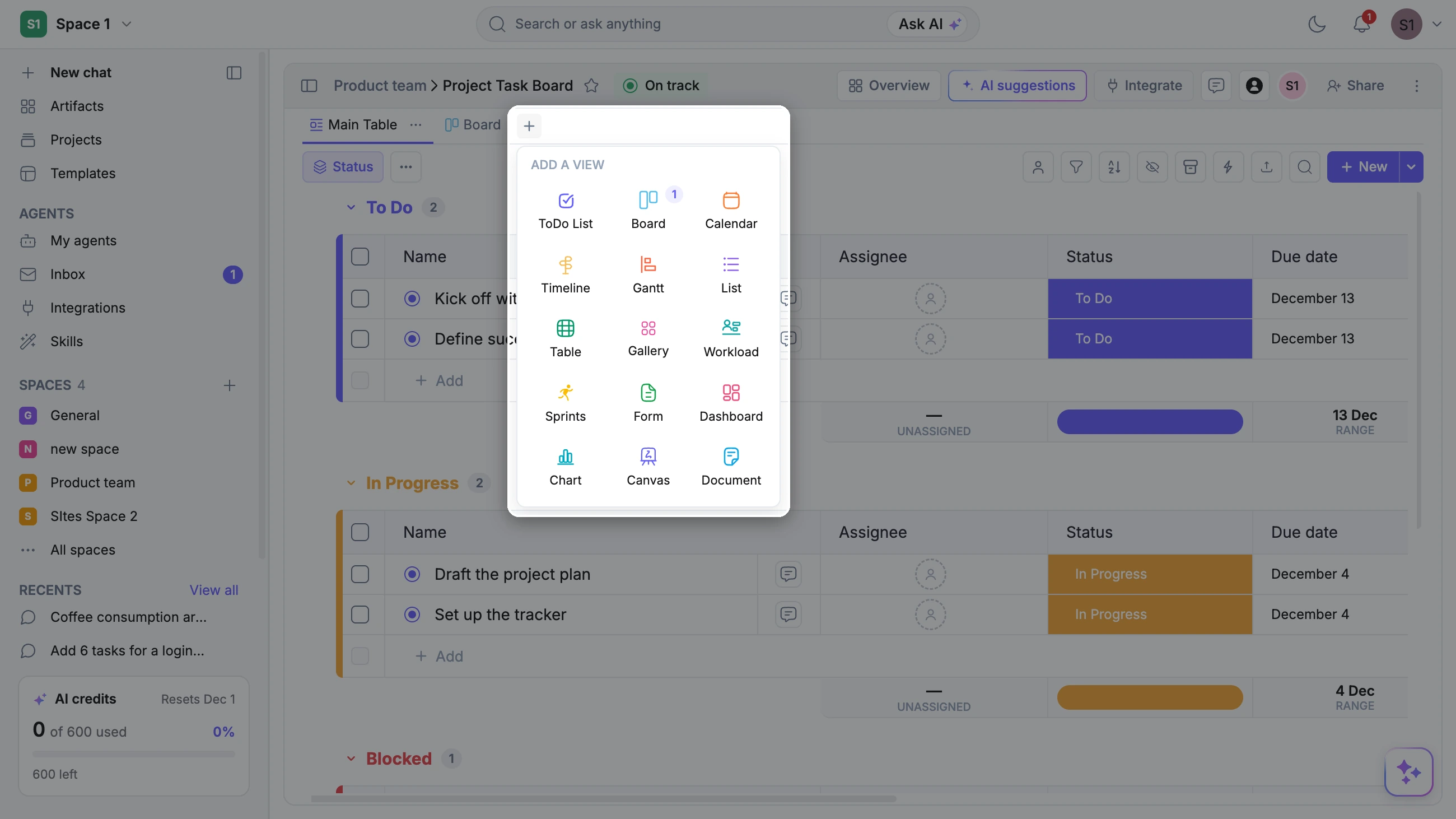
Add views: ToDo List, Board, Calendar, Timeline, Gantt, List, Table, Gallery, Workload, Sprints, Form, Dashboard, Chart, Canvas and Document.
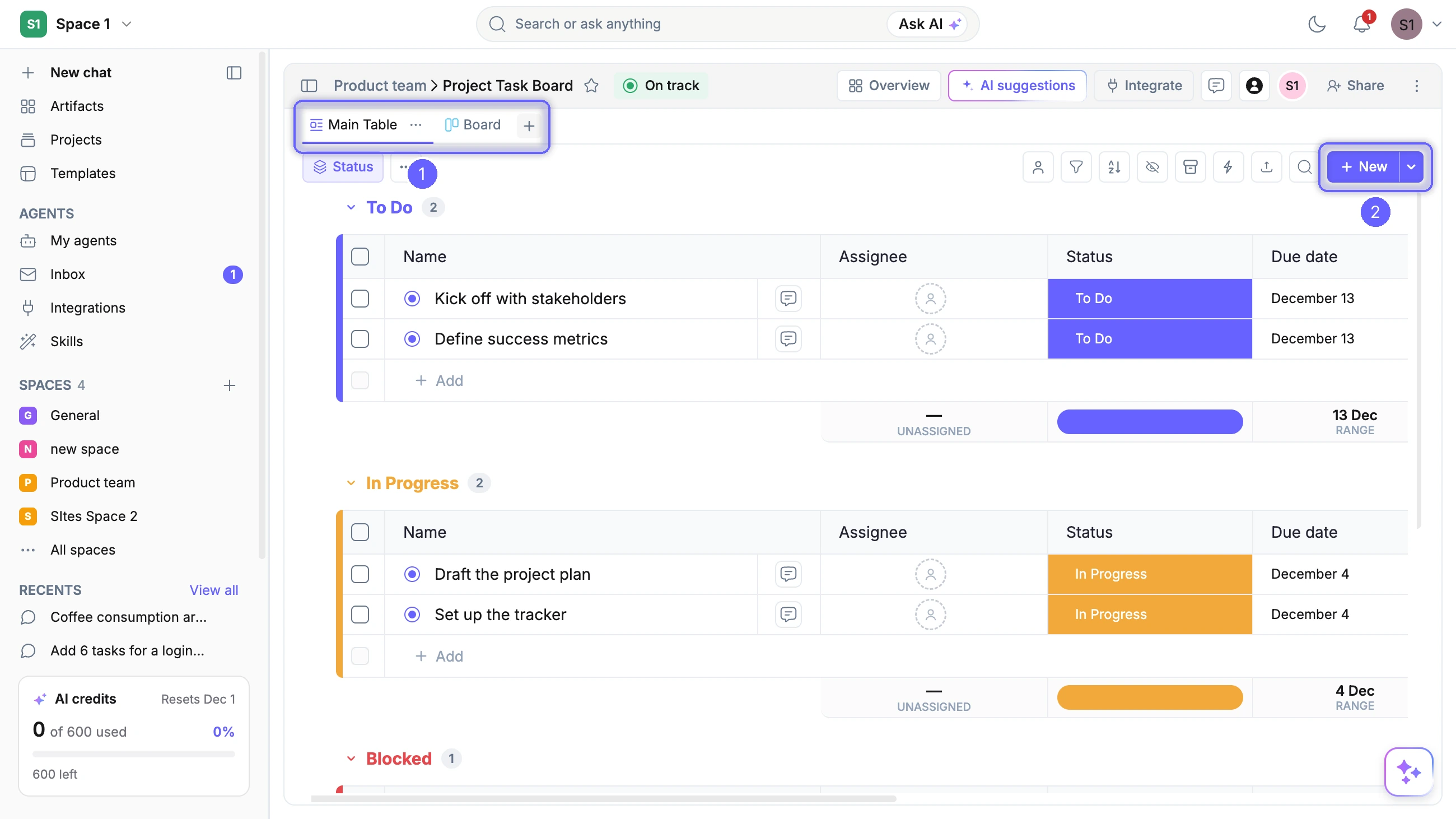
From Status, Person and Date to Formula, Relation, Rollup, Voting and Signature. Let AI fill a column for you.
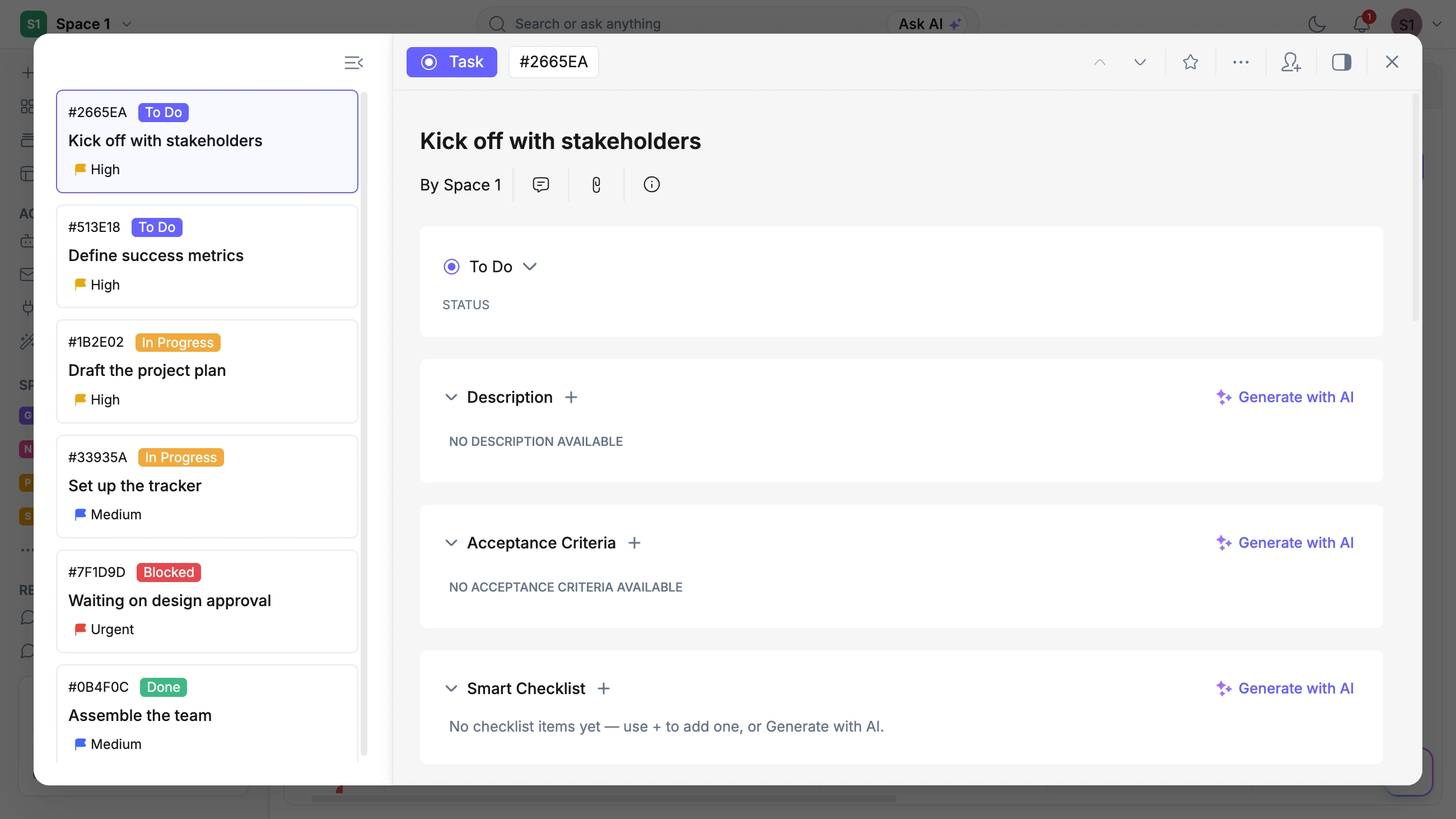
Each task card has a description, acceptance criteria, a smart checklist, subtasks, time logs, dependencies and an activity stream.
Set WHEN / IF / THEN automations, check project health and insights in Overview, and export to JSON, CSV or Excel.
| Where | What to click |
|---|---|
| Artifacts | Make something new > Projects. An "Untitled project" is created and opens. |
| New chat | Click Create and pick Projects, then describe the work. AI asks a question or two, then fills one project with a board, docs and a canvas. |
| A project page | + > Project ▸ Project opens Create a new project for a task board. |
| A space | Create new > Project. |
| Templates | Left sidebar > Templates > type Projects > Use. |
| Import | Project page + > Import data ▸ (Excel / CSV, Google Sheets, Asana, Trello, Basecamp and more). |
| Free | Pro | Business | Enterprise | |
|---|---|---|---|---|
| Projects and boards | Count toward 3 items in total | Unlimited | Unlimited | Unlimited |
| AI credits | 100 | 1,000 | 2,500 | Unlimited |