Set your wiki's theme, layout, AI assistant and site settings, with a live preview as you go.
In the wiki sidebar, open Customize.
Pick Theme, Layout, AI Assistant or Configure.
Make changes. The live preview has its own Light / Dark and Desktop / Phone switches.
Click Save, or Discard to drop your changes.
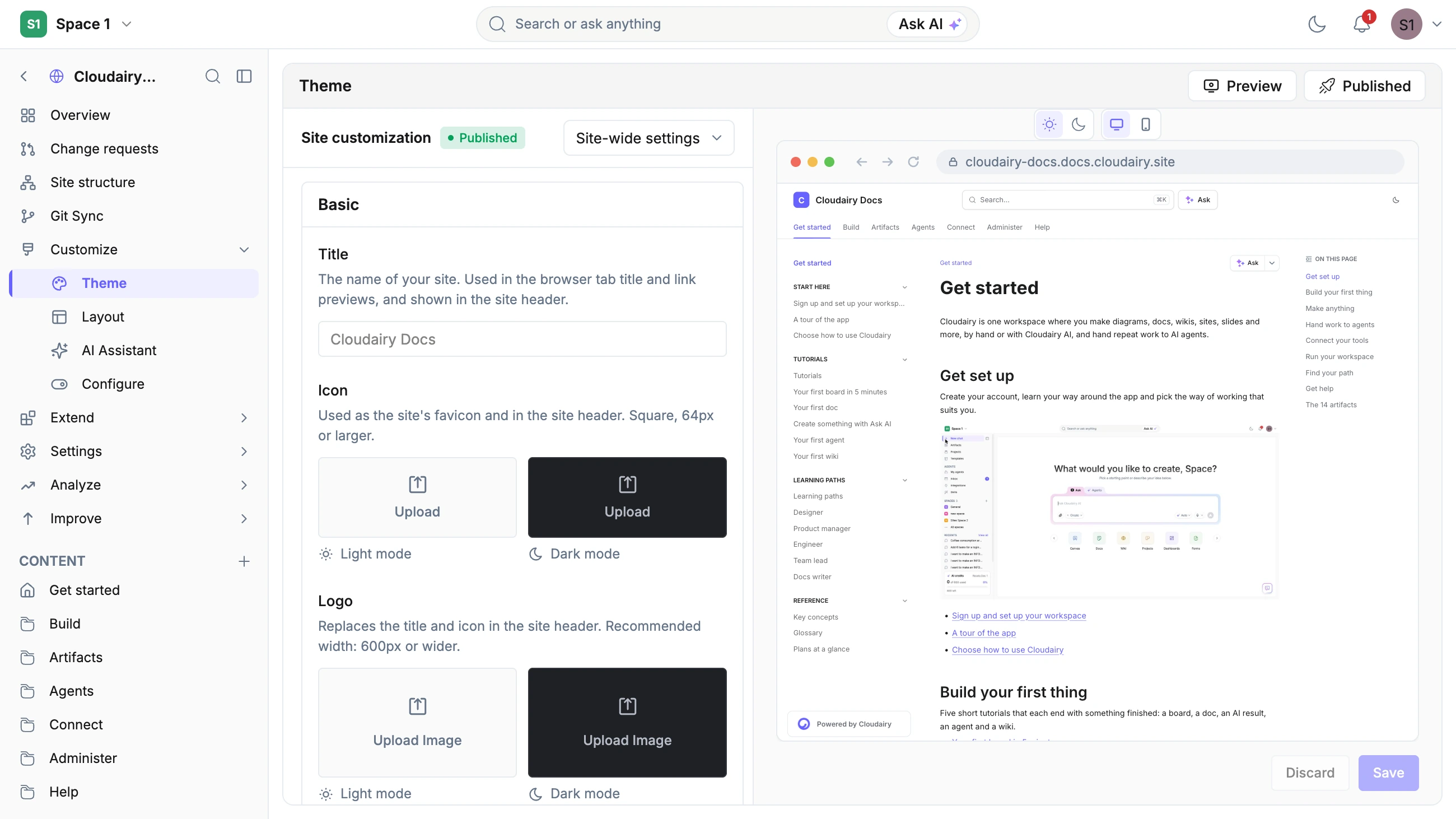
| Setting | What it does |
|---|---|
| Title | The site title |
| Logos and icon | Upload images of 4 MB or smaller |
| Theme cards | A ready look to start from |
| Colours | Primary and other colours, and a dark base colour |
| Fonts | The site's fonts |
| Setting | What it does |
|---|---|
| Header search | How search shows in the header |
| Navigation links | Links in the site header |
| Announcement | A banner at the top of the site |
| Pagination | Previous and next links on each page |
| Footer | Footer links and text |
| Social | Your social accounts |
Set the assistant's placement, greeting, instructions and suggested questions, so readers get answers from your content.
Set the site language, how links open, and the social image used in link previews.