The skill library holds about 20 ready skills for sales, product, research, marketing and productivity, which you can install in one click.
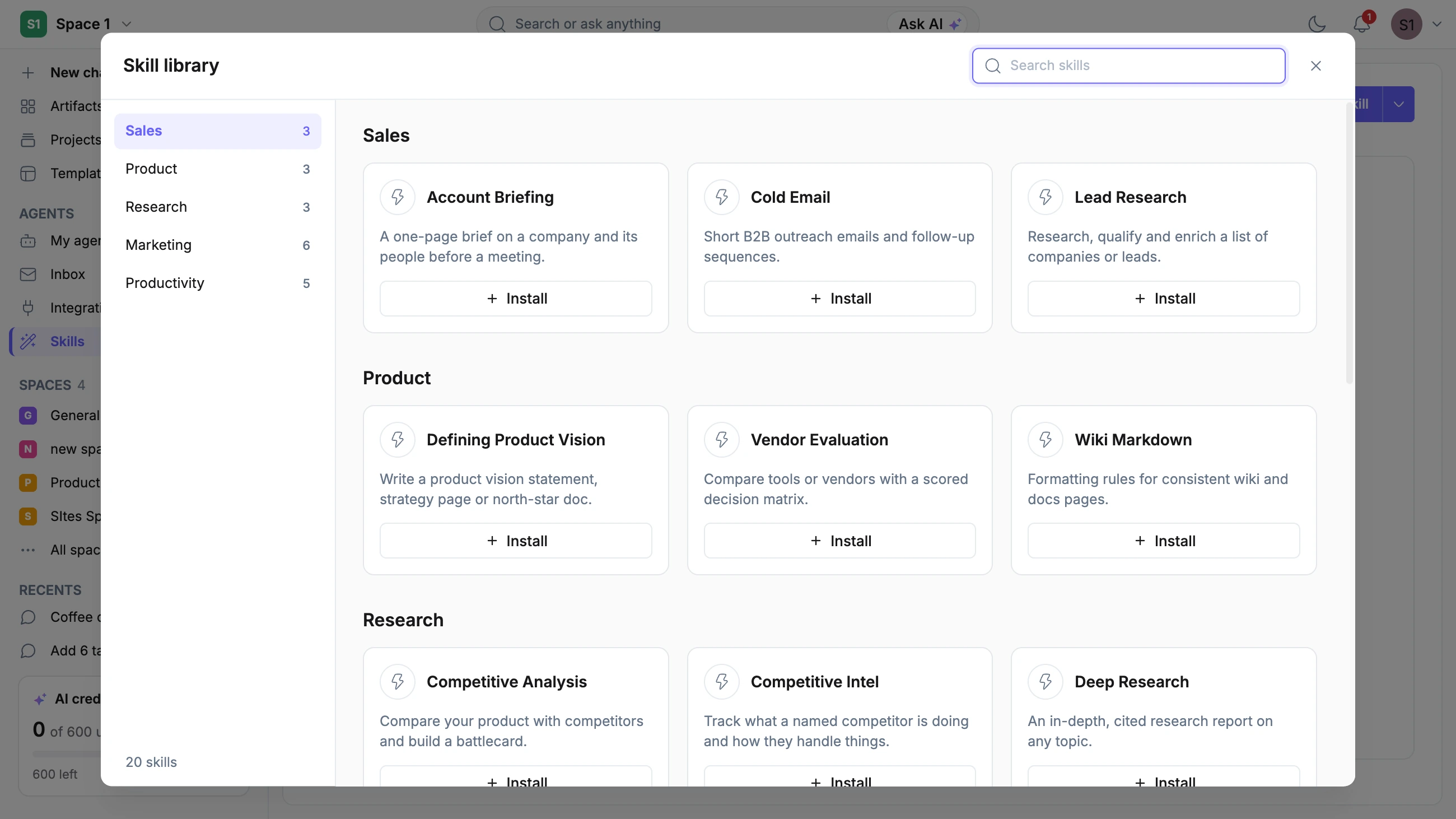
In the left sidebar, under Agents, click Skills.
Click Browse library. The Skill library opens.
Search with Search the library, or browse by category.
| Category | Skills |
|---|---|
| Sales | Account Briefing, Cold Email, Lead Research |
| Research | Competitive Analysis, Competitive Intel, Deep Research |
| Marketing | Content Brief, Content Strategy, Copywriting, Marketing Psychology, SEO Audit, Social Content |
| Product | Defining Product Vision, Vendor Evaluation, Wiki Markdown |
| Productivity | Deep Write, Email Drafting, Humanizer, Inbox Triage, Weekly Digest |
Click Install on a skill's card, or
Click the skill's title to open its detail page. It shows What it does, When an agent uses it and a SKILL.md preview. Click Install to workspace.
Installing copies the SKILL.md into your workspace; you can edit it afterwards. Installed skills show Installed in the library. Click the back arrow to return to the library.
The skill is on your Skills page and every agent in the workspace can use it. To change your copy, click it and edit it. See Skills.