Write a skill yourself, let Cloudairy AI draft it, or bring one in from a folder or a GitHub link.
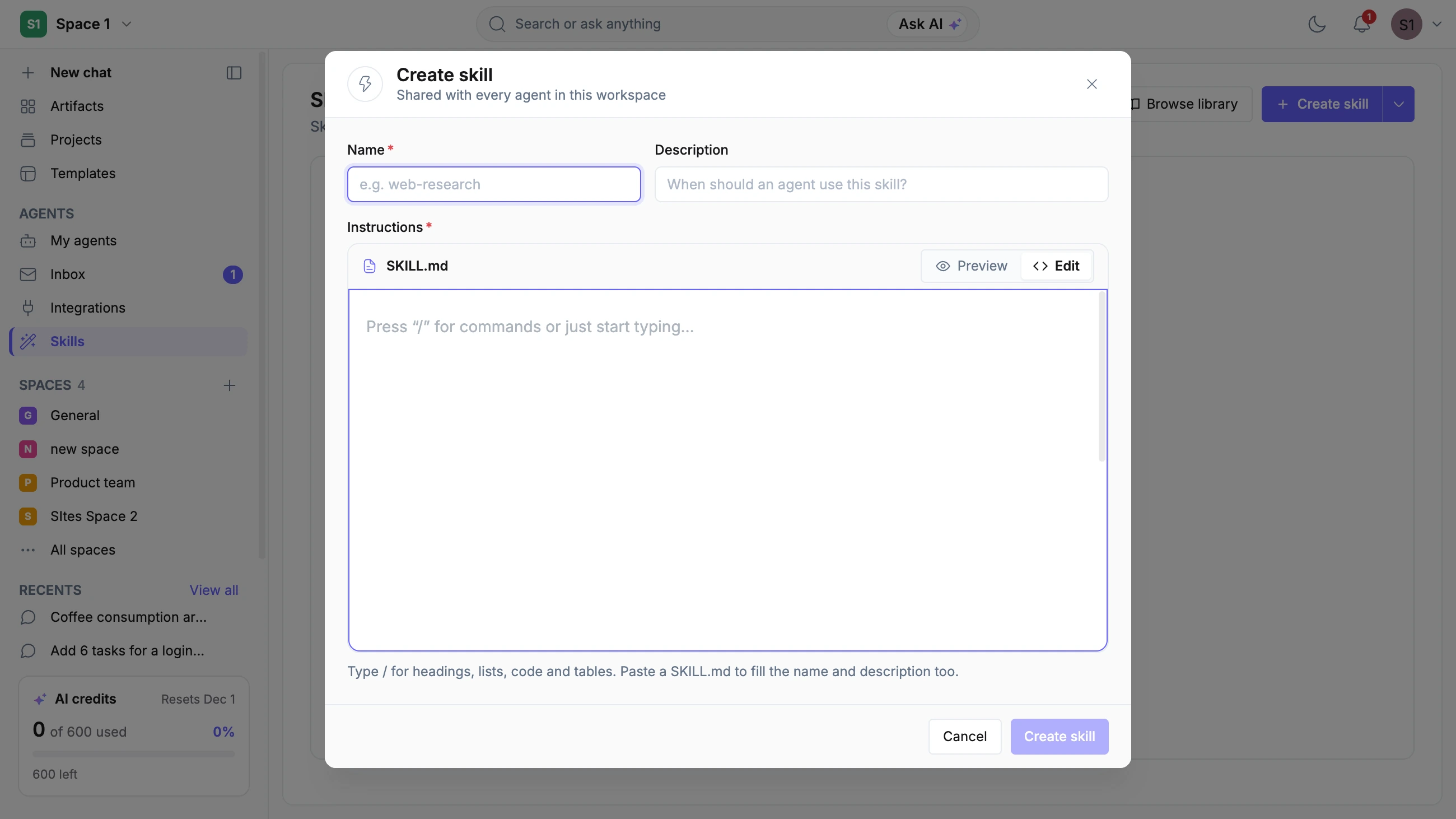
In the left sidebar, under Agents, click Skills.
Click Create skill. The Create a skill dialog opens.
Fill in:
SKILL.md text. Write the steps, the format and an example. Press / for commands, and use Preview to see it formatted.Click Create skill.
The skill appears first in the list and opens in its editor. It is shared with every agent in this workspace.
Click the arrow next to Create skill (More ways to create):
| Option | What it does |
|---|---|
| Create with AI | Opens Ask AI with a prompt to write the skill for you. Describe what the skill is for. |
| Write manually | Opens the Create a skill dialog above. |
| Upload a folder | Creates a skill from a folder on your computer. |
| Import from URL | Creates a skill from a GitHub folder. |
Click the arrow next to Create skill > Upload a folder.
Choose a folder that holds a SKILL.md file.
The skill is created straight away, with its name and description taken from the SKILL.md, and opens in its editor.
Click the arrow next to Create skill > Import from URL.
Paste the link to the skill's folder in GitHub URL. The SKILL.md inside it is read.
Click Fetch.
Check the preview under Ready to add.
Click Add to workspace.
If the folder has no SKILL.md, you see "No SKILL.md found at that URL" and Add to workspace stays off.