The model button in the Ask AI box lets you pick which AI model does the work, or leave it on Auto.
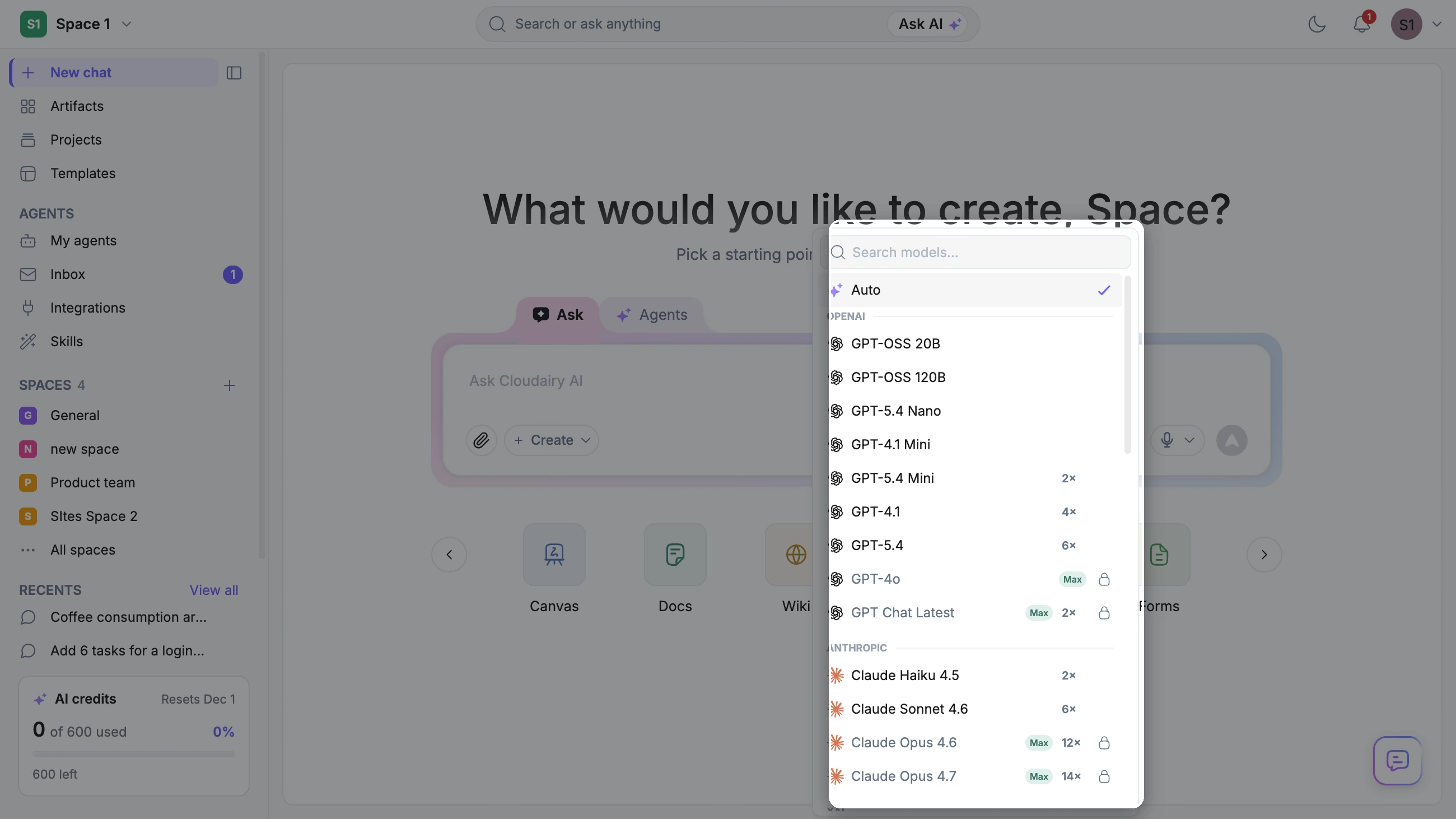
In the box on Home or in a chat, click the model button on the right, next to the microphone. It reads Auto until you pick a model, then shows the model's name.
The list opens. Models are grouped by provider. Type in Search models… to filter it.
Hover over a model to see what it is best for.
Click a model to use it. A tick marks your choice.
Your choice stays selected for your next prompts in this browser until you change it.
Auto is the first row and the default. With Auto, each kind of request uses the model Cloudairy picks for it. Use Auto unless you have a reason not to.
Pick a model yourself when:
Lighter models usually use fewer AI credits; more capable models usually use more. Each answer shows the credits it used, so you can compare. See AI credits.
| Plan | Models |
|---|---|
| Free | Fast |
| Pro | Fast + mid-size |
| Business | All |
| Enterprise | All + your own model keys |
A model your plan doesn't include shows a lock. Hover over it to see the plan it needs, for example "Requires Business". Click it to see your upgrade options.