The Users page lists everyone with access to the workspace, with their role, seat and status.
Users is on paid plans. Only the workspace owner and admins can open it.
Click your avatar in the top bar, then click Administration.
Under Directory, click Users.
Or click the workspace switcher, then Invite people.
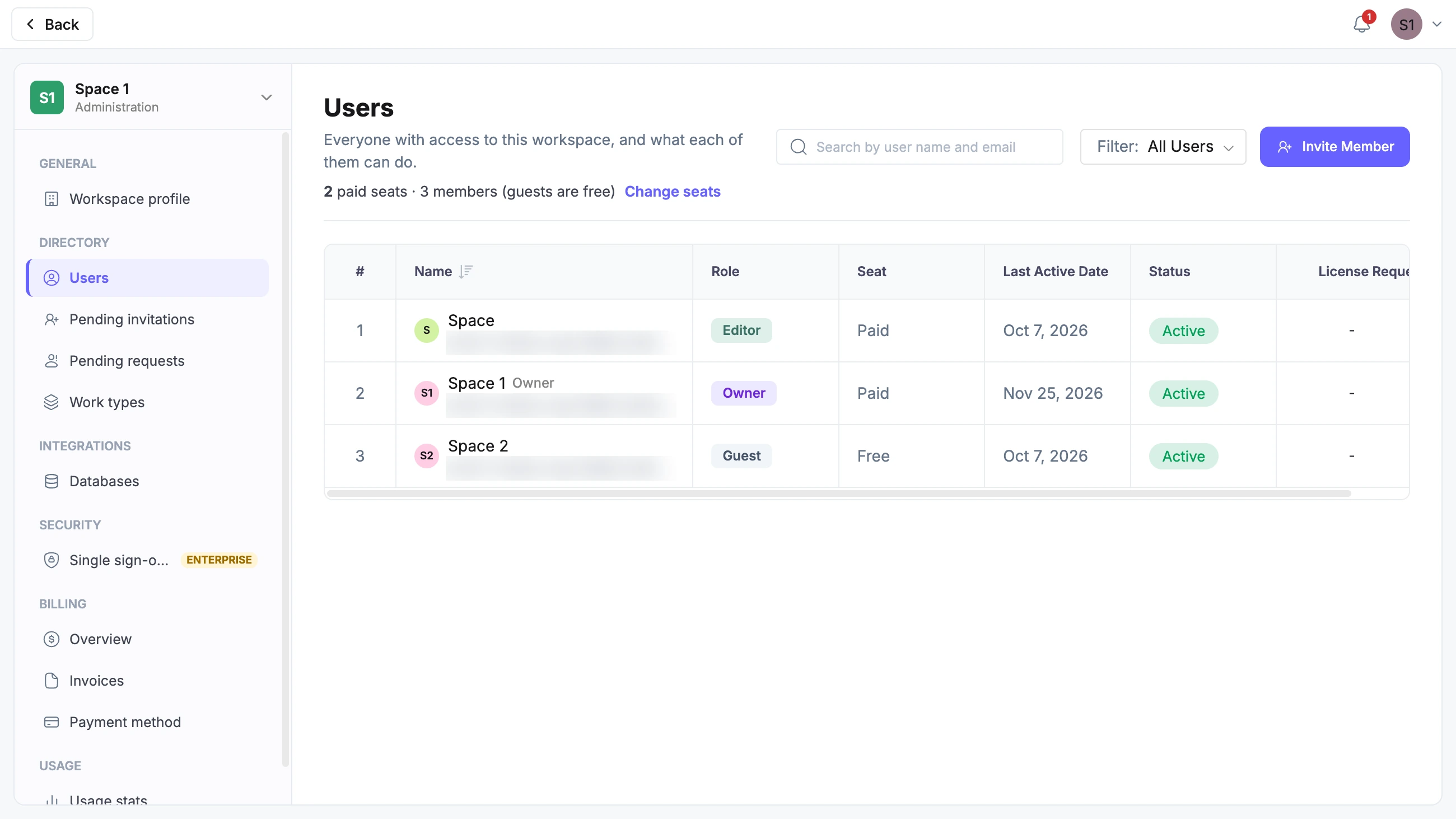
Under the title, a line shows how many paid seats are used, for example 4 of 5 paid seats used · 1 open seat to invite into, or all seats filled. Click Change seats next to it to add or remove seats. See Change the number of seats.
The table has these columns:
| Column | What it shows |
|---|---|
| User Names | The person's name. |
| Their email address. | |
| Role | Owner, Editor, Guest or Pending. |
| Seat | Whether they use a paid seat, a free one, or are still pending. |
| Last Active Date | When they last used Cloudairy. |
| Status | Whether they have joined. |
Point at a row and click ⋯:
Click Invite Member at the top of the page. See Invite people.