The Billing overview shows what your workspace is on, what it costs, and when it renews, all on one card.
Billing is per workspace. Only the workspace owner or an admin can open it.
Click your avatar in the top bar.
Click Administration.
In the left navigation, under Billing, click Overview.
To see another workspace's billing, click the workspace name at the top of the Administration navigation and pick a different workspace.
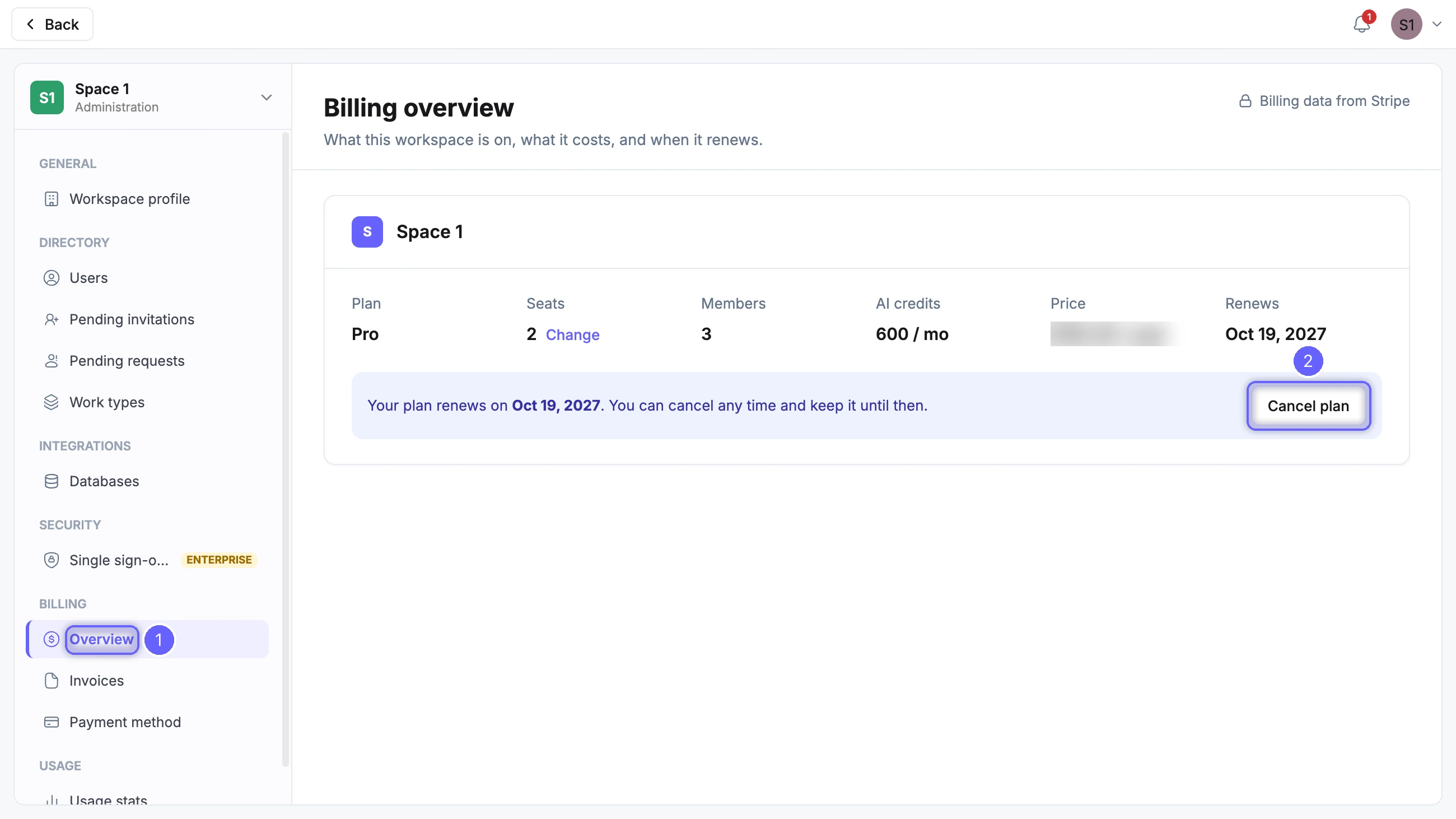
| Field | What it tells you |
|---|---|
| Plan | Free, Pro, Business or Enterprise. A Trial label means you are on a trial. |
| Seats | How many paid seats you have. On a paid plan, Change opens the seats dialog. |
| Members | How many paid seats are filled, for example "4 of 5", and how many are still open. |
| AI credits | Your plan's monthly AI credits. |
| Price | What you are charged each period. If a discount is running, you also see the full price crossed out and the discount. |
| Renews, Ends or First charge | When the plan renews. It says Ends once you have cancelled, and First charge during a trial with a card. |
The figures come from Stripe, Cloudairy's payment provider.
The strip under the figures tells you the state of the plan, with one button to change it.
| Message | Button |
|---|---|
| Your plan renews on a date. You can cancel any time and keep it until then. | Cancel plan |
| Your plan is cancelled. It stays active until a date, then moves to Free. | Keep my plan |
| You are on a free trial. Your card is charged on a date unless you cancel. | Cancel trial |
| You have some days left in your trial. No charges apply unless you choose a plan. | Choose a plan |
| Your Business trial has ended and the workspace is locked. | Choose a plan |
| This workspace is on the Free plan. | Upgrade, and Start free trial when a trial is offered |
| Seats drop from one number to another on your renewal date. | Change |
| Billing details could not be loaded. | Try again |
If the workspace is billed another way (not by card through Cloudairy), the page says so. Contact Cloudairy support to see invoices or change billing.